> ## Documentation Index
> Fetch the complete documentation index at: https://docs.goguardian.com/llms.txt
> Use this file to discover all available pages before exploring further.
# Block Live Chat in YouTube
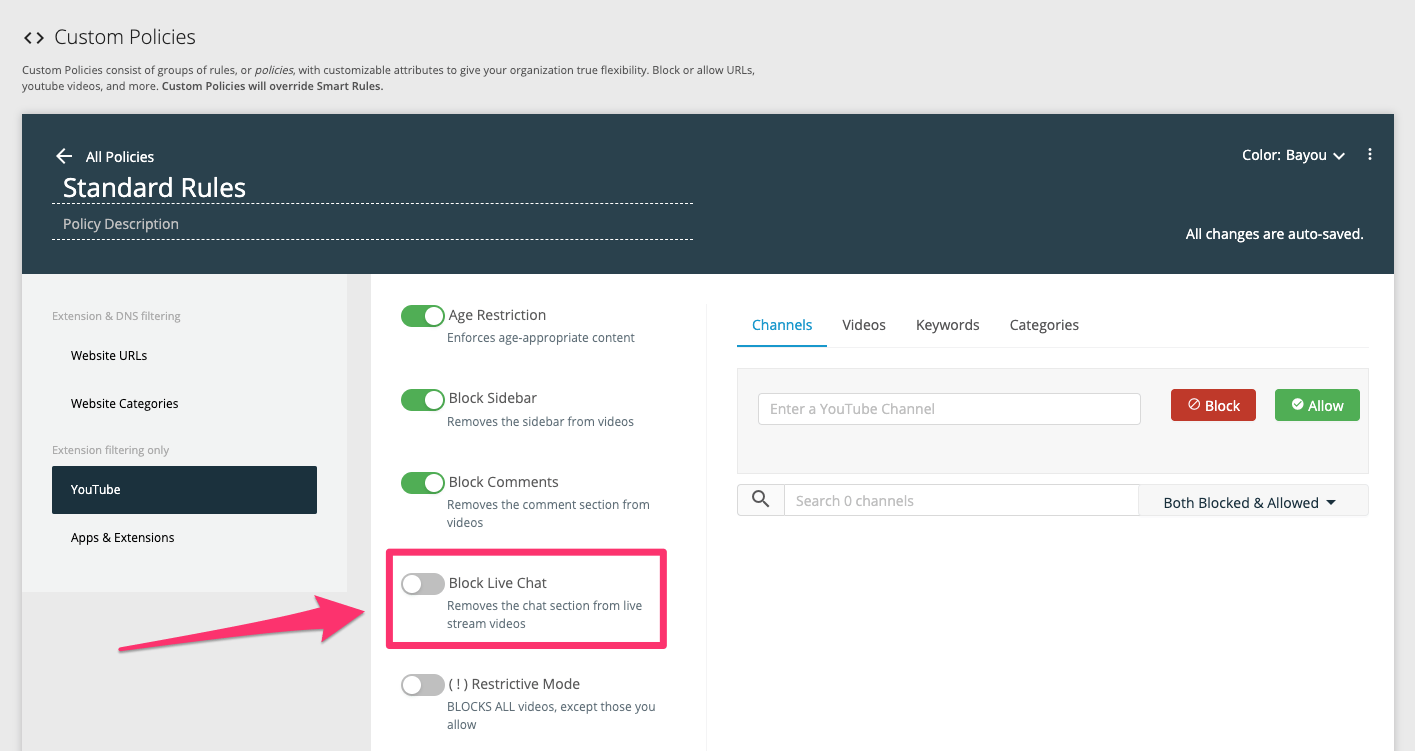
> Turn on the Block Live Chat toggle in a policy's YouTube section to disable YouTube live chat for all users filtered by that policy.
To block live chat on YouTube, turn on the **Block Live Chat** toggle in the **YouTube** section of a policy. This blocks live chat on YouTube for all users filtered by that policy.
1. In GoGuardian Admin, go to **Configuration** → **My Policies** and open a policy.
2. Select the **YouTube** section.
3. Turn on **Block Live Chat**.
This toggle is disabled by default.