> ## Documentation Index
> Fetch the complete documentation index at: https://docs.goguardian.com/llms.txt
> Use this file to discover all available pages before exploring further.

# Customize the GoGuardian Admin Block Page

> Edit the GoGuardian Admin policy block page, remove the Bypass button, add a site-access request form, and include custom images or information.

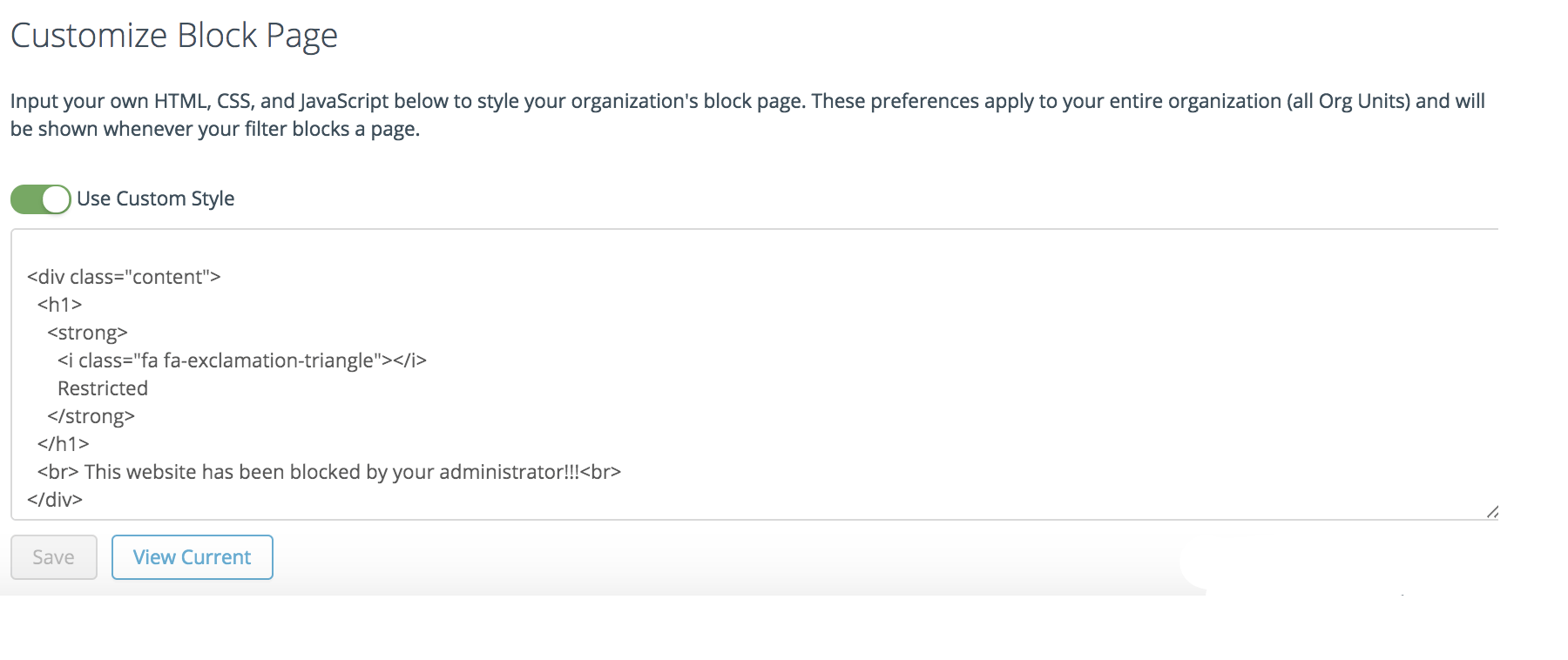
You can customize the GoGuardian Admin filtering policy block page to change its appearance and give students relevant information or actions. Other block page types cannot be customized from this setting.

Go to **Configuration** > **Advanced Config** > **Global Config** to build or edit the custom block page. The examples below are optional starting points that you can adapt for your organization.

## Remove the Bypass Button

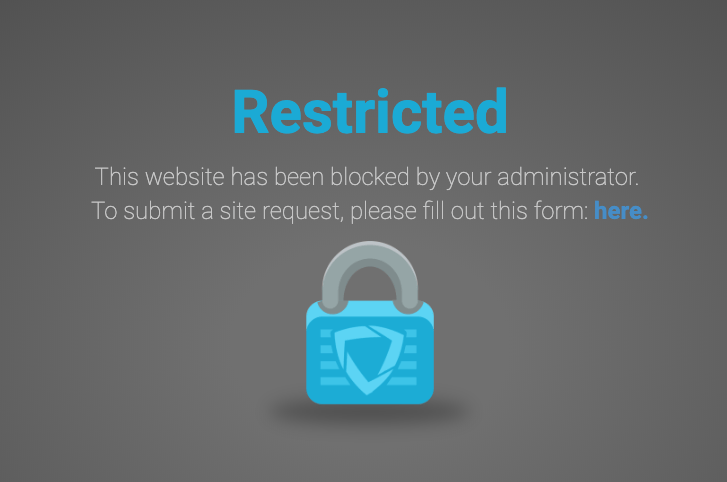
To prevent students from bypassing the block page, add the following CSS to the block page configuration:

```css theme={null}
.bypassCont button.bypassfilter { display: none; }
```

This hides the **Bypass** button for all users. To keep bypass access for specific groups, see [Configure Bypass Passwords](/products/admin/configure-bypass-passwords).

<img src="https://mintcdn.com/goguardian/g3wEpDJJlU0C99sC/images/screenshots/customize-the-block-page/step-01.jpg?fit=max&auto=format&n=g3wEpDJJlU0C99sC&q=85&s=e4d2ffee5c426edf5a90b785aa63ef2b" alt="CSS code that hides the Bypass button on the custom block page" width="616" height="116" data-path="images/screenshots/customize-the-block-page/step-01.jpg" />

## Add a Site-Access Request Form

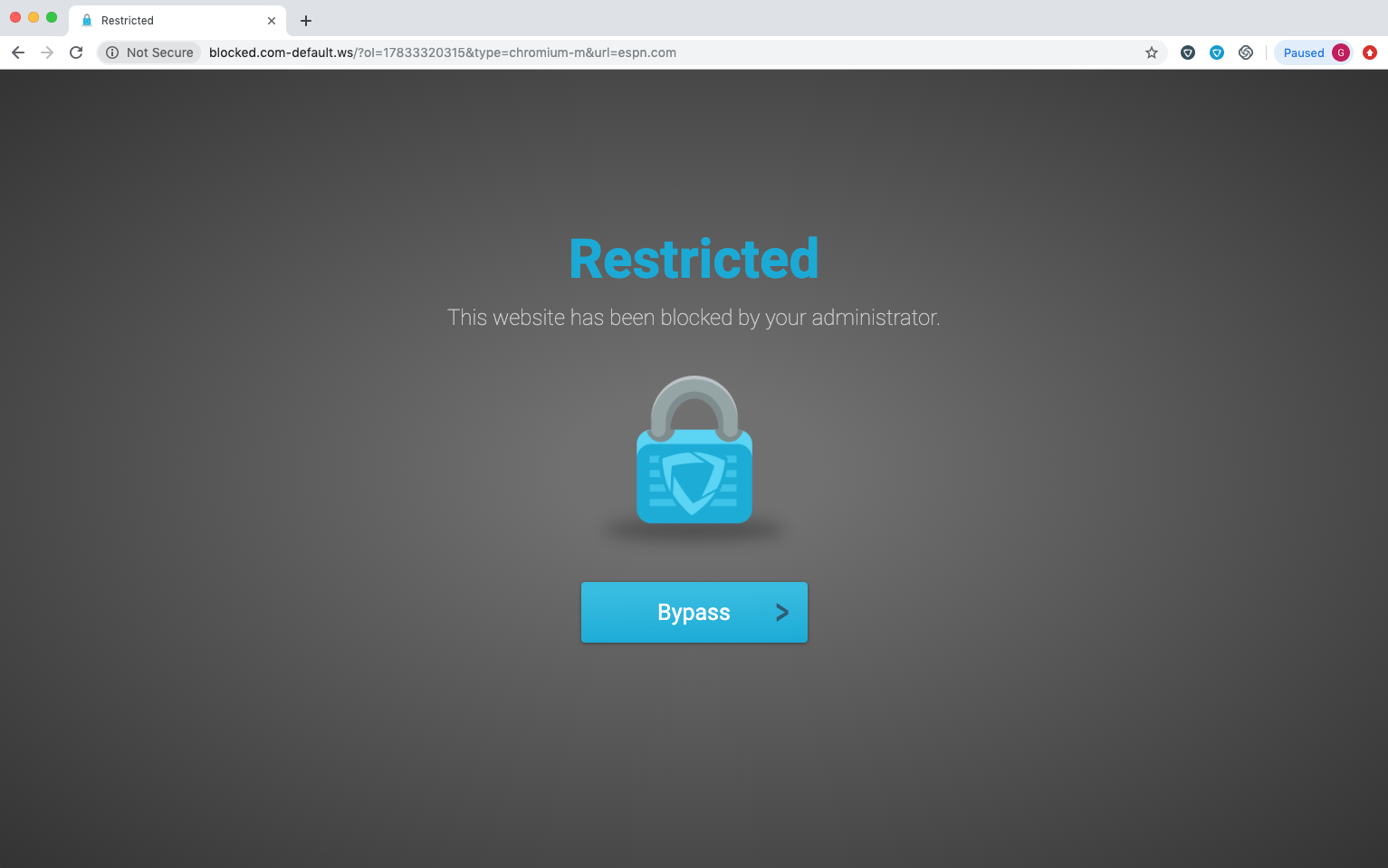
To let students request access to the blocked site, add a link to a Google Form or similar survey on the block page. Require students to sign in with their school Google account before submitting the form so each request is tied to an identifiable user.

Add the form link using standard HTML anchor syntax. Replace `FORM_URL` with the publicly accessible URL for your form.

```html theme={null}
<a href="FORM_URL">Request access to this site</a>
```

<img src="https://mintcdn.com/goguardian/oERokfxwKrydgDPn/images/screenshots/customize-the-block-page/step-02.png?fit=max&auto=format&n=oERokfxwKrydgDPn&q=85&s=90731c5139b50c237963e99e48a43e2f" alt="GoGuardian Admin block page with a Bypass button and space for a site-access request link" width="1533" height="959" data-path="images/screenshots/customize-the-block-page/step-02.png" />

<img src="https://mintcdn.com/goguardian/oERokfxwKrydgDPn/images/screenshots/customize-the-block-page/step-03.png?fit=max&auto=format&n=oERokfxwKrydgDPn&q=85&s=11486c55077e013069a1124742aa4501" alt="GoGuardian Admin block page without the Bypass button" width="727" height="482" data-path="images/screenshots/customize-the-block-page/step-03.png" />

## Add an Image or GIF

To add a custom image or animated GIF to the block page, use the following HTML. Replace `IMAGE_URL` with the publicly accessible URL for your image or GIF.

```html theme={null}
<img src="IMAGE_URL" align="center">
```

## Include a Personal-Device Disclaimer

If your organization filters personal devices, include a disclaimer that tells students when filtering applies. Adapt the following sample for your organization:

```html theme={null}
<p>This device is filtered by GoGuardian while connected to the school network.
Contact your administrator if you have questions about your access settings.</p>
<p>To remove filtering on a personal device, sign out of your school Google account
and sign in with a personal Google account. Signing in with a personal account will
not remove filtering on a school-issued Chromebook.</p>
```

<Note>
  Use language that reflects your organization's policies. Do not imply that the organization reviews or records student activity beyond what those policies permit. Use “filtered by GoGuardian,” not “reviewed by GoGuardian.”
</Note>

## Resources

* [Understand Block Pages](/products/admin/block-pages)
* [Configure Bypass Passwords](/products/admin/configure-bypass-passwords)


This documentation is built and hosted on [Mintlify](https://mintlify.com), a developer documentation platform.