> ## Documentation Index
> Fetch the complete documentation index at: https://docs.goguardian.com/llms.txt
> Use this file to discover all available pages before exploring further.
# DNS Precision Filtering
> How DNS Precision Filtering extends GoGuardian DNS with subnet-based rules and Agent Awareness for on-premise Windows Server networks.
DNS Precision Filtering extends GoGuardian's DNS filtering so you can differentiate rules by subnet and private IP address. It runs as the GoGuardian DNS On-Prem application, a Windows service installed locally on a Windows Server.
Once installed, DNS Precision Filtering supports filtering by IP address and Agent Awareness, which recognizes when a device has a GoGuardian agent installed (the GoGuardian extensions or The GoGuardian App) and bypasses DNS filtering for that device.
This article covers the DNS Precision Filtering feature set. It does not include installation steps. To get started, contact your GoGuardian Account Manager.
## Add Subnet Filtering
Once the GoGuardian DNS On-Prem application is installed, you can add subnets from the **Subnets** tab of any network.
1. Click **Add Subnet**.
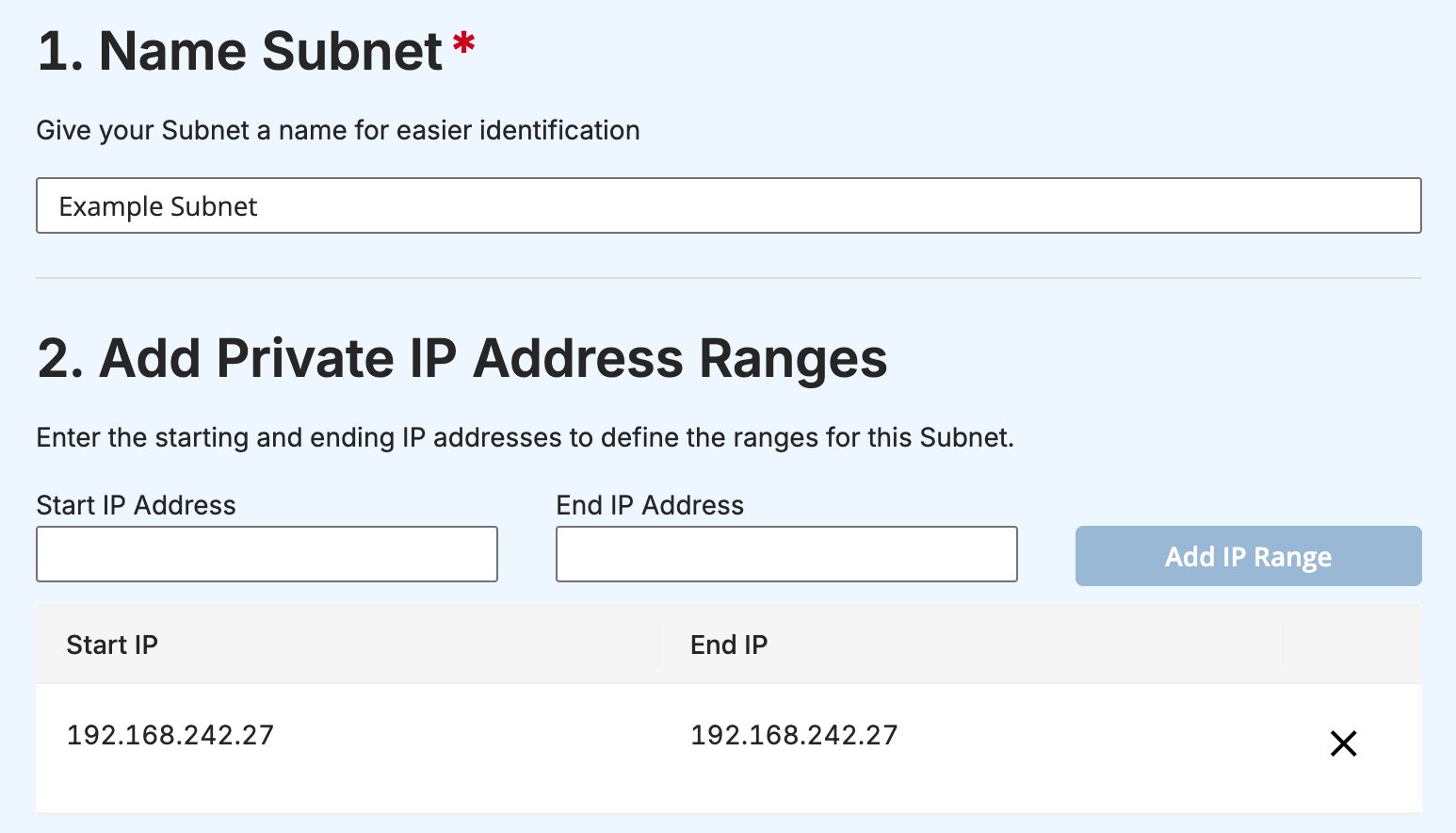
2. In the **Name Subnet** section, enter a name for the subnet.
3. In the **Add Private IP Address Ranges** section, enter a **Start IP Address** and **End IP Address**, then click **Add IP Range**. Repeat for each additional range.
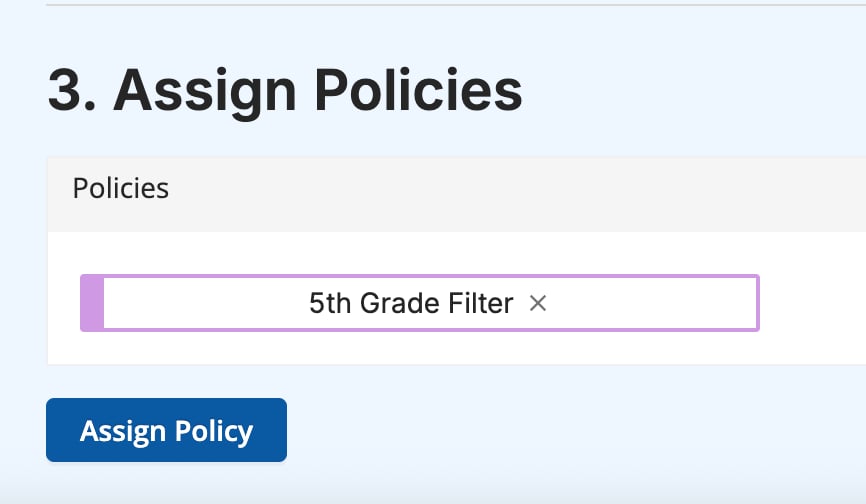
4. In the **Assign Policies** section, enter a policy name and click **Assign Policy**.
 ## Enable Agent Awareness
Agent Awareness is an optional feature that bypasses network-level filtering in favor of filtering by organizational unit (OU). It keeps DNS filtering in place for guests, personal devices, and BYOD environments without affecting users who already have the GoGuardian extensions or The GoGuardian App installed.
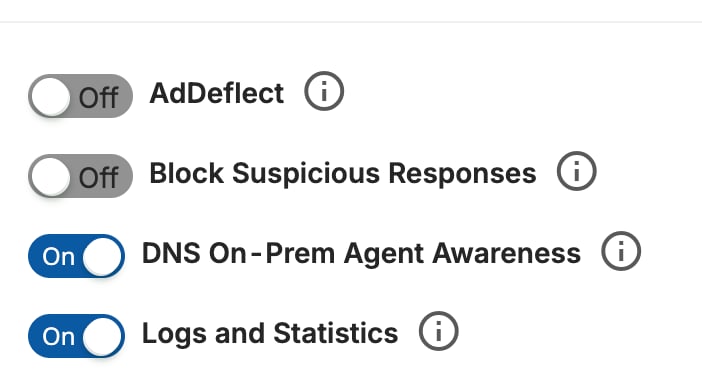
To enable Agent Awareness, turn on the **DNS On-Prem Agent Awareness** toggle on any network.
## Enable Agent Awareness
Agent Awareness is an optional feature that bypasses network-level filtering in favor of filtering by organizational unit (OU). It keeps DNS filtering in place for guests, personal devices, and BYOD environments without affecting users who already have the GoGuardian extensions or The GoGuardian App installed.
To enable Agent Awareness, turn on the **DNS On-Prem Agent Awareness** toggle on any network.
 ## DNS Traffic Updates
[Browsing activity](https://admin.goguardian.com/activity) for a network with DNS Precision Filtering deployed is split across two tabs: **Agents** and **DNS**.
* The **Agents** tab shows activity from devices with a GoGuardian agent installed. These devices bypass DNS filtering when Agent Awareness is enabled.
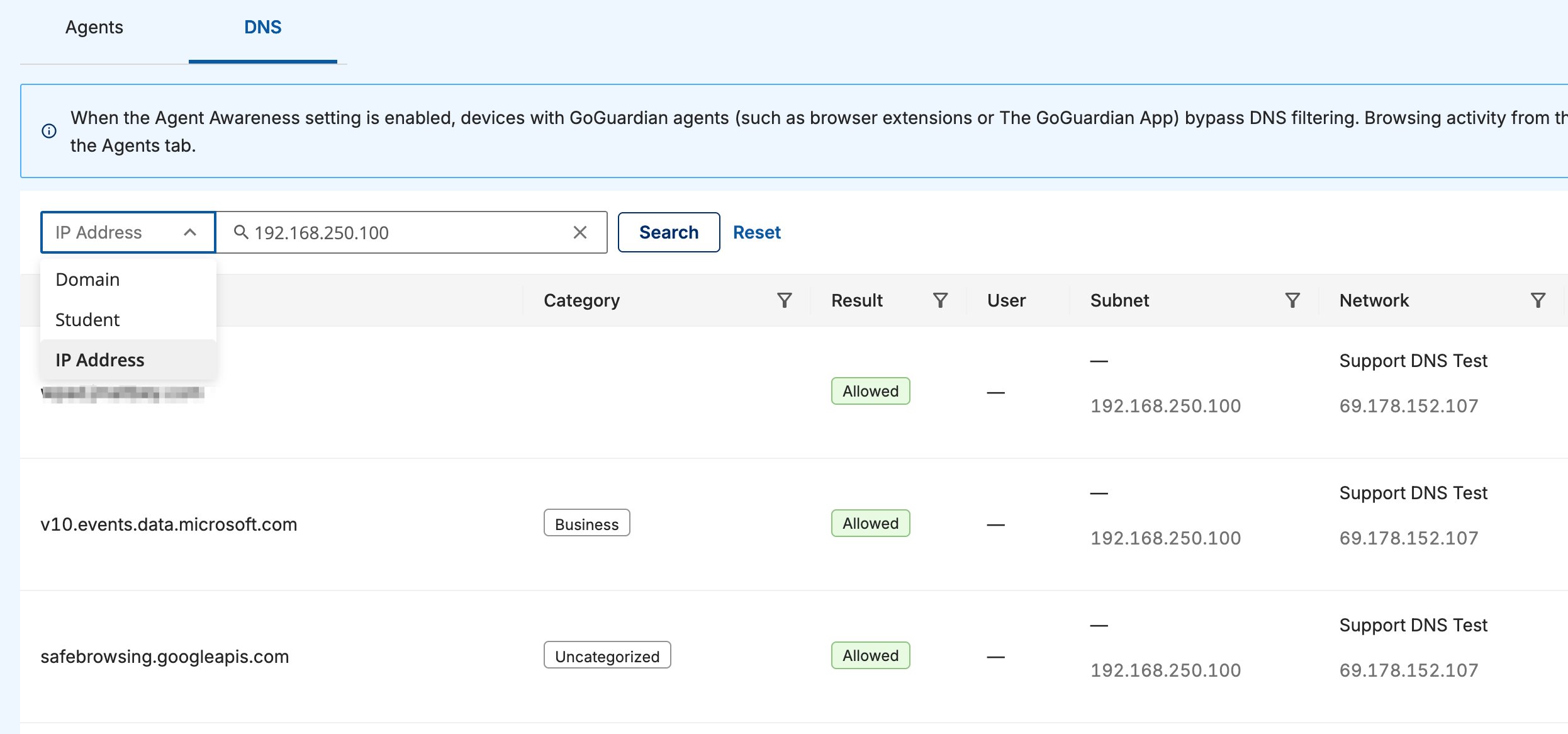
* The **DNS** tab shows network-level activity for devices without an agent installed. Search by **Domain**, **Student**, or **IP Address**. Each result shows its category, filtering result, user, subnet, and network.
## DNS Traffic Updates
[Browsing activity](https://admin.goguardian.com/activity) for a network with DNS Precision Filtering deployed is split across two tabs: **Agents** and **DNS**.
* The **Agents** tab shows activity from devices with a GoGuardian agent installed. These devices bypass DNS filtering when Agent Awareness is enabled.
* The **DNS** tab shows network-level activity for devices without an agent installed. Search by **Domain**, **Student**, or **IP Address**. Each result shows its category, filtering result, user, subnet, and network.
 DNS Precision Filtering also adds per-student reporting and per-student filtering to [GoGuardian DNS](/products/dns/understand-goguardian-dns), which is otherwise network-level only. Contact your GoGuardian Account Manager to learn whether DNS Precision Filtering is available for your deployment.