> ## Documentation Index
> Fetch the complete documentation index at: https://docs.goguardian.com/llms.txt
> Use this file to discover all available pages before exploring further.
# Smart Alert Notifications and Email Alerts
> How in-app notifications and email notifications work for Smart Alerts, including when they are sent and the related Preferences settings.
## In-App Notifications
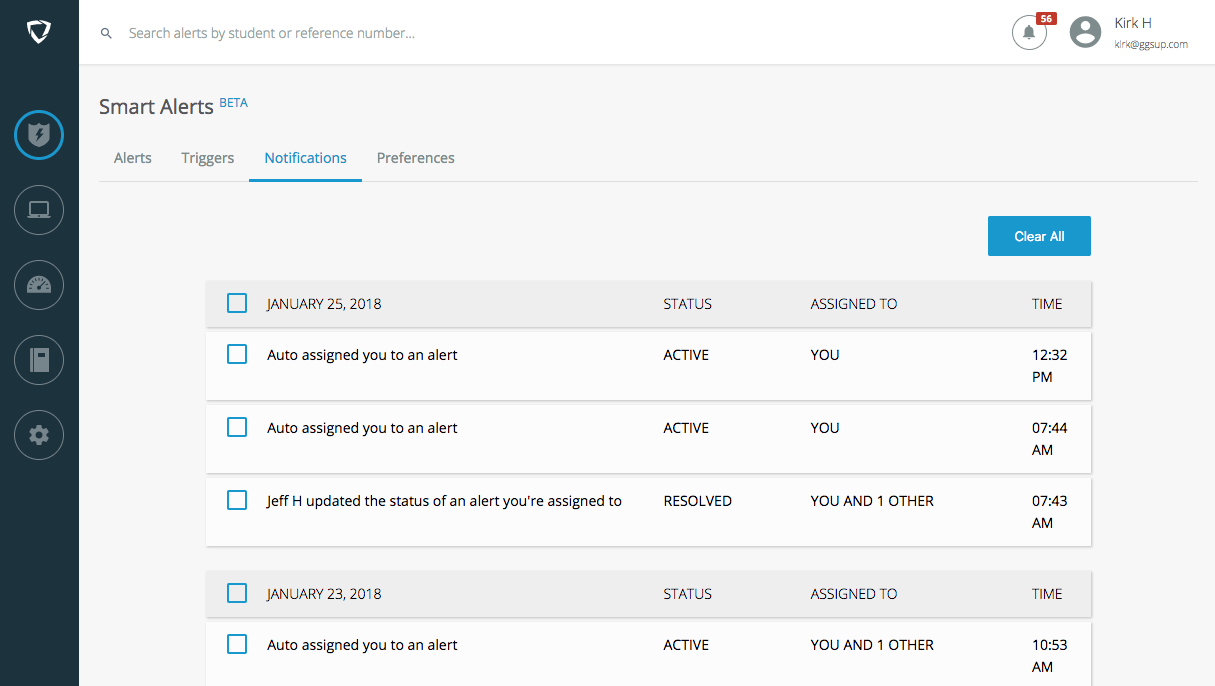
Users are notified when they are assigned an alert, or when an assigned alert is updated or commented on. Notifications appear in the top-right corner of the Smart Alerts interface. Click the notification icon or the **Notifications** tab to open the notification center.
Updates and notifications are grouped by date. Clear them individually or by date using the checkbox and the **Clear** button that appears, or remove all with **Clear All**.
## Email Notifications
Email notifications are sent when an alert is assigned to a user by another administrator, by the **Notify & Assign** trigger action, or when an assigned alert is updated. To receive them, a user must enable **Receive email notifications** under the **Preferences** tab.
Screenshots of Explicit alerts are blurred in notification emails. You can exclude them from email notifications by disabling **Include screenshots in email** under the **Preferences** tab.