> ## Documentation Index
> Fetch the complete documentation index at: https://docs.goguardian.com/llms.txt
> Use this file to discover all available pages before exploring further.
# Configure Smart Rules
> Turn on Smart Rules in GoGuardian Admin to automatically block proxy sites that machine learning identifies as web proxies, regardless of URL.
Smart Rules uses machine learning to automatically block web proxy sites based on page content rather than URL. When a site is identified as a proxy, GoGuardian Admin blocks it even if its URL has not been categorized yet.
Smart Rules is distinct from Smart Alert Triggers. Smart Alert Triggers automate responses to Smart Alerts based on explicit or proxy content signals you configure. Smart Rules is a single toggle that applies machine-learning proxy detection globally across all policies. For Trigger-based proxy responses, see [Configure Smart Alert Triggers](/products/admin/configure-smart-alert-triggers).
## Enable Smart Rules
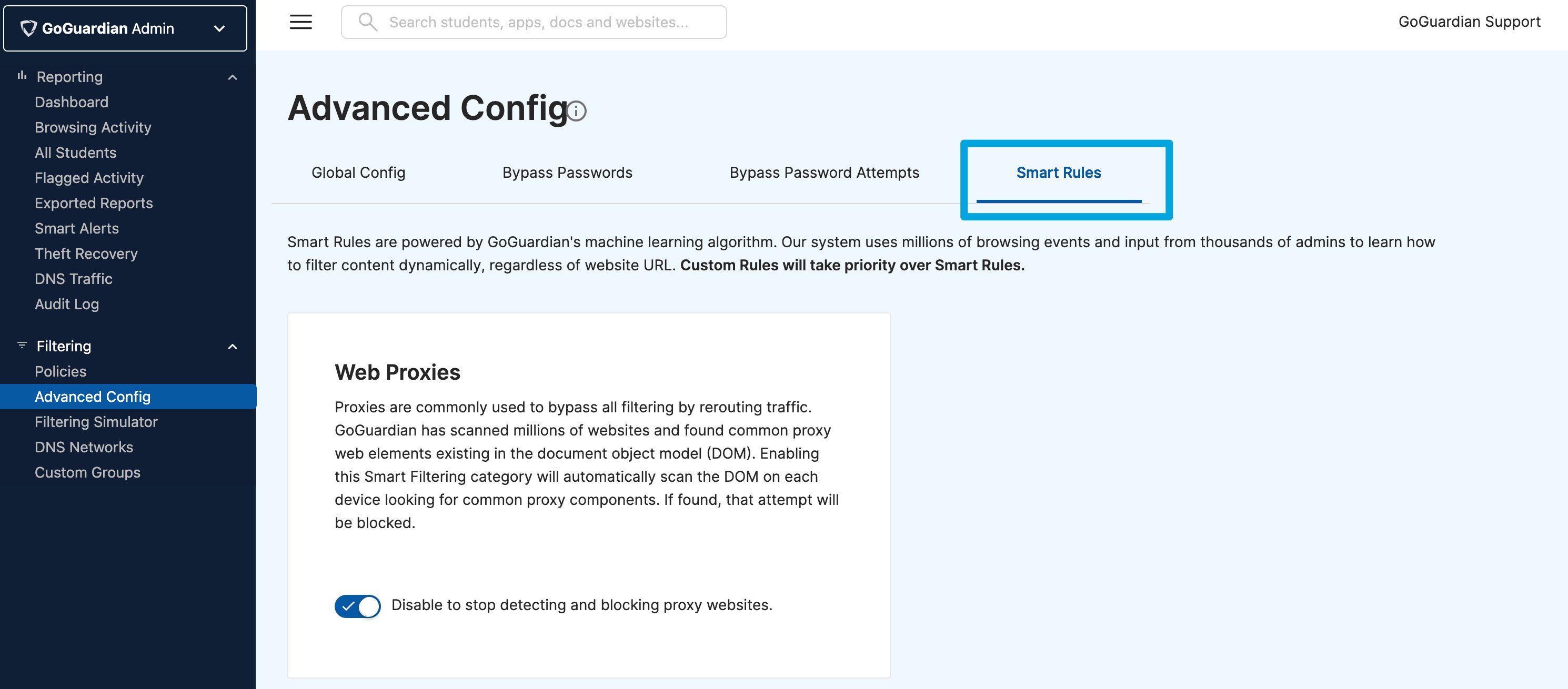
1. In GoGuardian Admin, go to **Filtering** > **Advanced Config**.
2. Select **Smart Rules** from the Advanced Config menu.
3. Turn on the **Smart Rules** toggle.
4. Smart Rules is now active. GoGuardian Admin will automatically block sites its machine learning algorithm identifies as web proxies, including newly created proxy sites that have not yet been categorized.
Custom policy rules take priority over Smart Rules. If a Website URL rule in a policy explicitly allows a site, that site will not be blocked by Smart Rules even if Smart Rules identifies it as a proxy.
 ## Understand How Smart Rules Works
Smart Rules applies machine learning to identify proxy sites based on the content of the page itself, not the URL. This lets GoGuardian Admin block new and uncategorized proxy sites as they appear.
The algorithm draws on millions of browsing events and input from administrators to classify page content dynamically. A site blocked by Smart Rules is identified as a web proxy at the time of the visit, not pre-categorized in GoGuardian's URL database.
Smart Rules applies to all policies in your organization. It cannot be scoped to specific organizational units, device groups, or individual policies.
## Block Proxy Sites with Website Category Filtering
Smart Rules operates at the page-content level. For proxy sites that are already categorized in GoGuardian Admin's URL database, you can also block them using Website Category filtering.
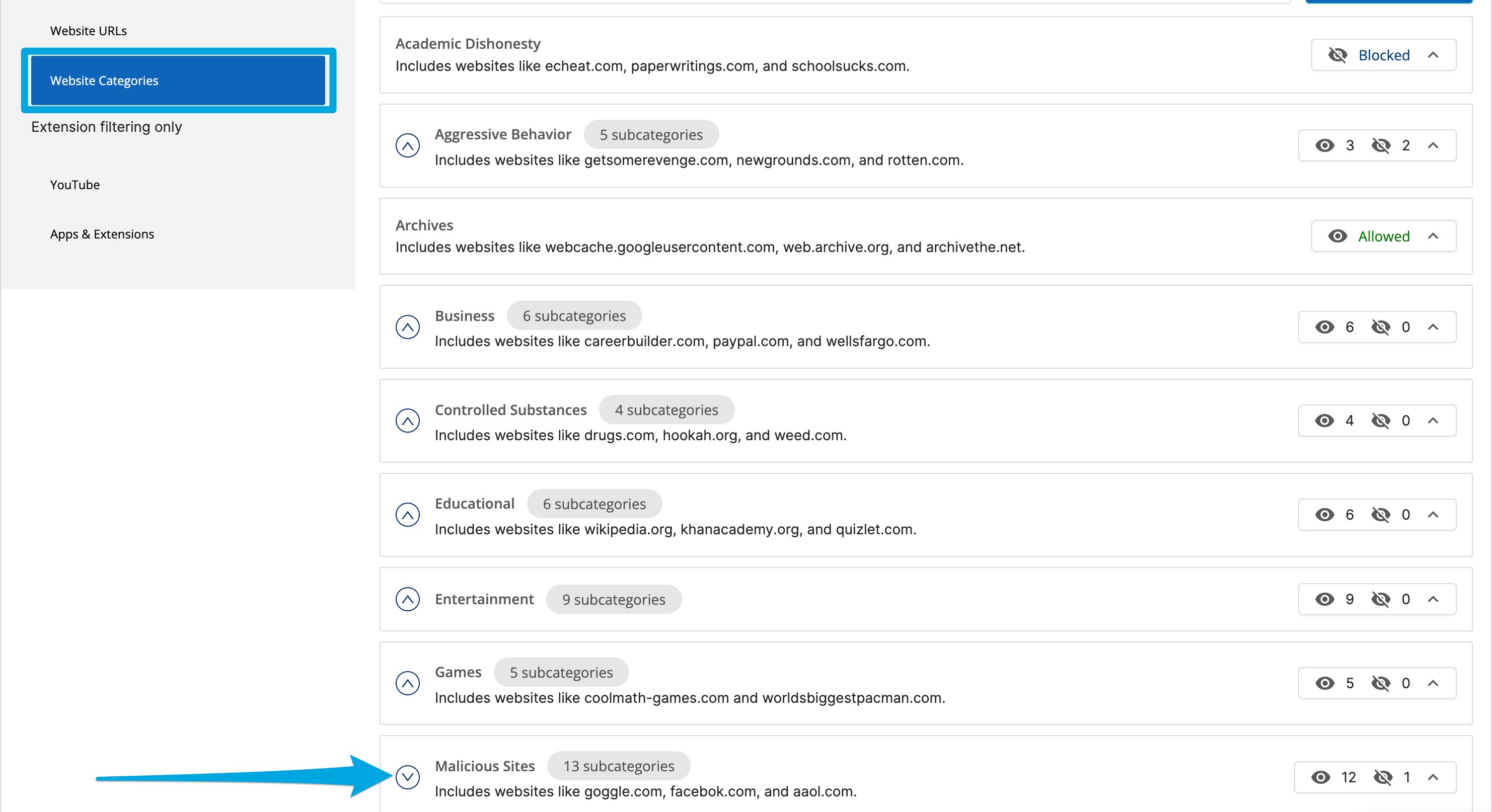
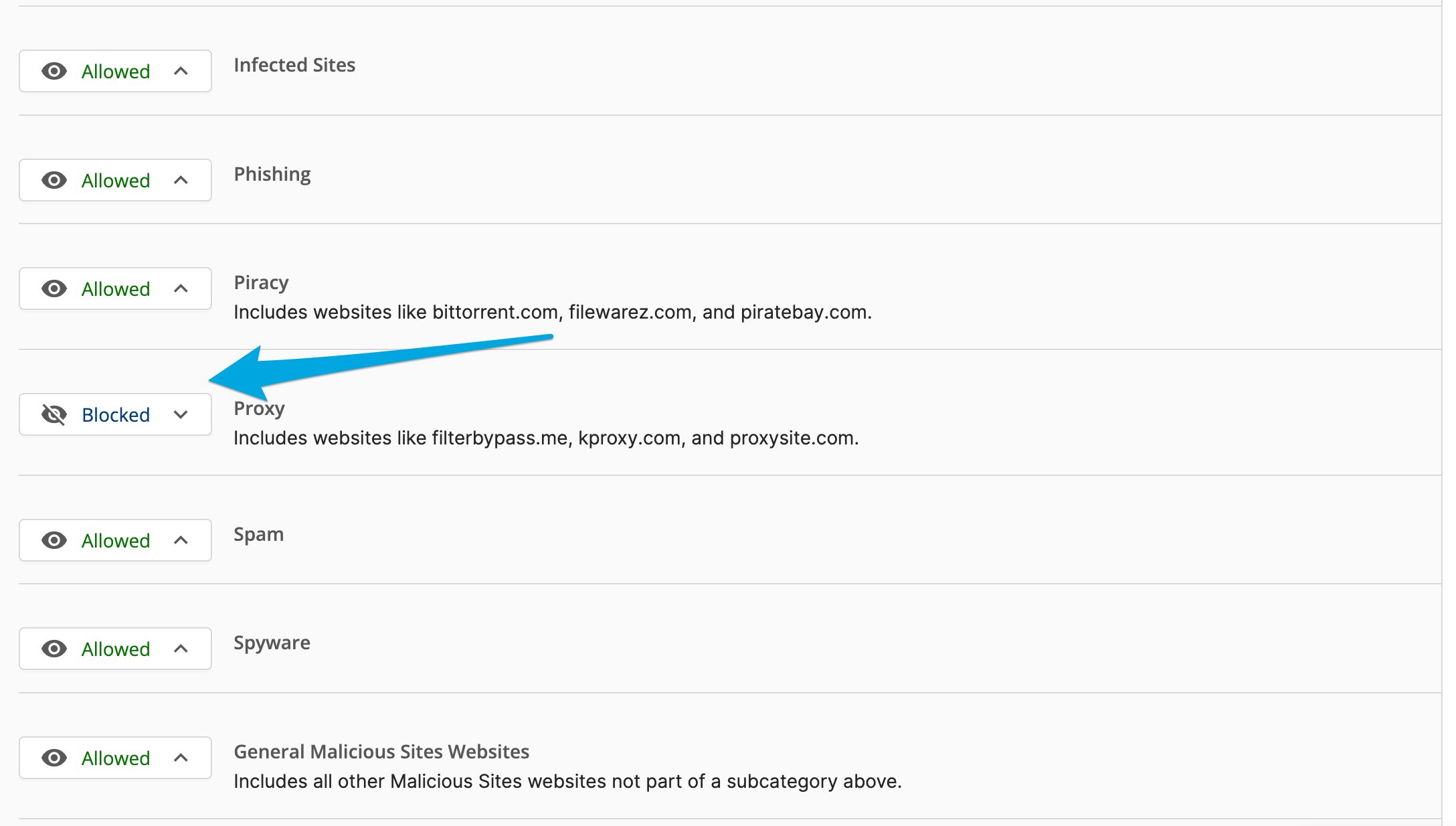
To block categorized proxy sites, add the **Malicious Sites > Proxy** category as a block rule in your filtering policy.
Using both approaches together gives the broadest proxy coverage: Website Category filtering handles known, categorized proxy sites, and Smart Rules handles newly created or uncategorized ones.
For instructions on adding a category block, see [Create a Filtering Policy](/products/admin/create-a-filtering-policy).
## Understand How Smart Rules Works
Smart Rules applies machine learning to identify proxy sites based on the content of the page itself, not the URL. This lets GoGuardian Admin block new and uncategorized proxy sites as they appear.
The algorithm draws on millions of browsing events and input from administrators to classify page content dynamically. A site blocked by Smart Rules is identified as a web proxy at the time of the visit, not pre-categorized in GoGuardian's URL database.
Smart Rules applies to all policies in your organization. It cannot be scoped to specific organizational units, device groups, or individual policies.
## Block Proxy Sites with Website Category Filtering
Smart Rules operates at the page-content level. For proxy sites that are already categorized in GoGuardian Admin's URL database, you can also block them using Website Category filtering.
To block categorized proxy sites, add the **Malicious Sites > Proxy** category as a block rule in your filtering policy.
Using both approaches together gives the broadest proxy coverage: Website Category filtering handles known, categorized proxy sites, and Smart Rules handles newly created or uncategorized ones.
For instructions on adding a category block, see [Create a Filtering Policy](/products/admin/create-a-filtering-policy).
 ## Resources
Set up automated responses to Smart Alerts, including proxy-based Triggers.
Add Website Category rules to a policy to block categorized proxy sites.
## Resources
Set up automated responses to Smart Alerts, including proxy-based Triggers.
Add Website Category rules to a policy to block categorized proxy sites.