> ## Documentation Index
> Fetch the complete documentation index at: https://docs.goguardian.com/llms.txt
> Use this file to discover all available pages before exploring further.
# Configure Alert Notifications
> GoGuardian Beacon sends dashboard, email, and SMS notifications to escalation list members — configure your preferences in Your Beacon Profile.
GoGuardian Beacon sends three types of alert notifications to users on the Escalation List: dashboard notifications, email notifications, and SMS (text message) notifications. Configure your preferences under **Settings** > **Your Beacon Profile**.
Notifications are only sent to users who have been added to the Escalation List.
## Understand Notification Types
**Dashboard notifications** — New and unread alerts appear in the timeline with a dark outline and blue highlighting.
**Email notifications** — Email notifications are required and cannot be disabled. They are sent only to users on the Escalation List.
**SMS notifications** — SMS notifications are optional. Enable them by adding a cell phone number to your Beacon profile.
## Enable SMS Notifications
1. Log in to [beacon.goguardian.com](https://beacon.goguardian.com) and go to **Settings** > **Your Beacon Profile**.
2. Enter your cell phone number in the phone number field.
3. Scroll down and select the **Text Message** checkbox under **Notification Format**.
4. Click **Save Changes**.
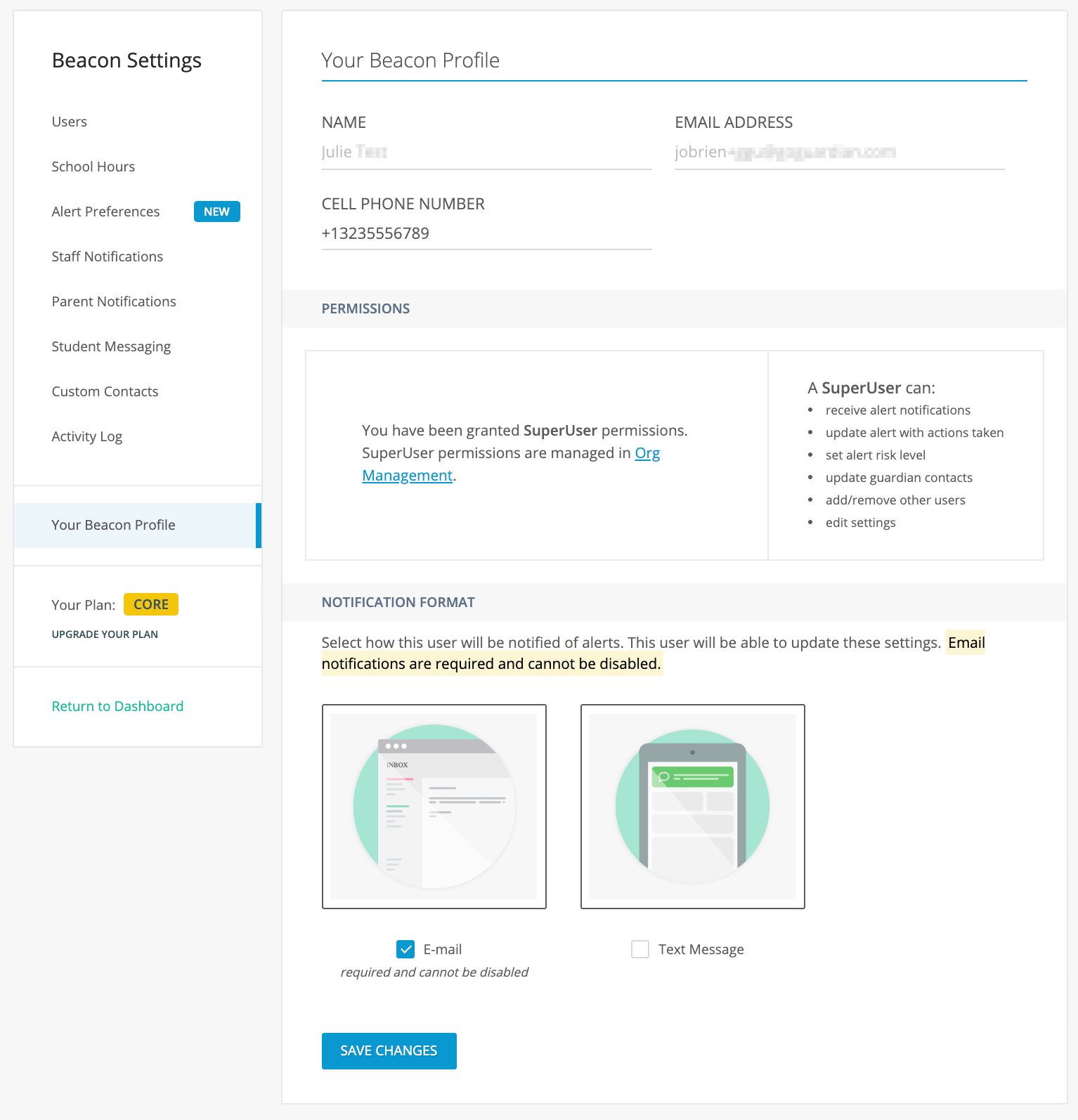 SMS notifications are optional. Email notifications remain active regardless of your SMS preference.
Configure interval times and reminder frequency for alert notifications.
Build and manage escalation lists for Threats and Violence alerts.
Learn how to respond to Beacon text message alerts.
Take action on an alert to stop ongoing email notification cycles.
SMS notifications are optional. Email notifications remain active regardless of your SMS preference.
Configure interval times and reminder frequency for alert notifications.
Build and manage escalation lists for Threats and Violence alerts.
Learn how to respond to Beacon text message alerts.
Take action on an alert to stop ongoing email notification cycles.