> ## Documentation Index
> Fetch the complete documentation index at: https://docs.goguardian.com/llms.txt
> Use this file to discover all available pages before exploring further.
# Check Device Software Versions in GoGuardian Fleet
> Display and sort OS and firmware versions across your devices in GoGuardian Fleet to spot out-of-date devices, and understand what Fleet can and cannot tell you.
Fleet can display the software version of all of your devices so you can spot which ones may be out of date.
1. Click the **Devices** tab.
2. Click the column adjustment cog icon.
3. Check **OS Version** and **Firmware Version**, plus up to two other options.
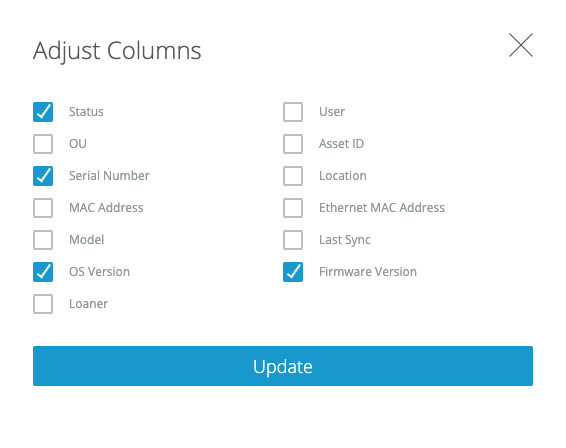 4\. Click the **OS Version** or **Firmware Version** column header to sort devices in ascending or descending order by version.
Fleet cannot tell you how out of date a version is, whether you should update a device, whether you are missing critical OS or firmware updates, or the last time your devices were updated.
4\. Click the **OS Version** or **Firmware Version** column header to sort devices in ascending or descending order by version.
Fleet cannot tell you how out of date a version is, whether you should update a device, whether you are missing critical OS or firmware updates, or the last time your devices were updated.