> ## Documentation Index
> Fetch the complete documentation index at: https://docs.goguardian.com/llms.txt
> Use this file to discover all available pages before exploring further.
# Grant a User Access to GoGuardian Fleet
> Enable or disable a user's access to GoGuardian Fleet from the User Management page in Org Management.
You can enable or disable a user's access to GoGuardian Fleet from the GoGuardian User Management page.
To grant a user access to Fleet:
1. Go to [manage.goguardian.com](https://manage.goguardian.com/).
2. Click **Edit** in the row for the user's name and email address.
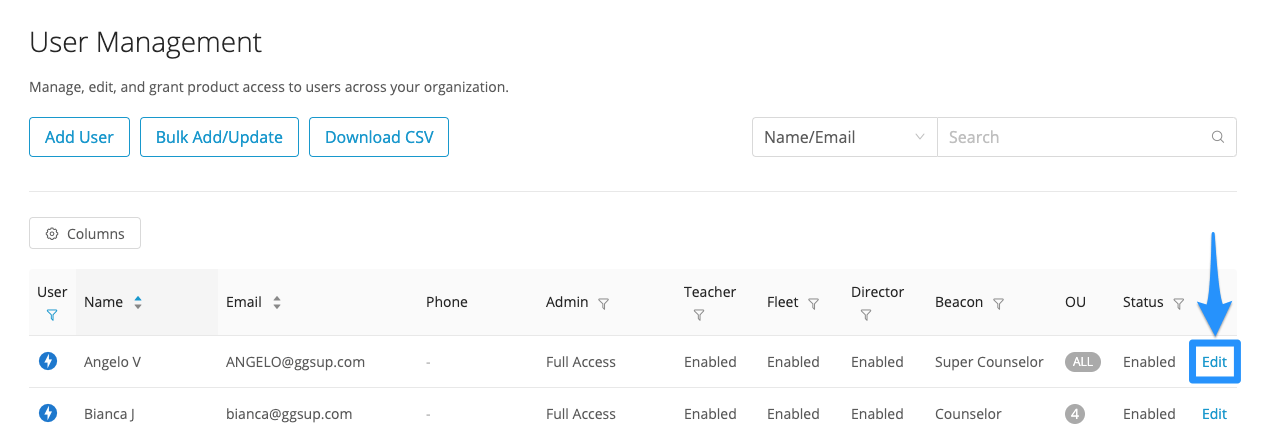 3\. On the Edit User screen, click the drop-down next to **GoGuardian Fleet** and select **Enabled**.
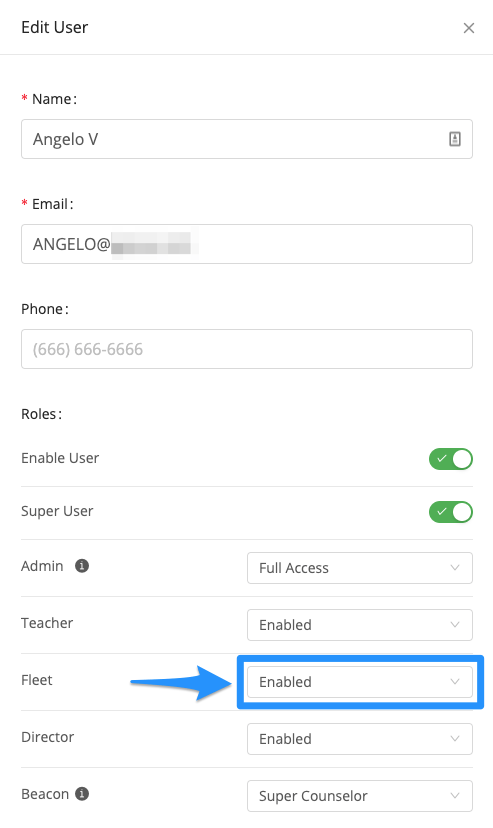 4\. Click **Save User**.