> ## Documentation Index
> Fetch the complete documentation index at: https://docs.goguardian.com/llms.txt
> Use this file to discover all available pages before exploring further.
# Review the Audit Log
> Use the Audit Log in GoGuardian Org Management to view a record of permission changes, CSV uploads, and role updates across your organization.
The Audit Log in GoGuardian Org Management gives IT administrators a record of changes within their organization, supporting accountability and compliance. The Audit Log is at manage.goguardian.com/logs.
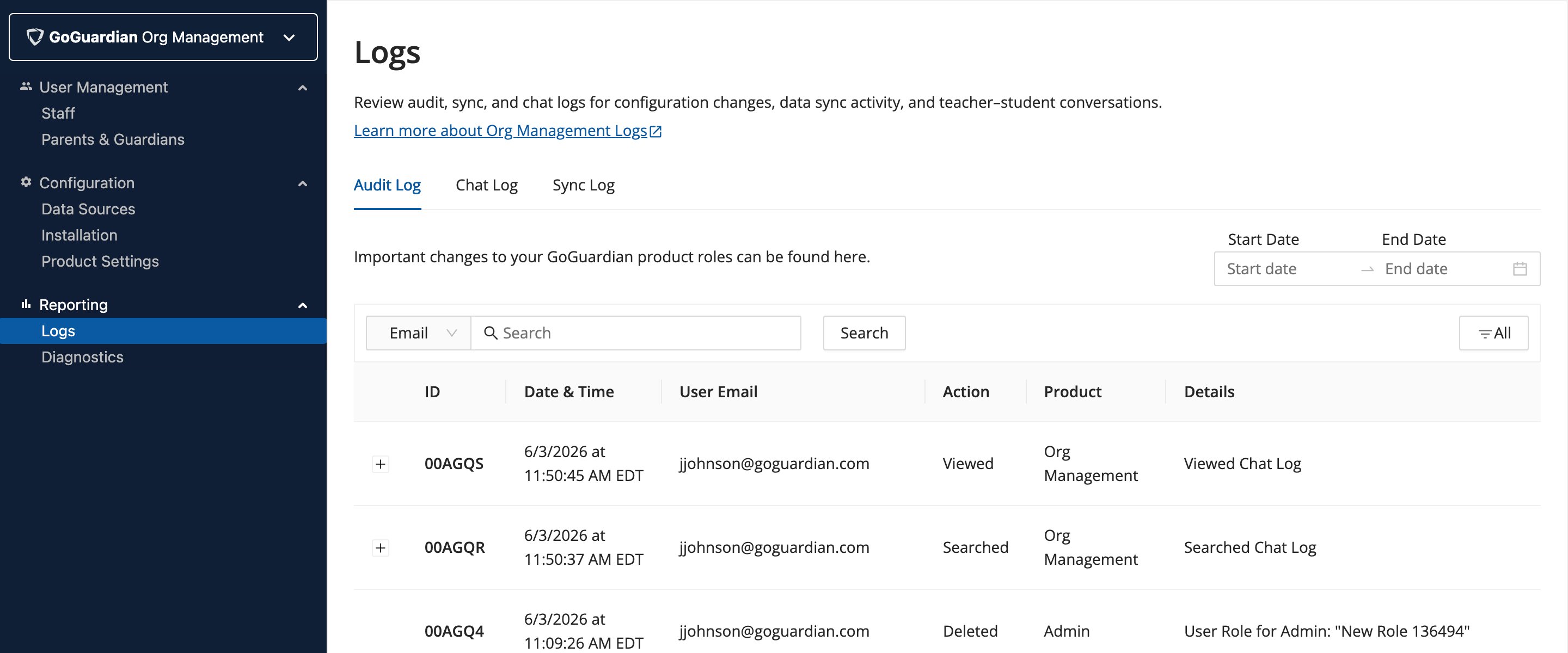 By default, the Audit Log displays all changes ordered by most recent activity. Results can be filtered by search, Action, and date range.
## Review Logged Actions
The Audit Log captures changes related to:
* User permissions (product access enabled or disabled)
* CSV file uploads
* Newly created, deleted, and updated custom roles via RBAC
By default, the Audit Log displays all changes ordered by most recent activity. Results can be filtered by search, Action, and date range.
## Review Logged Actions
The Audit Log captures changes related to:
* User permissions (product access enabled or disabled)
* CSV file uploads
* Newly created, deleted, and updated custom roles via RBAC
 ## Filter by Search
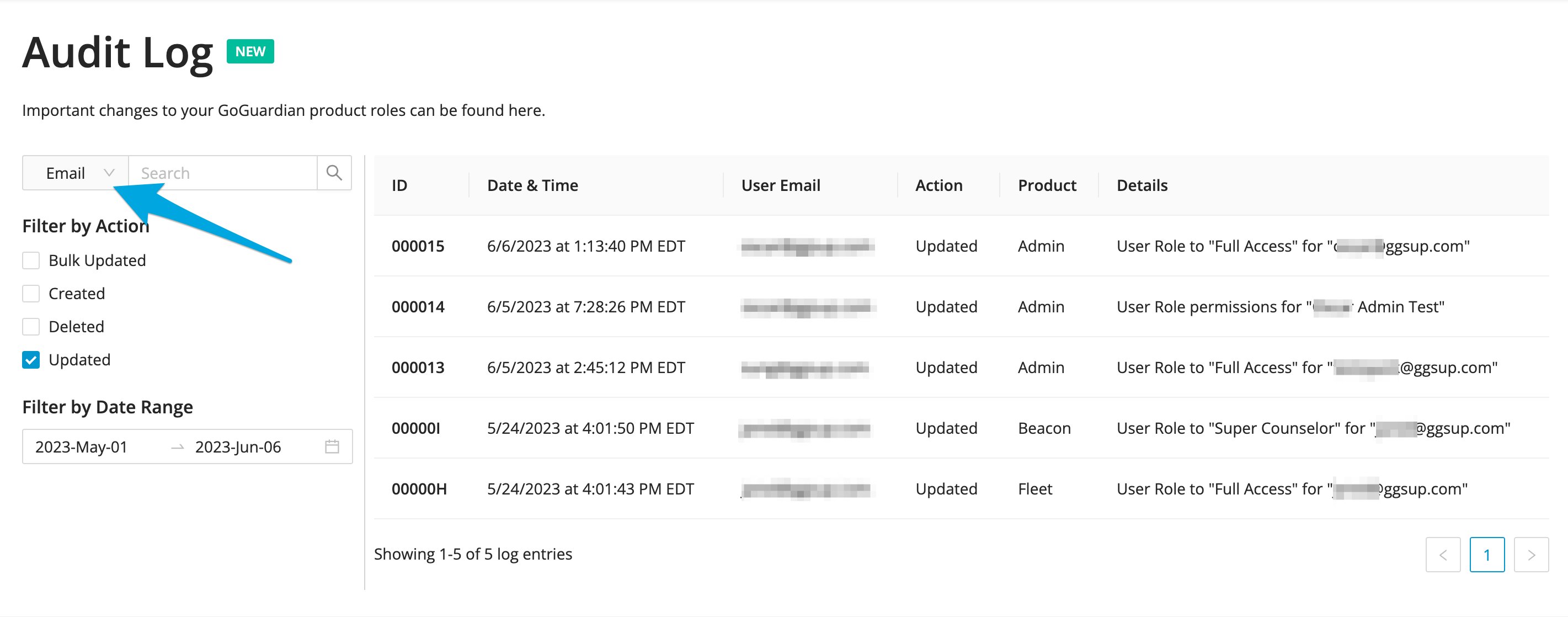
The **Email** search filter (default) returns results based on the email of the user who made a change. The full email address is not required. Using the dropdown, results can also be filtered by **ID** number or product: **Admin**, **Teacher**, **Beacon**, **Fleet**, and **Director**.
## Filter by Action
Filtering by **Action** provides these toggle options:
| Action | Description |
| ---------------- | ------------------------------------------------------------------------------------------------------------------------ |
| **Bulk Updated** | Changes made via CSV file upload |
| **Created** | Newly created RBAC roles |
| **Deleted** | Custom RBAC roles that have been deleted |
| **Updated** | Changes to a staff member's product access, or updates to a custom role in RBAC (for example, renaming an existing role) |
Multiple Action filters can be applied simultaneously.
## Filter by Date Range
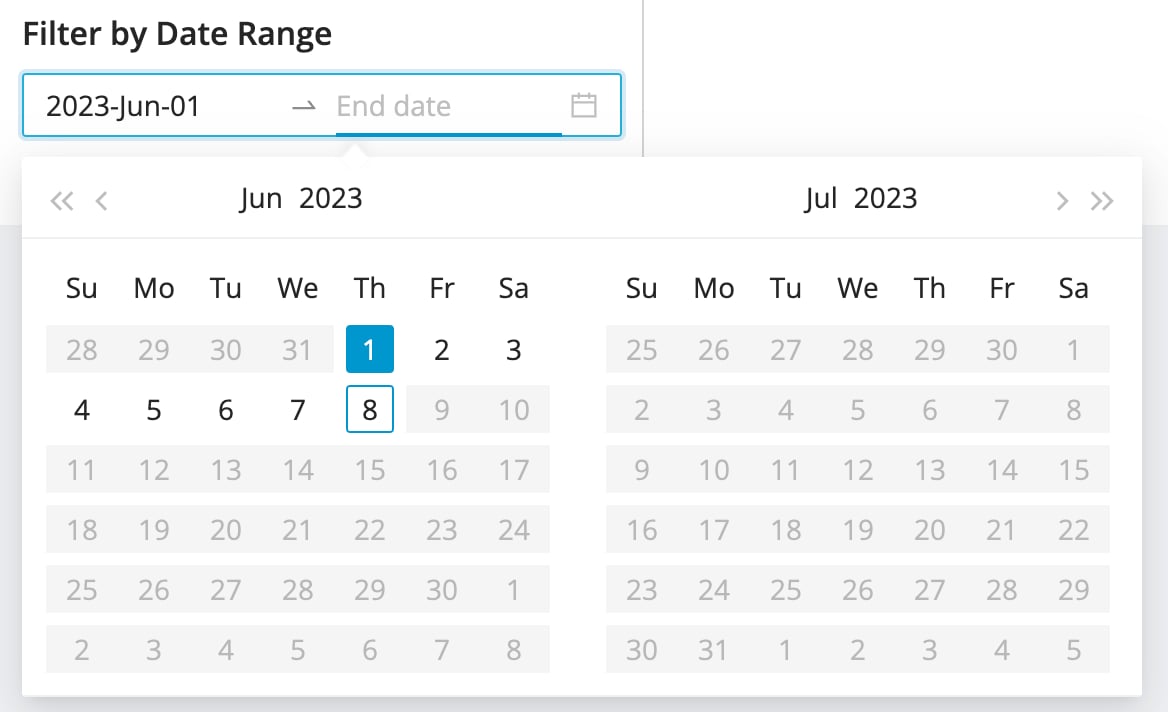
Use the **Date Range** selection tool to filter Audit Log results by a specific timeframe.
## Filter by Search
The **Email** search filter (default) returns results based on the email of the user who made a change. The full email address is not required. Using the dropdown, results can also be filtered by **ID** number or product: **Admin**, **Teacher**, **Beacon**, **Fleet**, and **Director**.
## Filter by Action
Filtering by **Action** provides these toggle options:
| Action | Description |
| ---------------- | ------------------------------------------------------------------------------------------------------------------------ |
| **Bulk Updated** | Changes made via CSV file upload |
| **Created** | Newly created RBAC roles |
| **Deleted** | Custom RBAC roles that have been deleted |
| **Updated** | Changes to a staff member's product access, or updates to a custom role in RBAC (for example, renaming an existing role) |
Multiple Action filters can be applied simultaneously.
## Filter by Date Range
Use the **Date Range** selection tool to filter Audit Log results by a specific timeframe.