> ## Documentation Index
> Fetch the complete documentation index at: https://docs.goguardian.com/llms.txt
> Use this file to discover all available pages before exploring further.
# Welcome Email, Password Setup, and Login Options
> How new GoGuardian users get access, the welcome email and password setup, and the available sign-in options including Google, Clever, and ClassLink SSO.
To sign in and start using GoGuardian, one of your school's Super Users must first register your email address at [manage.goguardian.com](https://manage.goguardian.com/). Once registered, you can log in to any GoGuardian product your Super User has granted your account access to.
## Welcome Email
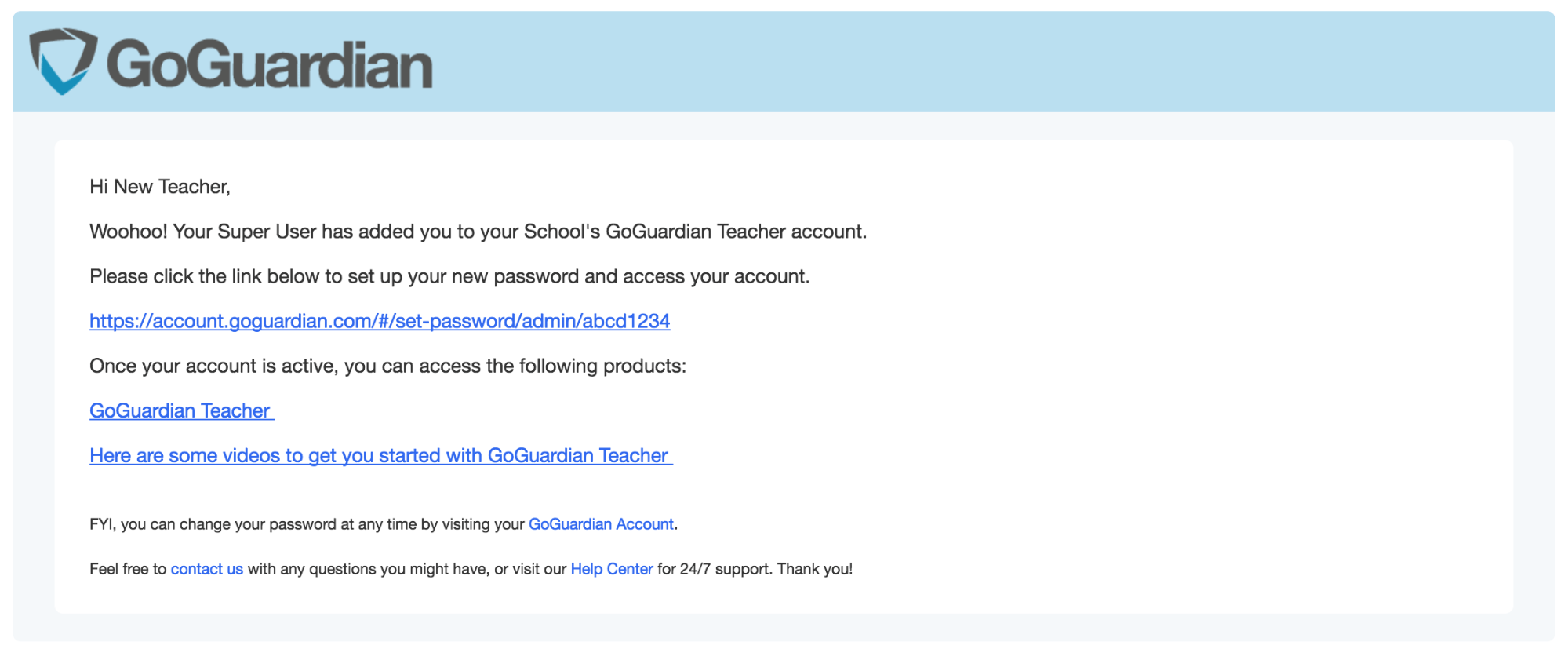
User accounts created manually (one at a time) receive a welcome email from `service@goguardian.com` that lists which GoGuardian products the account can access and includes a password setup link.
The welcome email is not required to access GoGuardian, as long as a Super User has set up the account.
 ## Sign-In Options
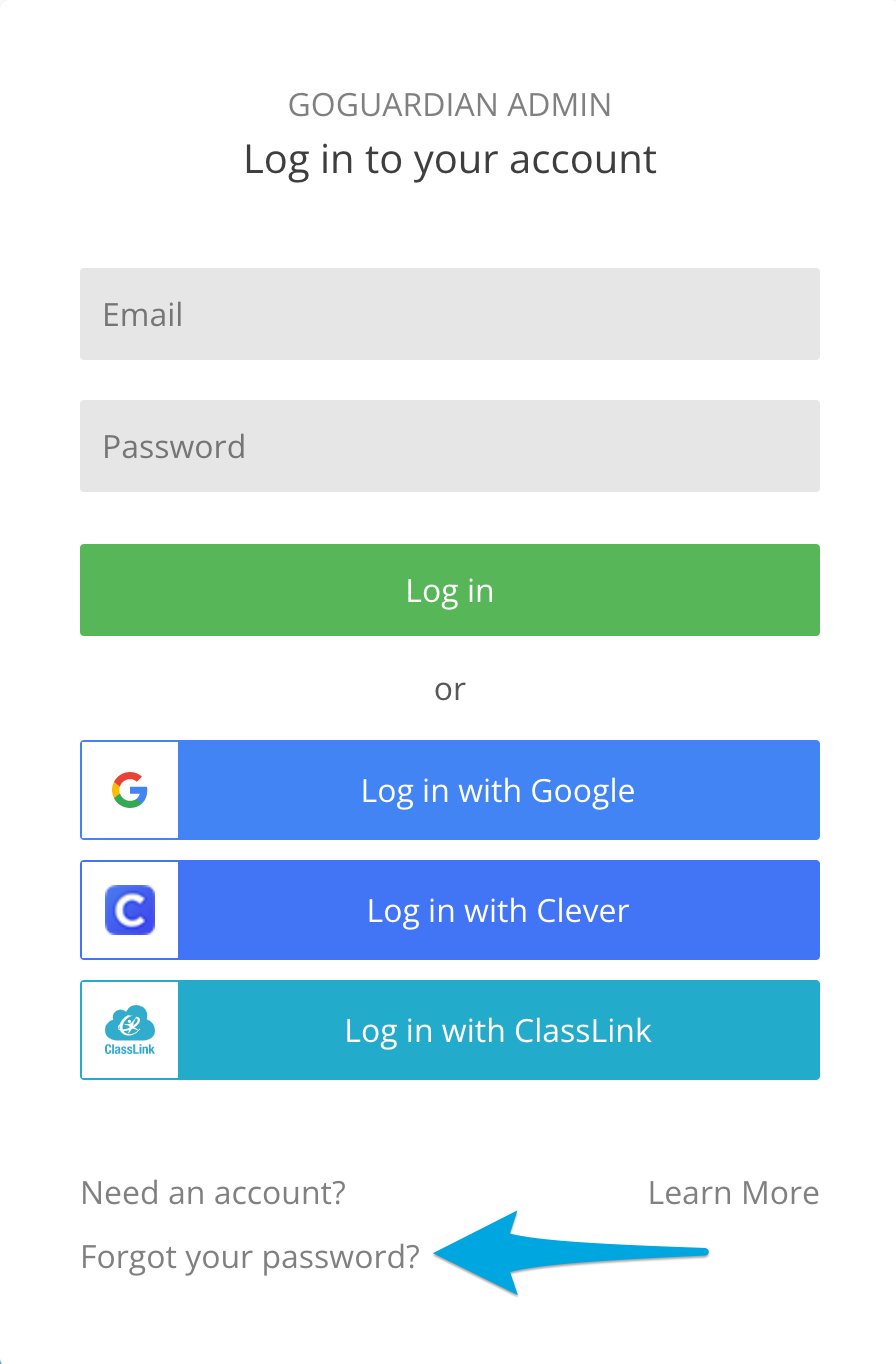
* **Google SSO** is automatically available to every account. If your school email is a Google account, use the Google login option so you have one less password to remember.
* **GoGuardian password** — a password used strictly for GoGuardian login. Recommended for non-Google emails such as Outlook. To set up or reset it, click **Forgot your password?** on any GoGuardian login page.
* **Clever or ClassLink SSO** — available once GoGuardian is synced with Clever or ClassLink. Administrators can also add GoGuardian as an application in Clever or ClassLink to provide a login option directly from those portals. See [Using Clever SSO](/products/org-management/clever-classlink-sync) and [Using ClassLink SSO](/products/org-management/clever-classlink-sync).
## Sign-In Options
* **Google SSO** is automatically available to every account. If your school email is a Google account, use the Google login option so you have one less password to remember.
* **GoGuardian password** — a password used strictly for GoGuardian login. Recommended for non-Google emails such as Outlook. To set up or reset it, click **Forgot your password?** on any GoGuardian login page.
* **Clever or ClassLink SSO** — available once GoGuardian is synced with Clever or ClassLink. Administrators can also add GoGuardian as an application in Clever or ClassLink to provide a login option directly from those portals. See [Using Clever SSO](/products/org-management/clever-classlink-sync) and [Using ClassLink SSO](/products/org-management/clever-classlink-sync).
