> ## Documentation Index
> Fetch the complete documentation index at: https://docs.goguardian.com/llms.txt
> Use this file to discover all available pages before exploring further.
# Add Math Expressions to Authored Questions
> Use the Math Editor in Pear Assessment to insert simple or complex math expressions into any question type
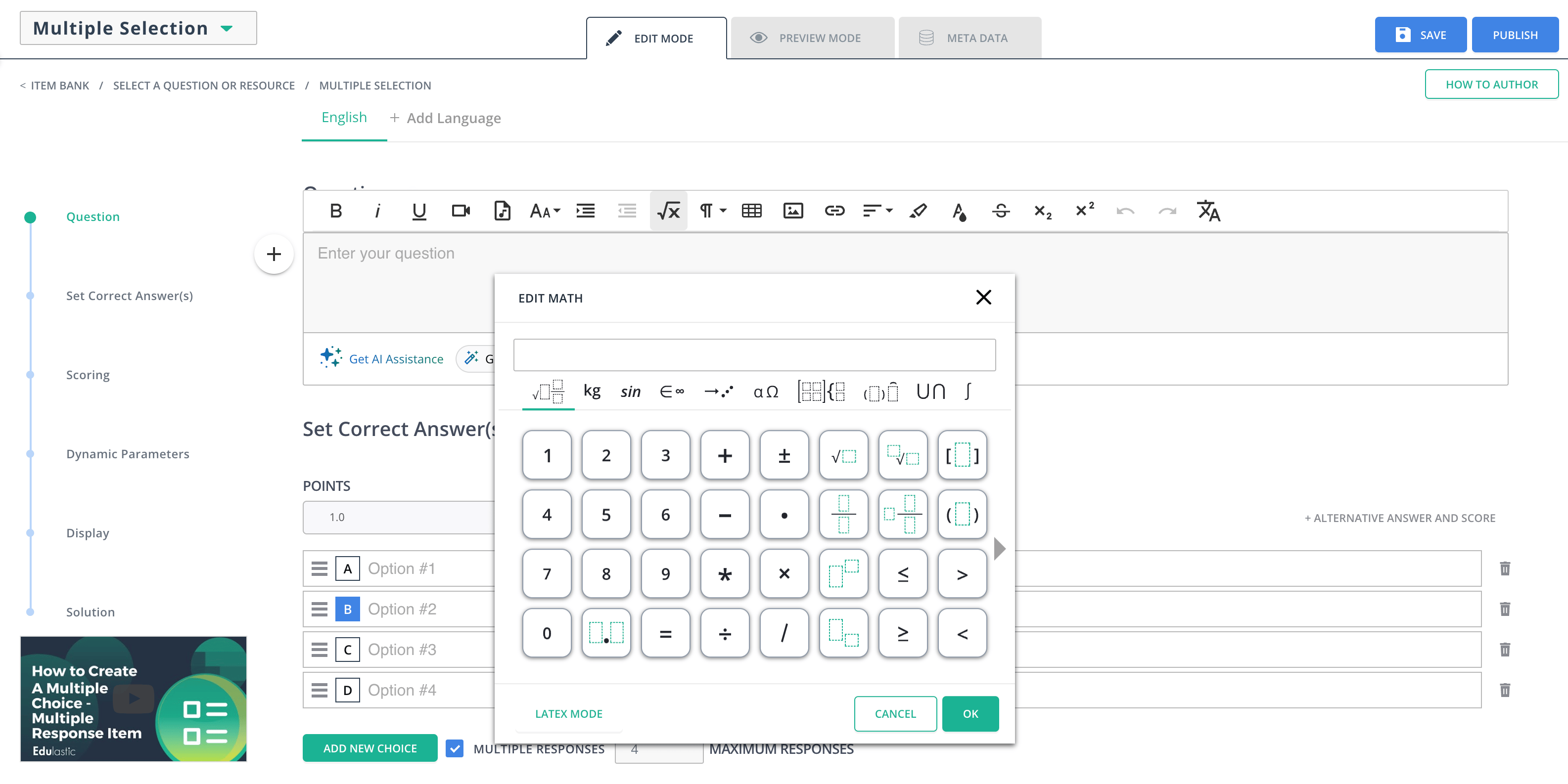
The Math Editor in Pear Assessment is available for all question types. To insert a math expression, click the **√x** button in the editor toolbox while authoring a question.
## Use the Math Editor Tabs
The editor toolbox supports expressions ranging from simple fractions to advanced calculus. Use the tabs above the number buttons to navigate expression categories:
* **General**: Fractions including mixed fractions, roots, and more
* **Sin**: Sine and cosine
* **Units**: Customary and metric units
* **Symbols**: Angles (∠), right angle (∟), degree, triangle, and more
* **Arrows**: Vectors, line segments, rays, and more
* **Greek symbols**: Theta, gamma, beta, and more
* **Matrices**: Vectors, two-dimensional matrices including long division, 3-rows stack, and more
* **Decorations**: Parentheses, curly brackets, sets, absolute values
* **Big operators**: Sigma and more
* **Calculus and Trig**: Limits, integrals, and more
 ## Resources
Reference guide for the Wiris math editor used in Pear Assessment
Learn how to configure Math Editor options available to your students
## Resources
Reference guide for the Wiris math editor used in Pear Assessment
Learn how to configure Math Editor options available to your students