> ## Documentation Index
> Fetch the complete documentation index at: https://docs.goguardian.com/llms.txt
> Use this file to discover all available pages before exploring further.
# Admin Solutions Help My Teachers Classes All Have Different Names
> Rename individual or multiple teacher classes from the Manage School or Manage District tab to enforce consistent naming across your school or district.
When teachers create and name their own classes without direction from the school or district, admins may encounter lists of vague or unidentifiable class names when assigning common assessments. Teachers can rename their own classes, or an admin can do it more efficiently across the school or district.
## Correct Class Names
1. Go to the **Manage School** or **Manage District** tab. School admins can only modify classes for their school. district admins can modify all classes.
2. Click the **Classes** tab and use the filter boxes to search by class name.
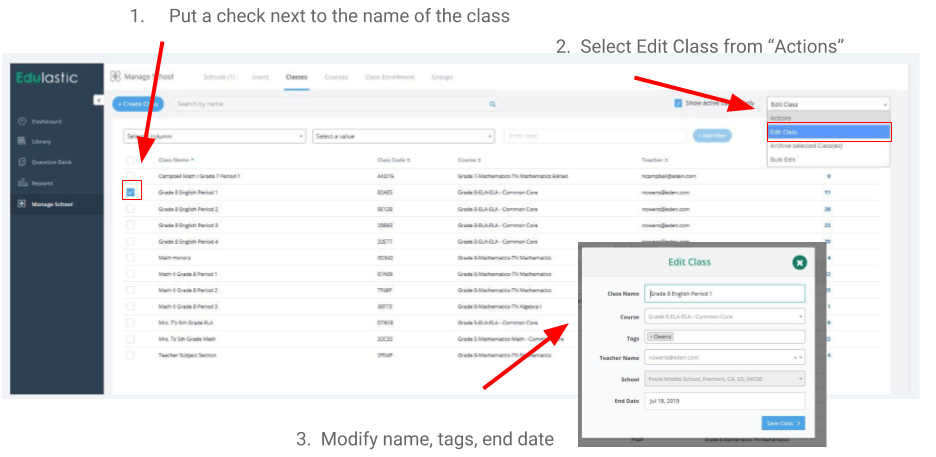
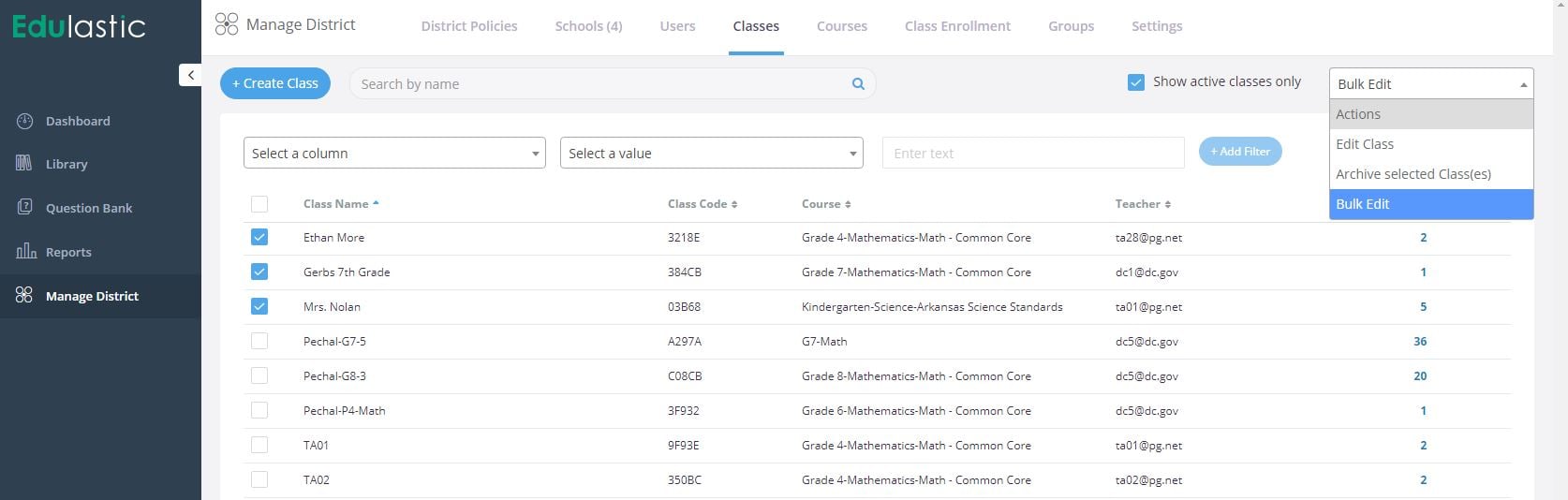
3. Place a checkmark next to the class or classes you need to edit.
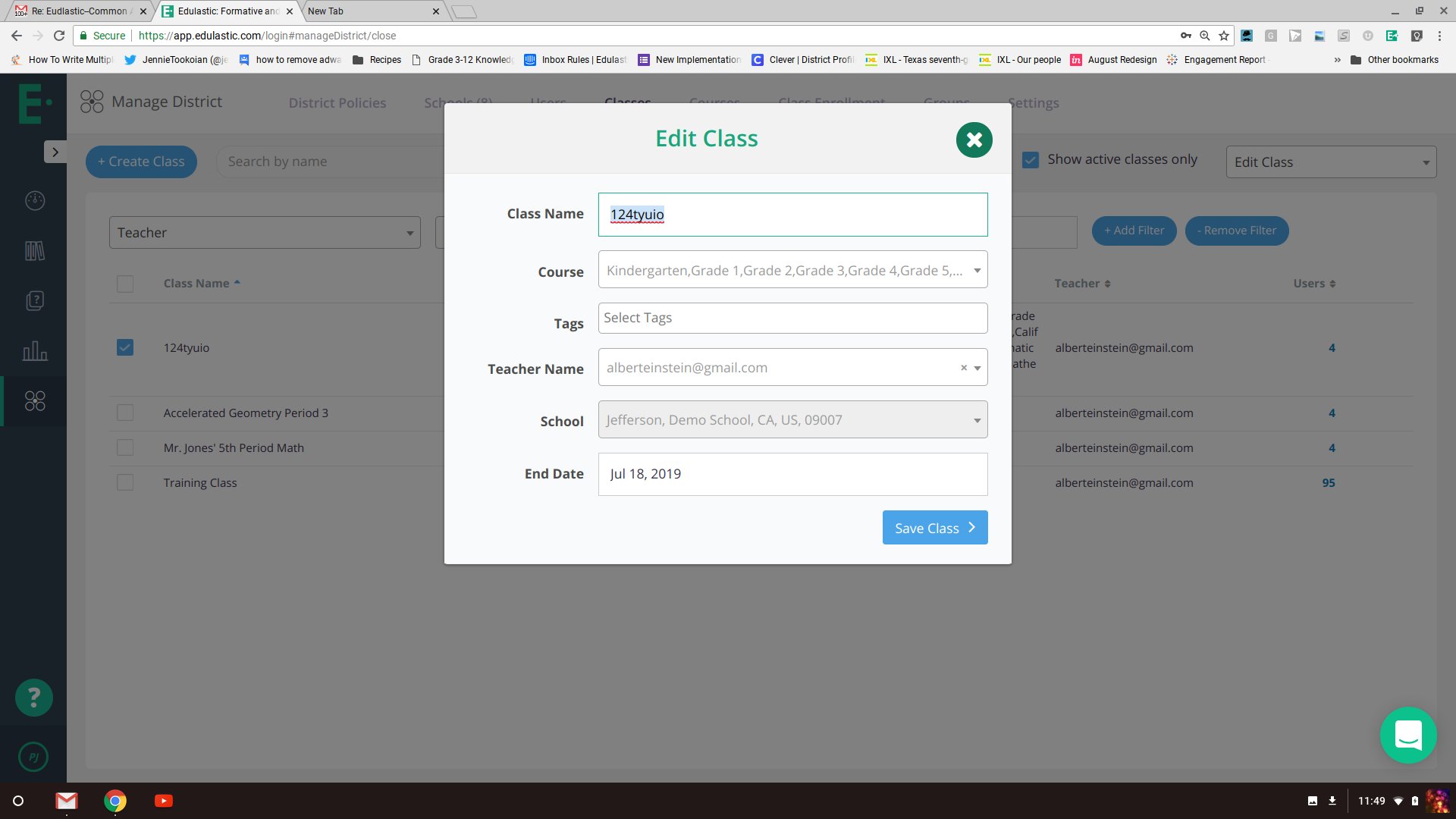
4. From the dropdown, select **Edit Class** to edit a single class, or select **Bulk Edit** to modify more than one class at a time.
5. Change the name, course name, or other fields to match your naming conventions.
6. Click **Save**.
Renaming a class does not affect assignments that are currently assigned. The new class name appears in the assignments list going forward.