> ## Documentation Index
> Fetch the complete documentation index at: https://docs.goguardian.com/llms.txt
> Use this file to discover all available pages before exploring further.
# Delete Assignment
> Delete an incorrectly assigned assessment and permanently remove all associated student data
Teachers can delete an assignment after it has been assigned incorrectly. Deleting an assignment removes it from the assessment list, unassigns it from all teachers and students, and permanently removes any student data attached to it.
## Delete an Assignment as a Teacher
1. Click **Assignments** in the navigation menu.
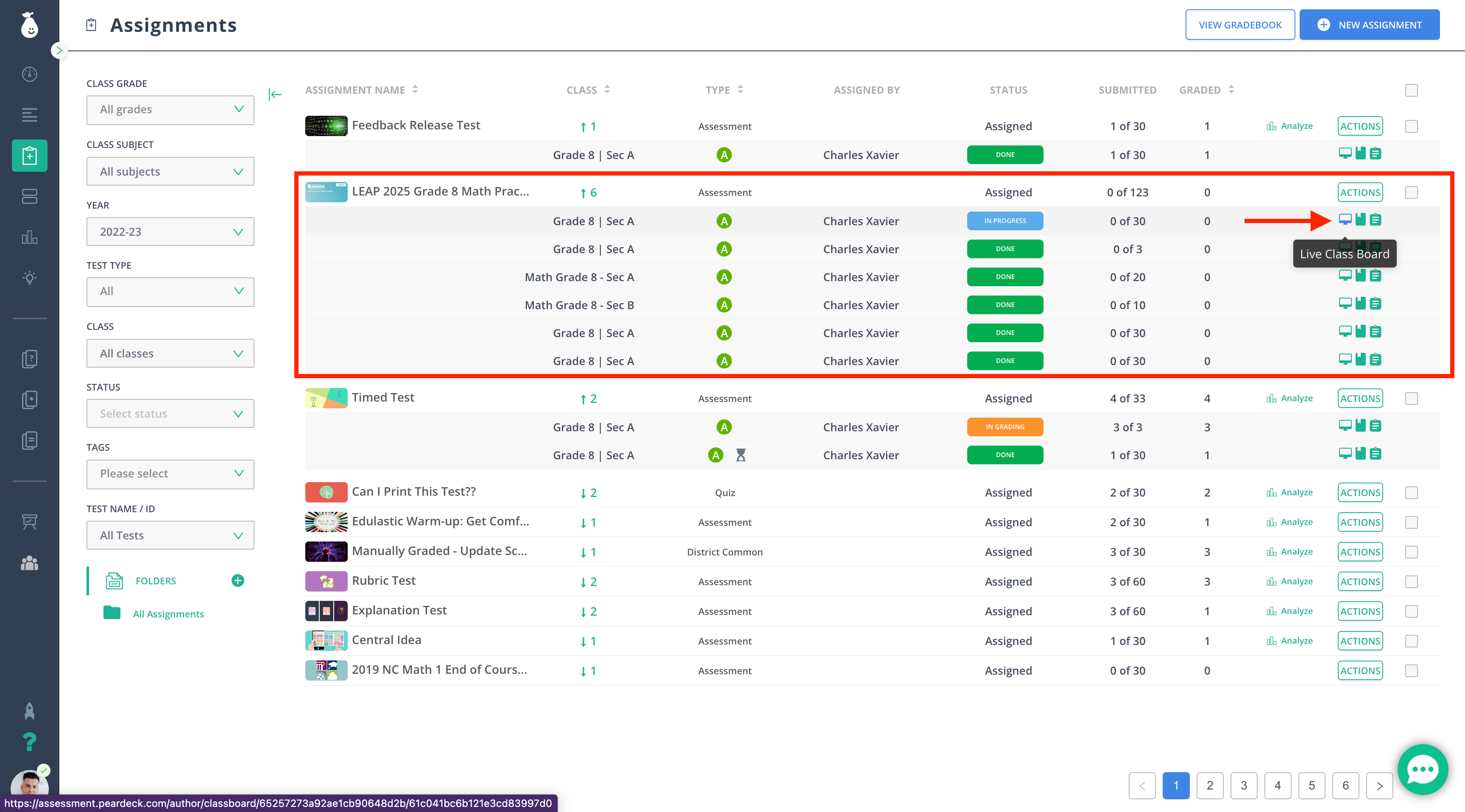
2. Hover over the row of the assignment you want to delete.
3. Click the **Live Class Board** button.
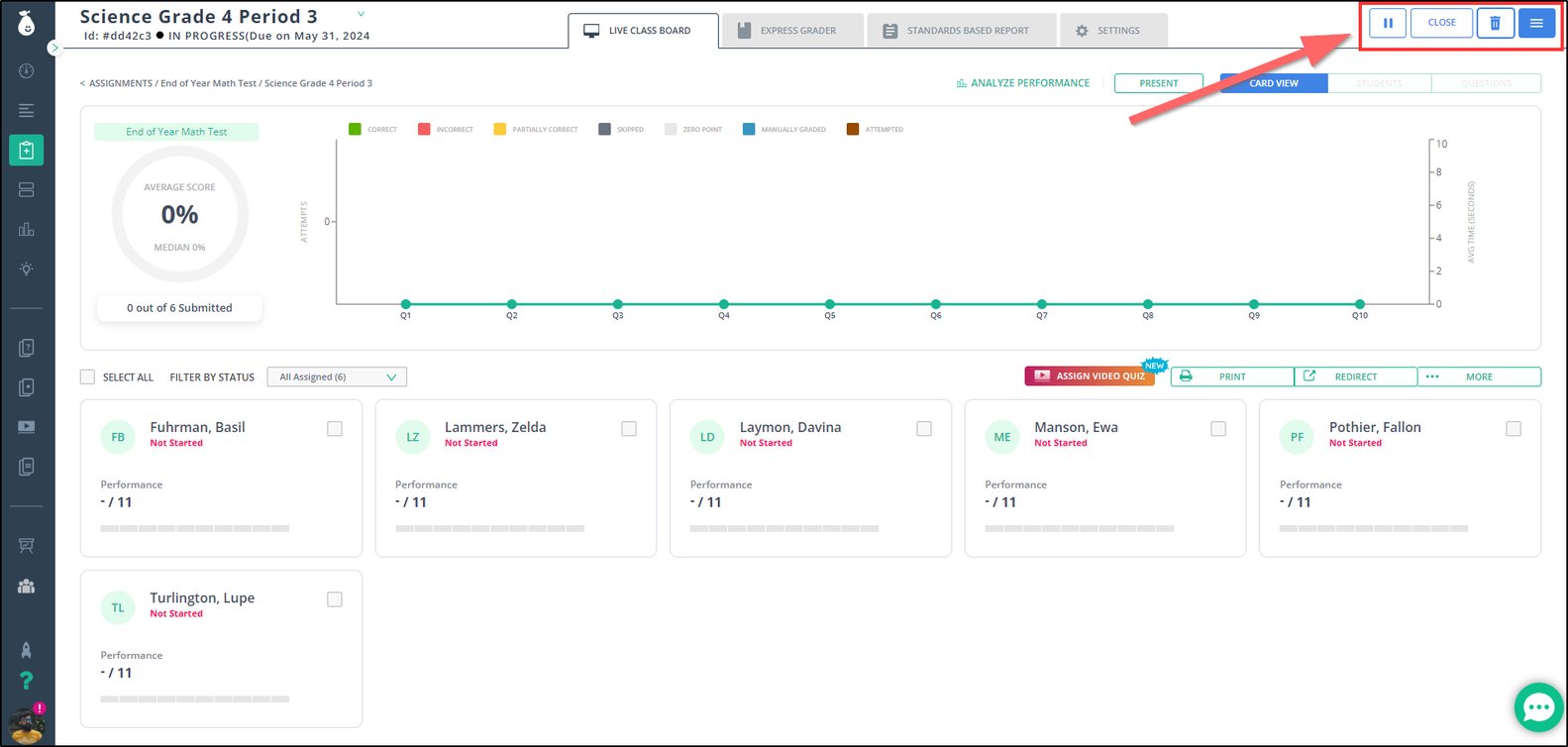
 4. Click the trash-can button in the **Live Class Board**.
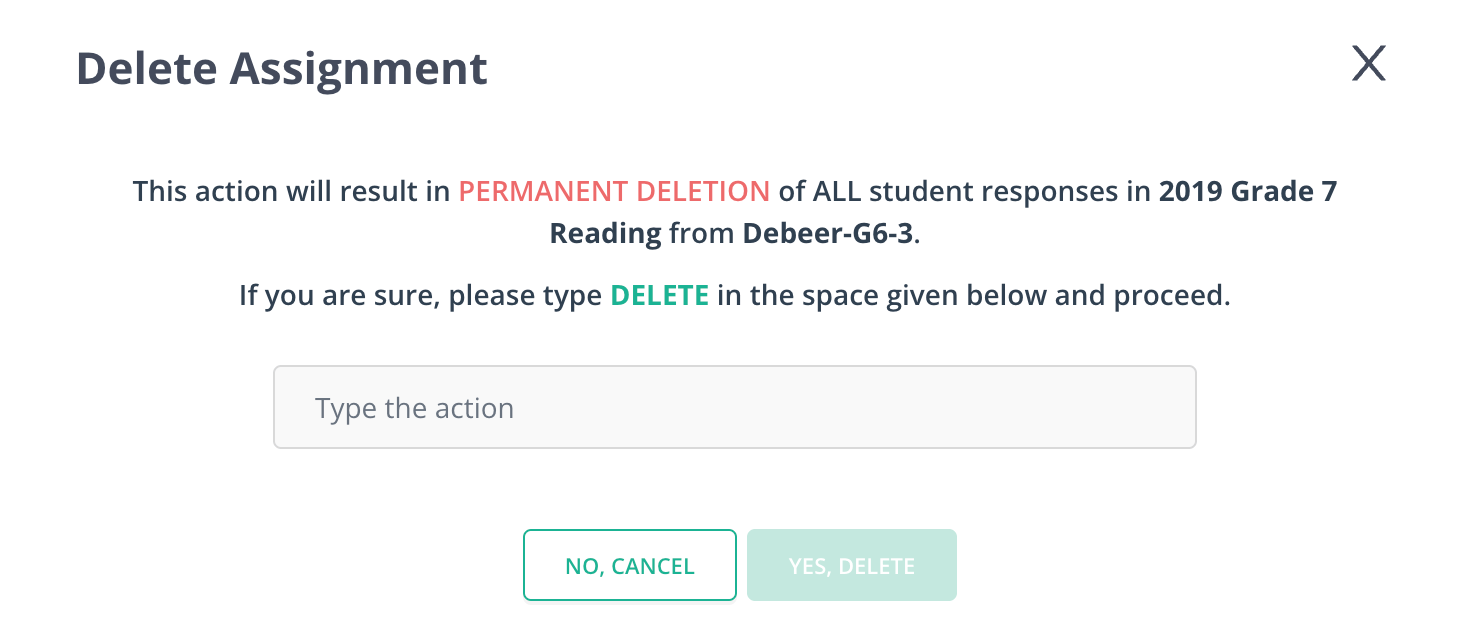
 5. Review the confirmation message. It states that the assignment will be deleted, all data will be permanently removed, the assessment will be removed from the assessment list, and any student data attached to this assignment will be deleted. Confirm to proceed.
 ## Resources
Delete several assignments at once using the bulk delete option available to admins.
## Resources
Delete several assignments at once using the bulk delete option available to admins.