> ## Documentation Index
> Fetch the complete documentation index at: https://docs.goguardian.com/llms.txt
> Use this file to discover all available pages before exploring further.
# Evaluate Standards Gradebook
> Use the Standards Gradebook report to review individual student performance and mastery by standard
The Standards Gradebook report shows individual student performance and mastery. Use it to evaluate student learning goals and identify possible interventions where needed.
## Evaluate Standards Gradebook
1. In GoGuardian Pear Assessment, click **Insights** in the navigation menu.
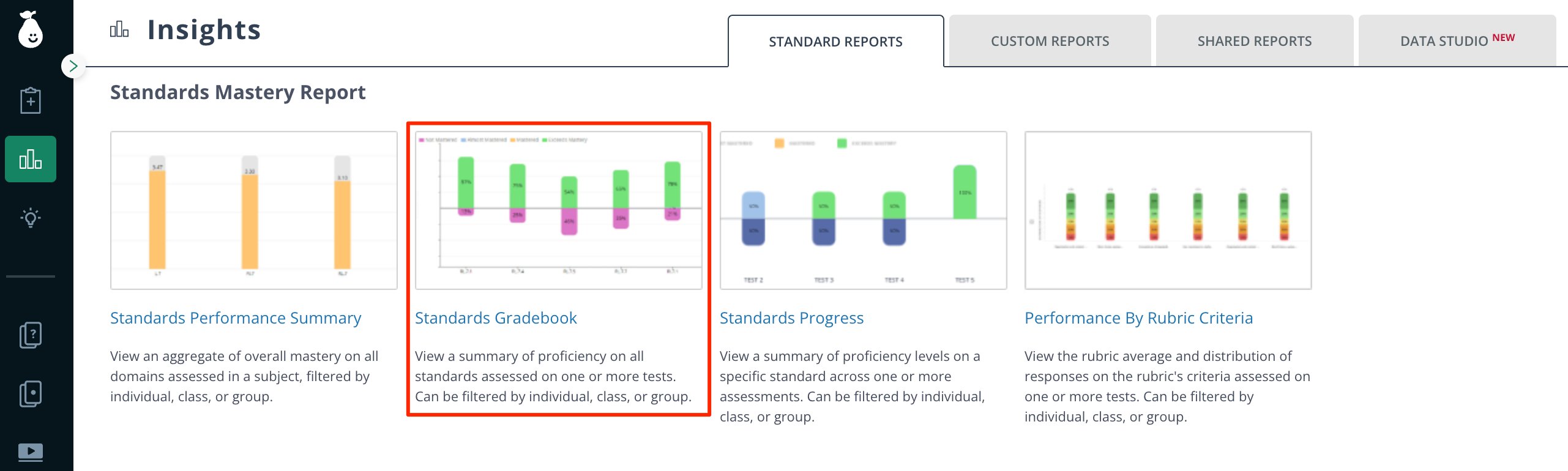
2. Click **Standards Gradebook** under **Standards Mastery Report**.
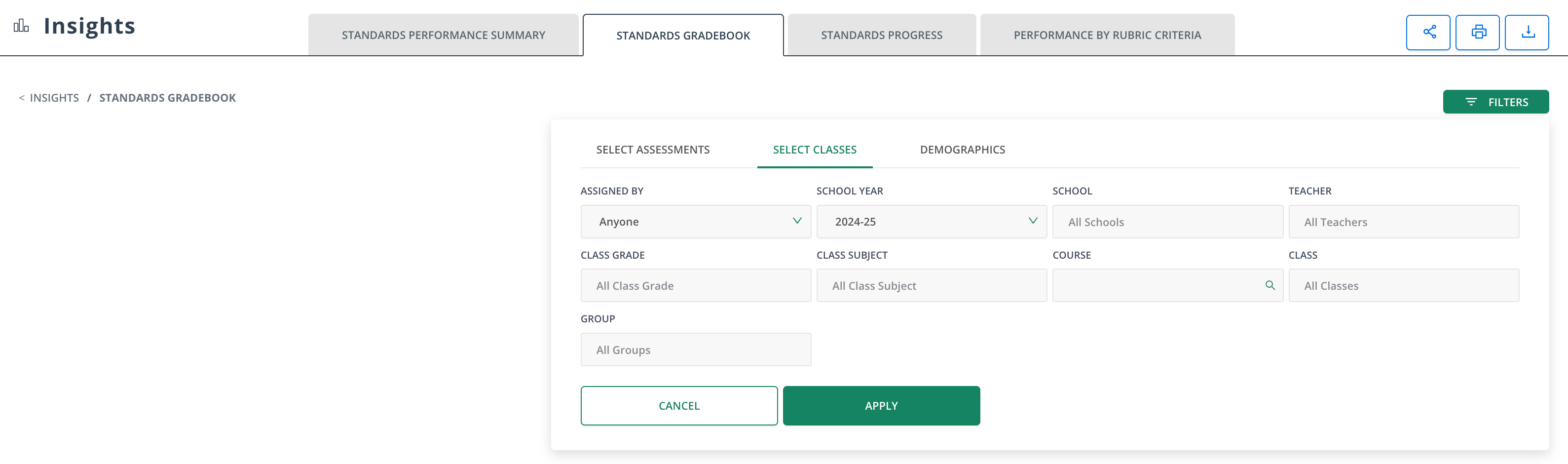
 3. Apply the relevant filters for your reporting scope.
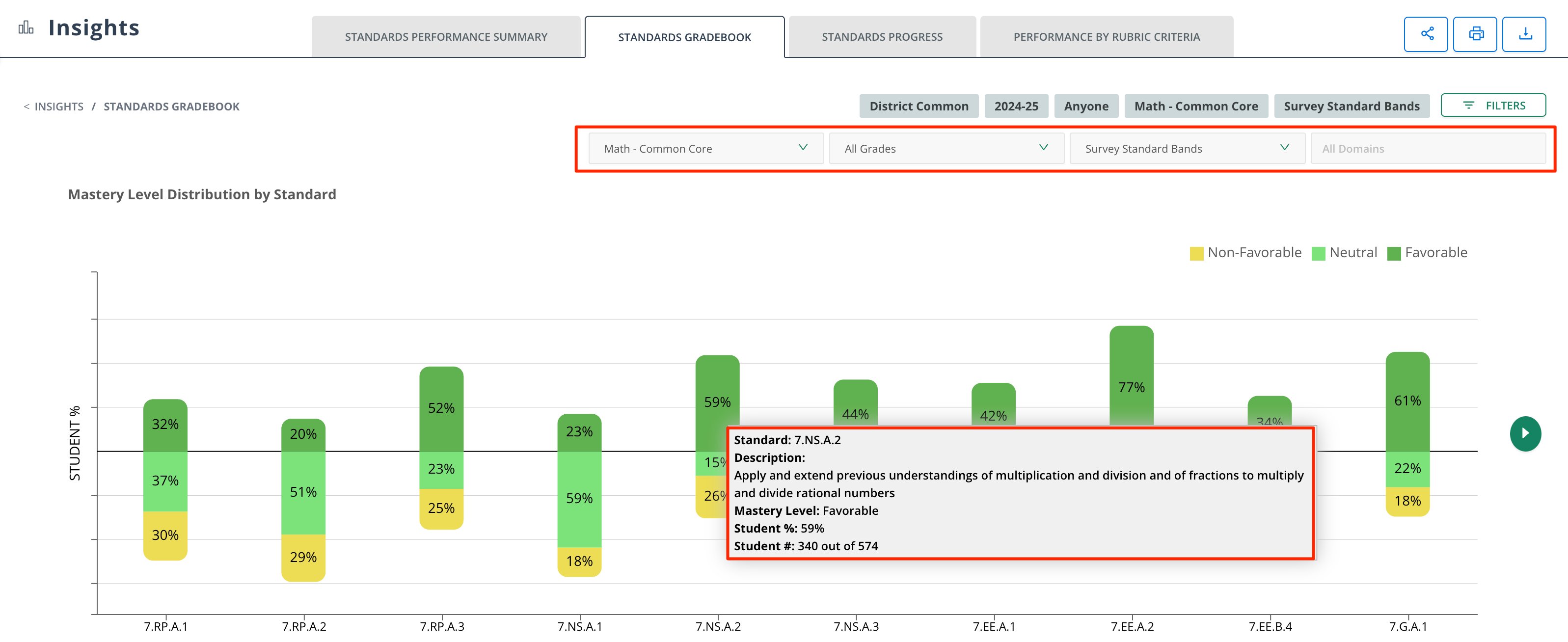
 4. Select the following sub-filters:
* Standard Set
* Grade Level
* Proficiency Band
* Domains
5. Hover the **Mastery Level Distribution by Standard** data for detailed information about student percentage scores per standard.
4. Select the following sub-filters:
* Standard Set
* Grade Level
* Proficiency Band
* Domains
5. Hover the **Mastery Level Distribution by Standard** data for detailed information about student percentage scores per standard.
 6. Hover the **Standards Mastery by School** data to review standards and mastery scores in greater depth.
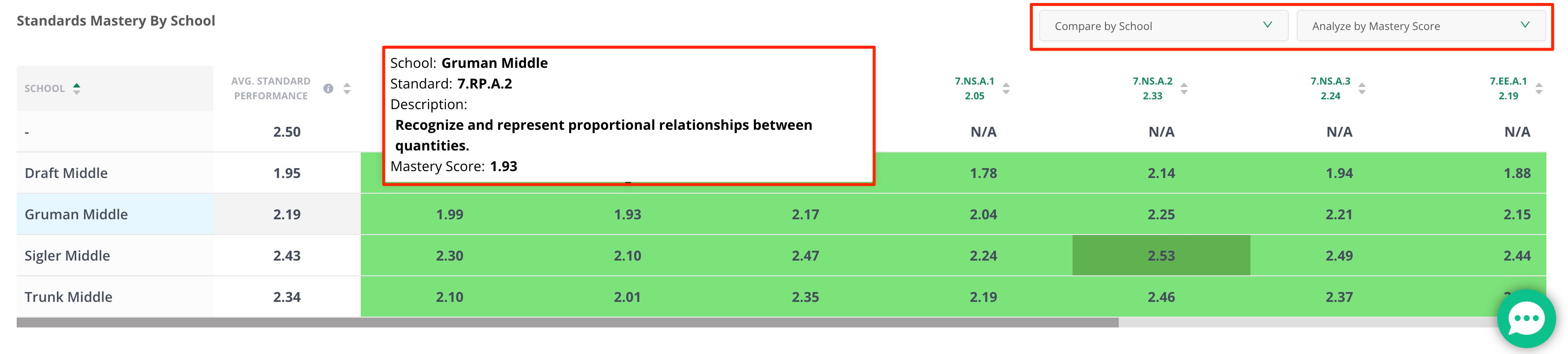 Change the sub-filters to compare by class and date, or analyze data by raw score.