> ## Documentation Index
> Fetch the complete documentation index at: https://docs.goguardian.com/llms.txt
> Use this file to discover all available pages before exploring further.
# Manually Enter or Edit Grades
> Manually enter or edit student grades in Pear Assessment using the Express Grader or Live Class Board
Pear Assessment lets you manually enter or update grades after a student submits an assignment. You may need to do this when a student deserves credit for a technically incorrect answer, when you want to award partial credit, or when an error in your question warrants giving all students full credit.
## Update Grades Using the Express Grader
Premium and Enterprise account holders can use the **Express Grader** to enter scores or student responses directly.
 ## Update Grades Using the Live Class Board
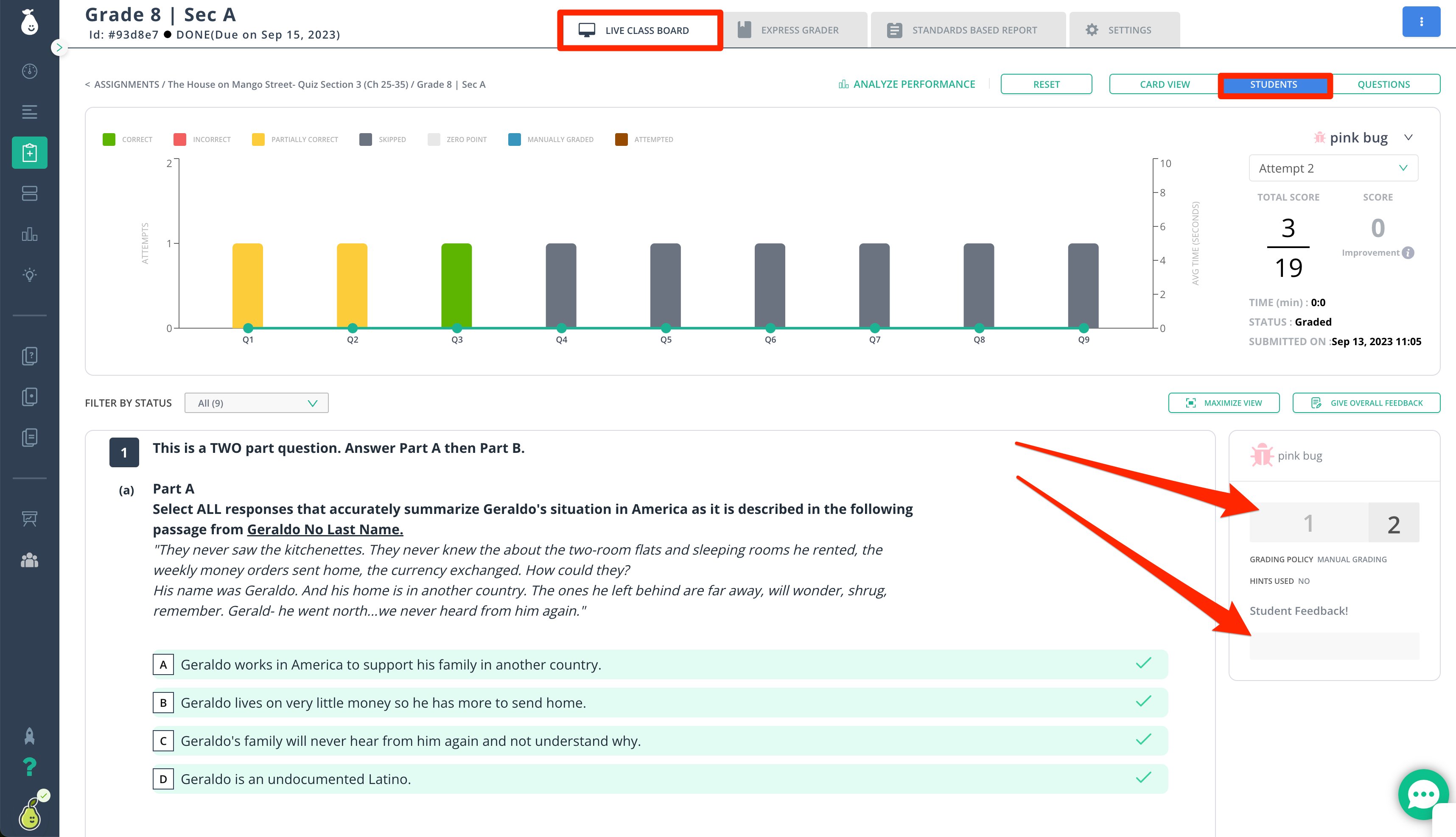
Free and premium users can click into individual student answers from the **Live Class Board** to edit scores or add student feedback.
### Tips for Manually Updating Grades
* Writing and Math Essay question types are not auto-graded and must always be updated manually.
* You can manually update any student's score at any time after the student has submitted their assignment.
## Update Grades Using the Live Class Board
Free and premium users can click into individual student answers from the **Live Class Board** to edit scores or add student feedback.
### Tips for Manually Updating Grades
* Writing and Math Essay question types are not auto-graded and must always be updated manually.
* You can manually update any student's score at any time after the student has submitted their assignment.
 ## Resources
Enter answers, scores, and comments for students using the Express Grader.
## Resources
Enter answers, scores, and comments for students using the Express Grader.