> ## Documentation Index
> Fetch the complete documentation index at: https://docs.goguardian.com/llms.txt
> Use this file to discover all available pages before exploring further.
# Use Kiosk Mode
> Launch Kiosk Mode on a Chromebook and sign in to take a Pear Assessment test
Kiosk Mode lets you take a Pear Assessment test on a Chromebook without signing in to your Google account. Your district IT team must push the Kiosk app to your device before you can use it. If Kiosk Mode is not available on your Chromebook, ask your teacher to contact your G-Suite administrator or share the setup guide: [Set Up Kiosk Mode on Chromebook](/products/pear-assessment/set-up-kiosk-mode-on-chromebook).
## Launch Kiosk Mode
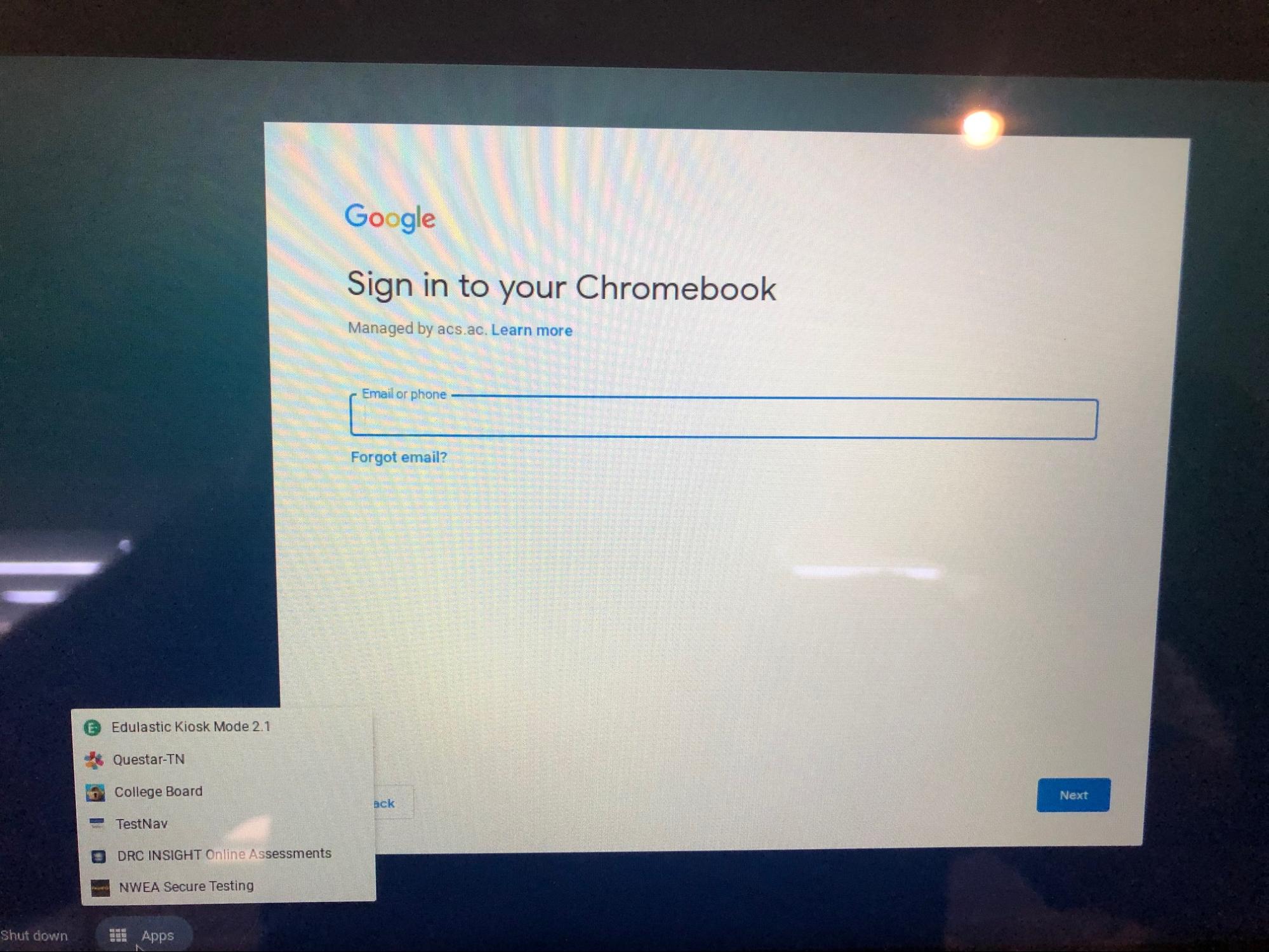
1. Do not sign in to your Chromebook. On the sign-in screen, open the app tray at the bottom of the screen.
2. Select the Pear Assessment Kiosk app from the tray to launch it.
 ## Sign in and Take Your Test
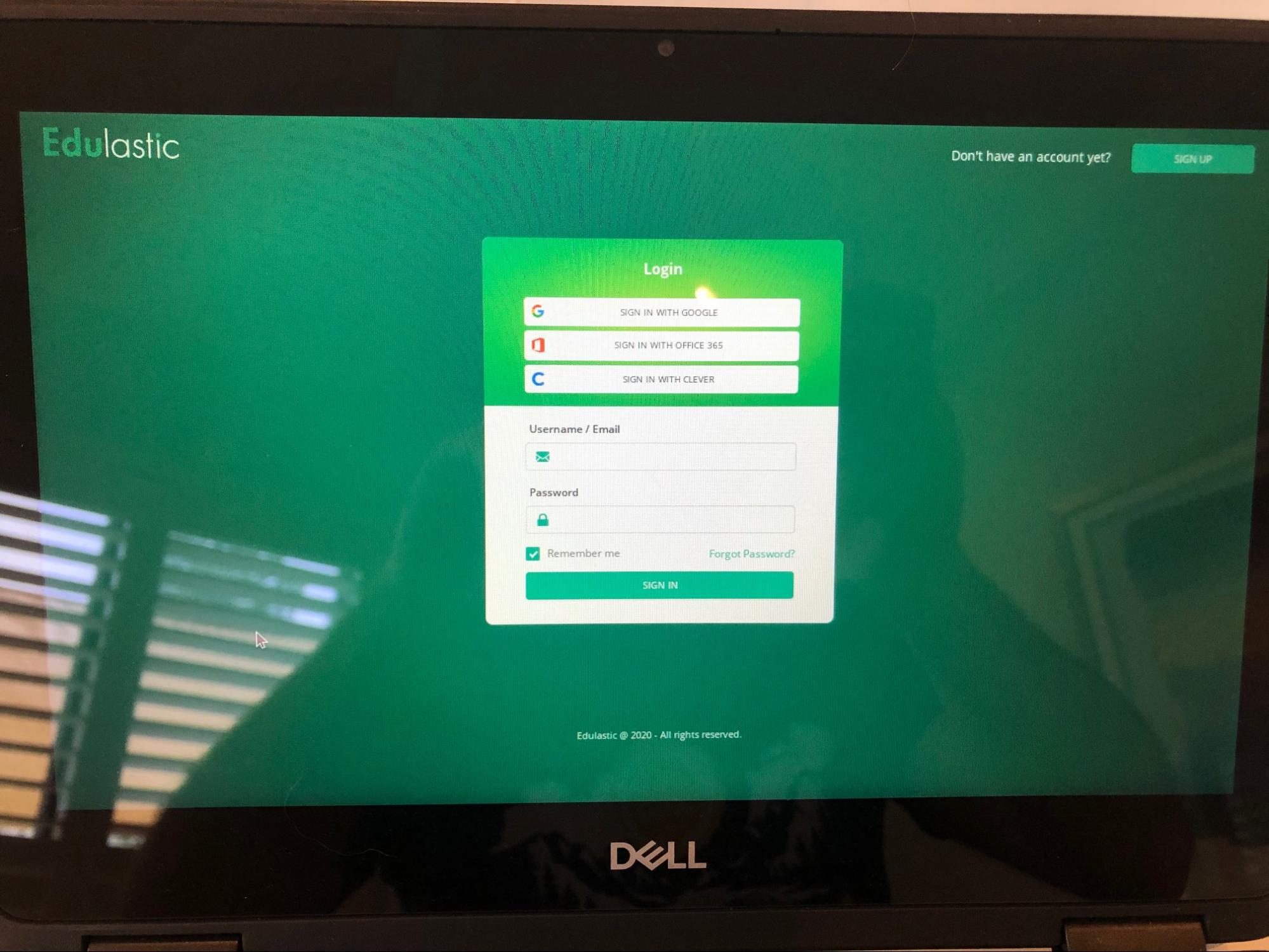
1. When the Kiosk app opens, sign in with the credentials your teacher provided.
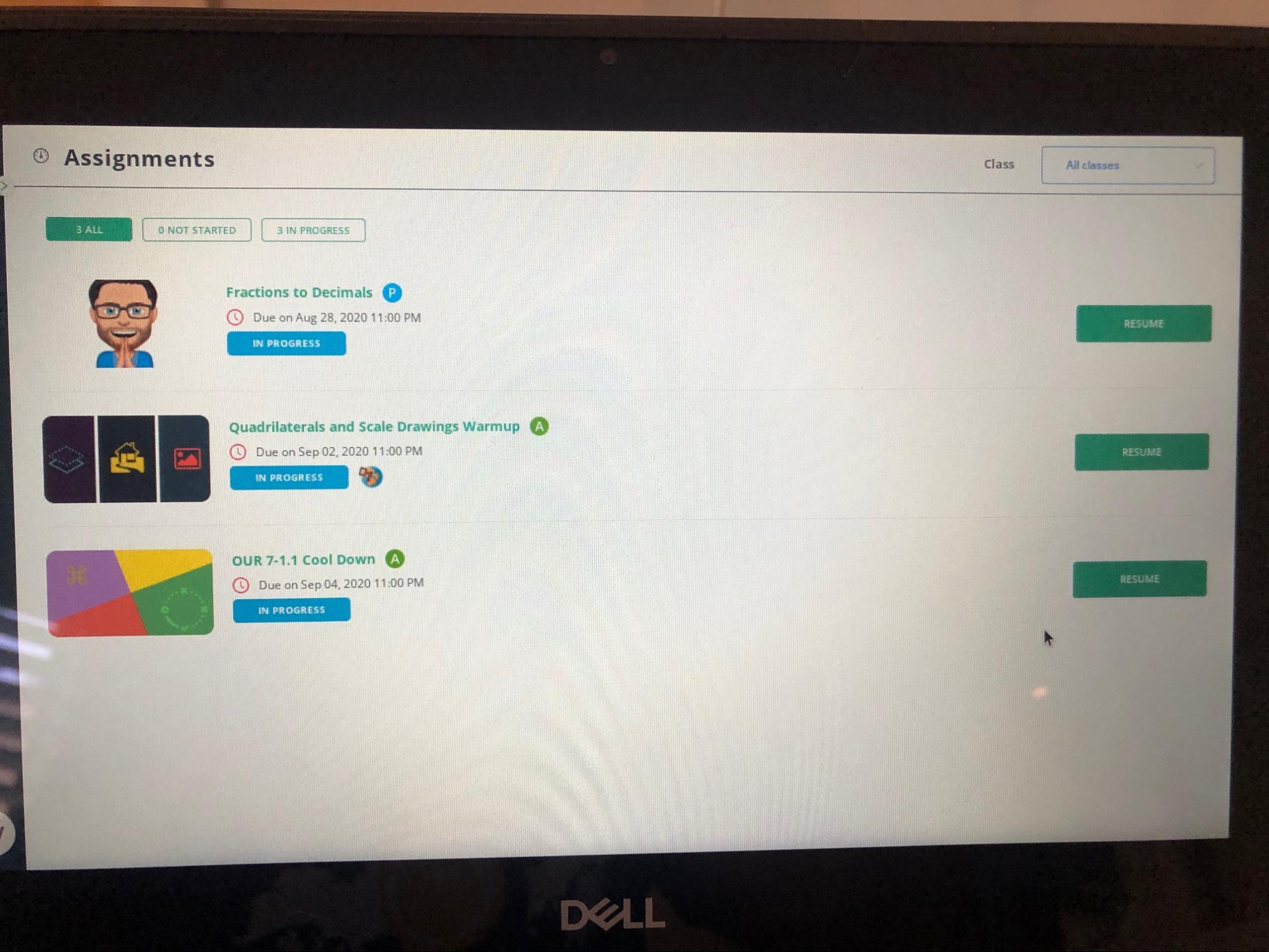
2. Select the test assigned to you and complete it.
## Resources
IT administrator steps for pushing the Kiosk app to Chromebook devices.
Overview of security features available during Pear Assessment tests.
## Sign in and Take Your Test
1. When the Kiosk app opens, sign in with the credentials your teacher provided.
2. Select the test assigned to you and complete it.
## Resources
IT administrator steps for pushing the Kiosk app to Chromebook devices.
Overview of security features available during Pear Assessment tests.