> ## Documentation Index
> Fetch the complete documentation index at: https://docs.goguardian.com/llms.txt
> Use this file to discover all available pages before exploring further.
# Standards Performance Summary
> Access and interpret the Standards Performance Summary report to review mastery level distribution across domains and classes
The Standards Performance Summary report is part of the Standards Mastery Report in Pear Assessment Insights. Use it to review mastery level distribution by domain, compare results across students or classes, and download detailed data for further analysis.
## Access the Standards Performance Summary
1. Click **Insights** in the navigation menu.
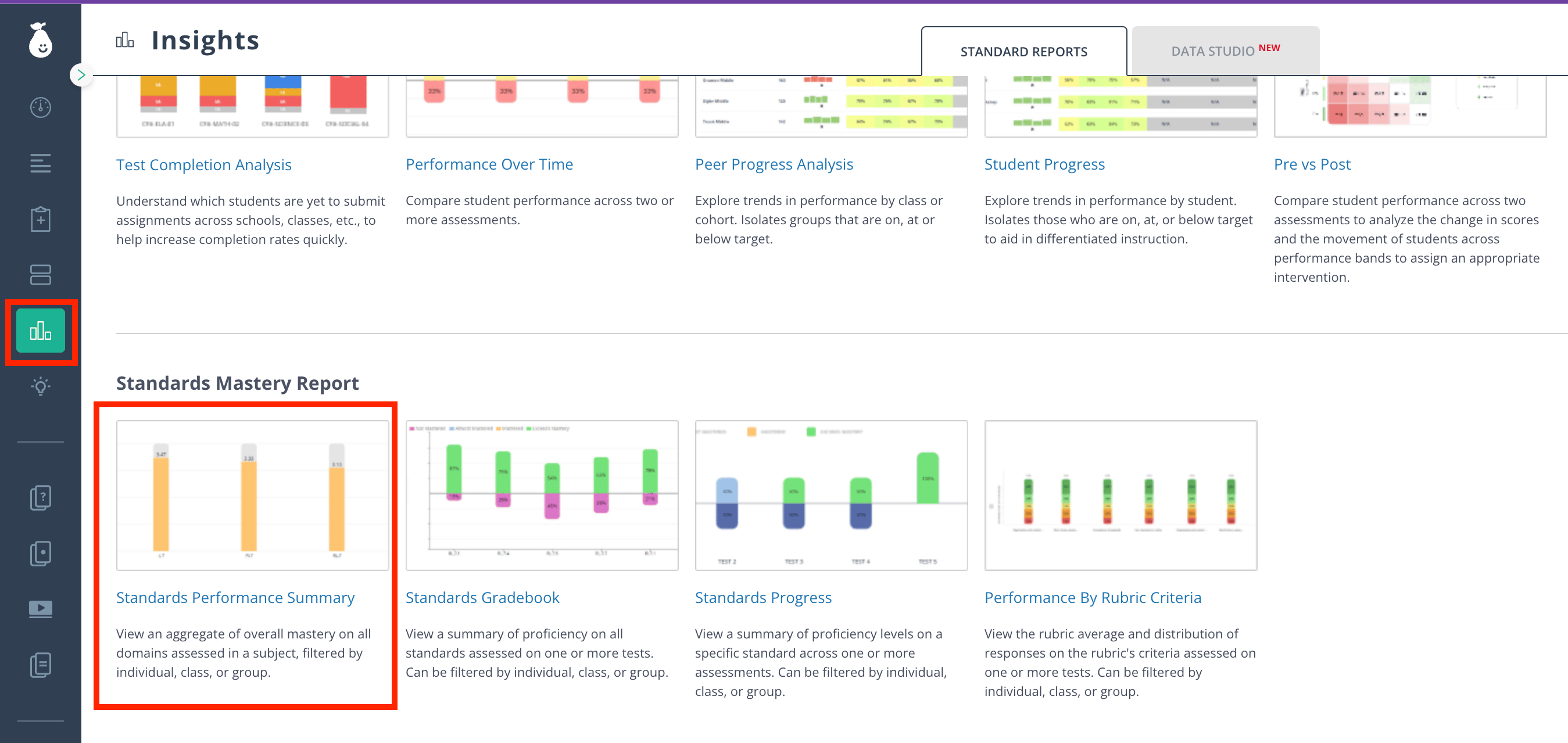
2. Click **Standards Mastery Report** > **Standards Performance Summary**.
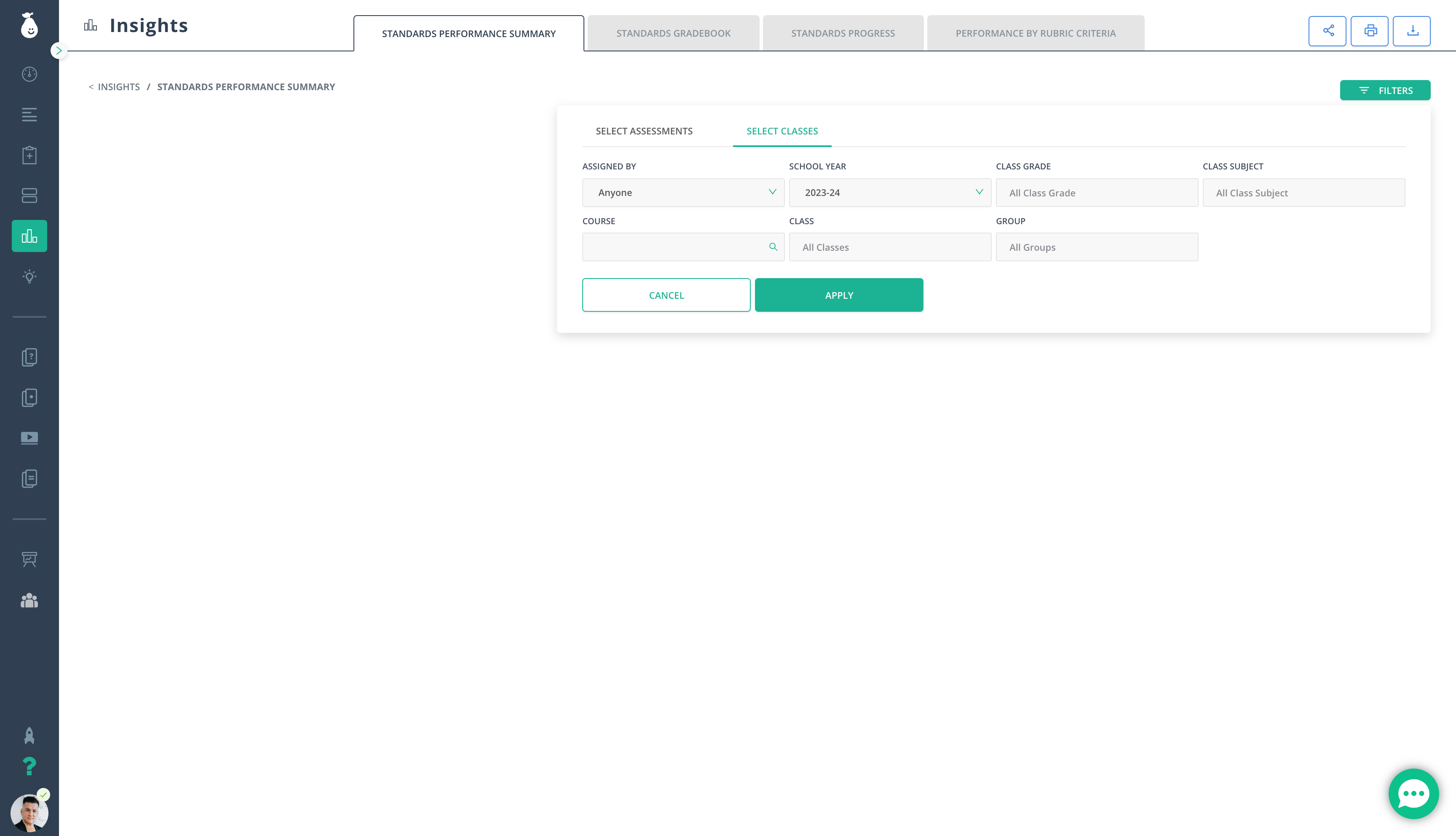
 3. Fill out the relevant filters.
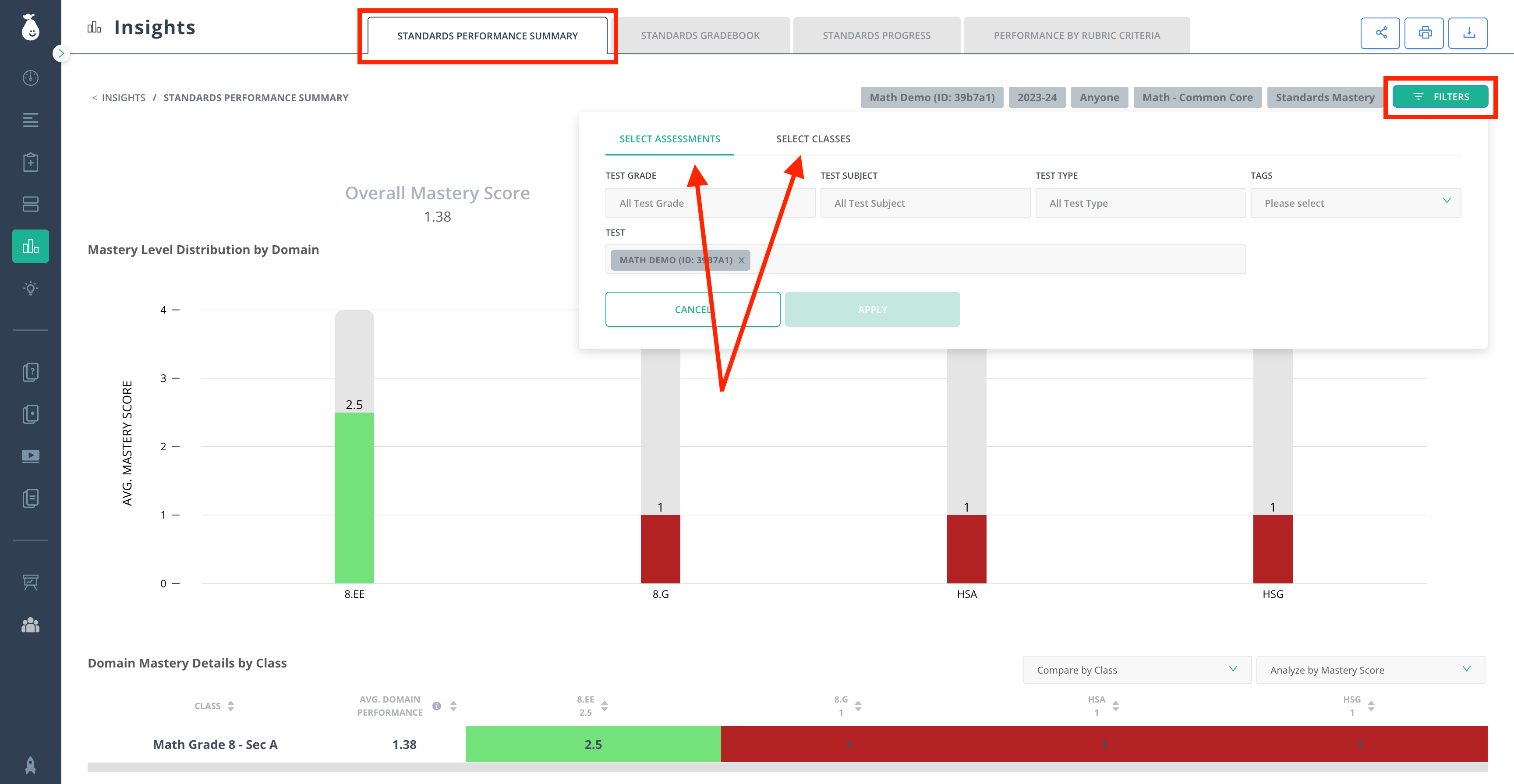
 4. Review the data displayed in the **Standards Performance Summary** tab. With this report, you can:
* Track trending performance
* Download CSV files containing details from the table
* Compare results by **Student** or **Class**
* Analyze the report by **Score** (%), **Raw Score**, **Above/Below Standard**, and **Proficiency Band**
* Filter results by **Test** and **Class**
* Switch to view the report for any other assessment by clicking the **Filters** icon in the top right corner
5. Once the filters are adjusted, click **Apply**.
4. Review the data displayed in the **Standards Performance Summary** tab. With this report, you can:
* Track trending performance
* Download CSV files containing details from the table
* Compare results by **Student** or **Class**
* Analyze the report by **Score** (%), **Raw Score**, **Above/Below Standard**, and **Proficiency Band**
* Filter results by **Test** and **Class**
* Switch to view the report for any other assessment by clicking the **Filters** icon in the top right corner
5. Once the filters are adjusted, click **Apply**.
 ## Resources
Browse all Pear Assessment Insights articles for additional reporting guidance.
## Resources
Browse all Pear Assessment Insights articles for additional reporting guidance.