> ## Documentation Index
> Fetch the complete documentation index at: https://docs.goguardian.com/llms.txt
> Use this file to discover all available pages before exploring further.

# Add or Remove Users From a School Subscription

> Subscription Managers can add, remove, and transfer users on a school-wide Pear Deck Premium subscription from the My Account page.

If you are the Subscription Manager of a school-wide Pear Deck Premium subscription, you can manage users on your Pear Deck My Account page.

<Note>
  Managers of a domain-wide Pear Deck Premium subscription do not have a teacher list to manage — the whole domain automatically has Pear Deck Premium.
</Note>

## Add Users

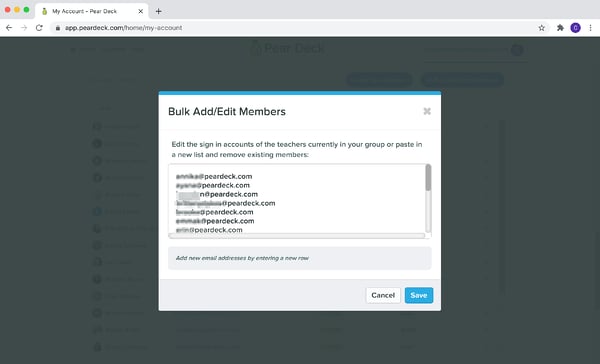
You can add one teacher email address or a whole list at once, and the addresses do not need to match your school domain. Users added this way do not receive a welcome or notification email.

1. Open your Pear Deck Home [My Account](https://app.peardeck.com/home/my-account) page.

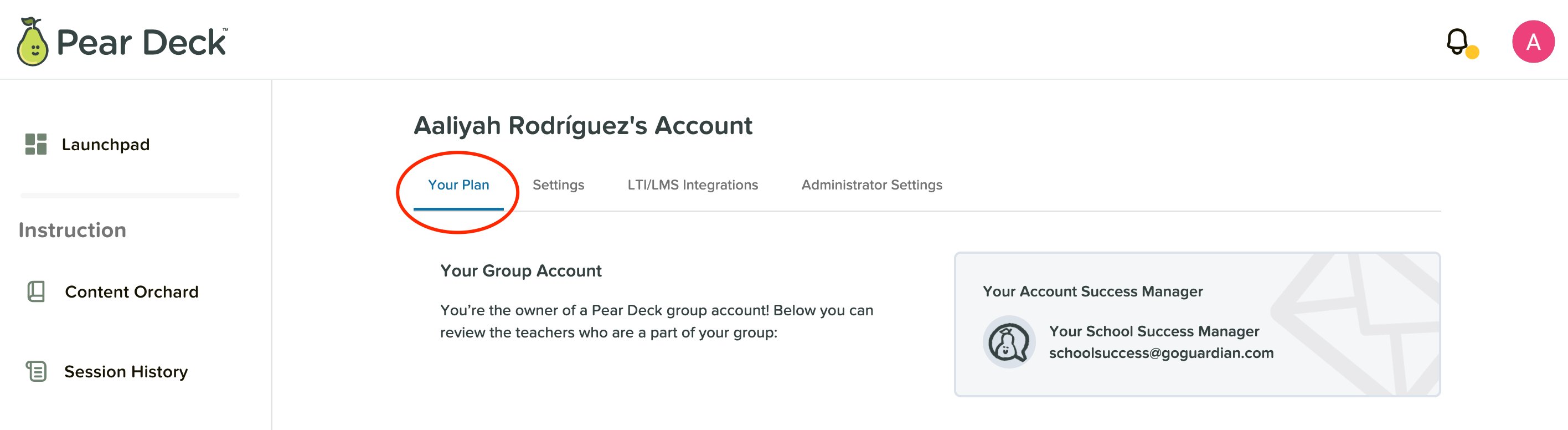
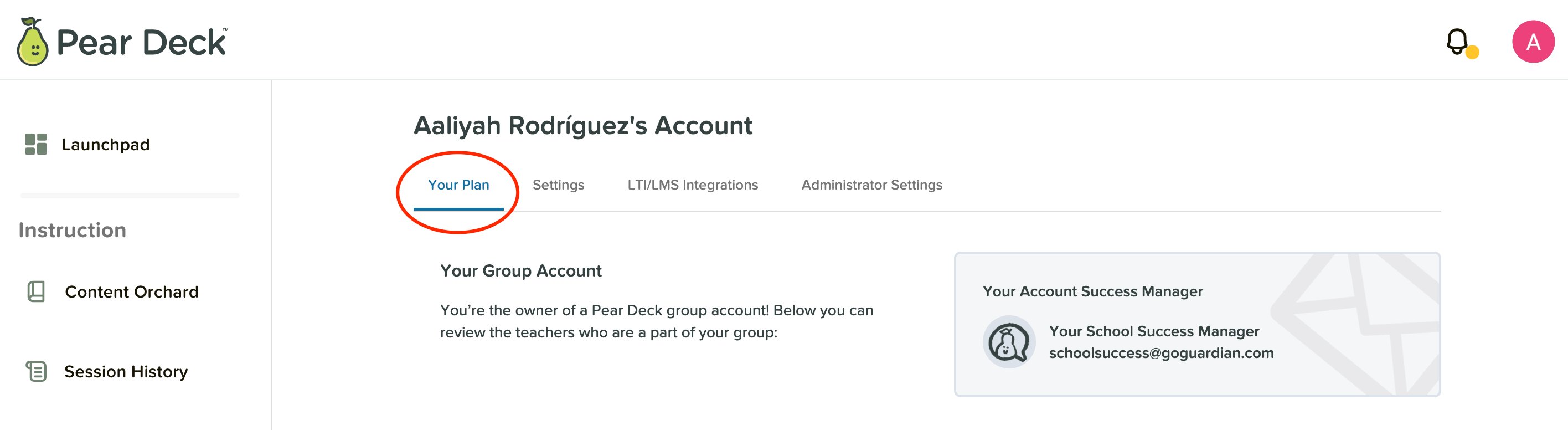
2. Select **Your Plan**.
<img src="https://mintcdn.com/goguardian/oERokfxwKrydgDPn/images/screenshots/add-or-remove-subscription-users/step-01.png?fit=max&auto=format&n=oERokfxwKrydgDPn&q=85&s=68eb3ca31c662d584ad38147500c4925" alt="My Account Page for Subscription Managers with the My Plan tab circled in red" width="2832" height="776" data-path="images/screenshots/add-or-remove-subscription-users/step-01.png" />

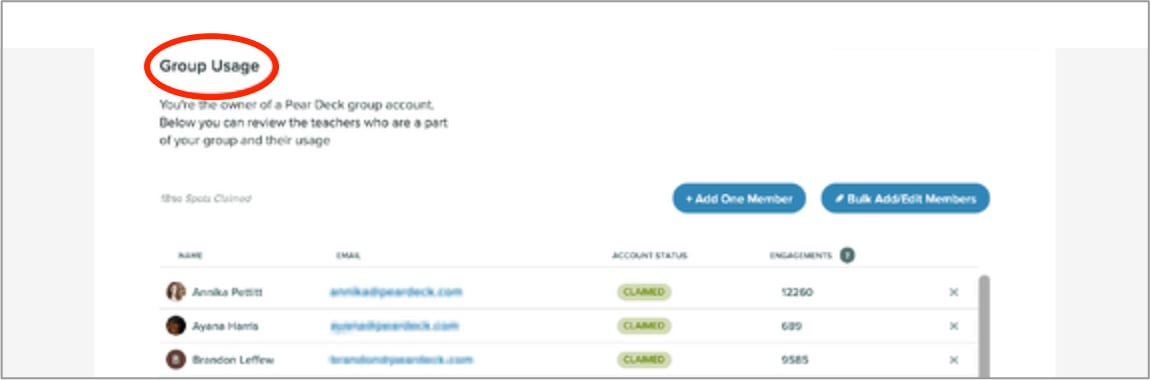
3. Scroll to the **Group Usage** section.
<img src="https://mintcdn.com/goguardian/oERokfxwKrydgDPn/images/screenshots/add-or-remove-subscription-users/step-02.png?fit=max&auto=format&n=oERokfxwKrydgDPn&q=85&s=b9737a457c0868aeff6723ebaacc0c92" alt="My Account Page for Subscription Managers with the Group Usage tab circled in red" width="1150" height="380" data-path="images/screenshots/add-or-remove-subscription-users/step-02.png" />

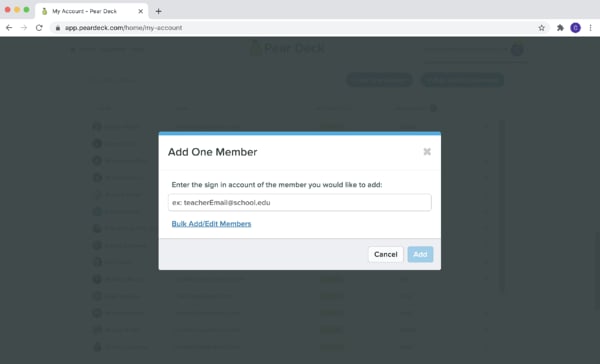
4. Add a single teacher's email, or add a list of teachers at once.
<img src="https://mintcdn.com/goguardian/oERokfxwKrydgDPn/images/screenshots/add-or-remove-subscription-users/step-03.png?fit=max&auto=format&n=oERokfxwKrydgDPn&q=85&s=290758335afcf4481290588877ad0851" alt="Subscription Manager Add Users page" width="600" height="364" data-path="images/screenshots/add-or-remove-subscription-users/step-03.png" />

<img src="https://mintcdn.com/goguardian/oERokfxwKrydgDPn/images/screenshots/add-or-remove-subscription-users/step-04.png?fit=max&auto=format&n=oERokfxwKrydgDPn&q=85&s=cee4d40e54dbaa0aa0f540a528889ca0" alt="Add a list of teachers with blue Bulk Add/Edit Members button" width="600" height="364" data-path="images/screenshots/add-or-remove-subscription-users/step-04.png" />

<img src="https://mintcdn.com/goguardian/oERokfxwKrydgDPn/images/screenshots/add-or-remove-subscription-users/step-05.png?fit=max&auto=format&n=oERokfxwKrydgDPn&q=85&s=876093bbec555eeb7c68460a018bd173" alt="Teacher list with the new user circled in red" width="1212" height="226" data-path="images/screenshots/add-or-remove-subscription-users/step-05.png" />

## Remove or Transfer a User

From the same **Group Usage** section, you can remove a user, or transfer a Premium subscription to another user.
<img src="https://mintcdn.com/goguardian/oERokfxwKrydgDPn/images/screenshots/add-or-remove-subscription-users/step-06.png?fit=max&auto=format&n=oERokfxwKrydgDPn&q=85&s=1552e3ac9ed01d6327203d6803ed2a62" alt="My Account Page for Subscription Managers with the My Plan tab circled in red" width="2832" height="776" data-path="images/screenshots/add-or-remove-subscription-users/step-06.png" />