> ## Documentation Index
> Fetch the complete documentation index at: https://docs.goguardian.com/llms.txt
> Use this file to discover all available pages before exploring further.
# Export Math Formulas to Google Docs
> Export AI-generated math content from Pear Start to Google Docs in LaTeX or Plain Text format.
In Pear Start, you can generate math class materials and export them to Google Docs in [LaTeX](https://www.latex-project.org/) or Plain Text format.
* **LaTeX** : a standardized format for rendering complex math formulas as properly formatted equations, commonly used in math and science
* **Plain Text** : a basic format containing standard symbols and characters, compatible with common text editors
Due to a Google Docs limitation with rendering advanced math formulas, install an administrator-approved Google Docs extension for precise LaTeX rendering. See the Resources section for a recommended extension.
## Export to LaTeX Format
1. Click **Tools**.
2. Under **All Tools**, click a tool that uses formulas , for example, **Math Mixed Assessment Practice**.
3. Fill out the required fields and click **Generate**.
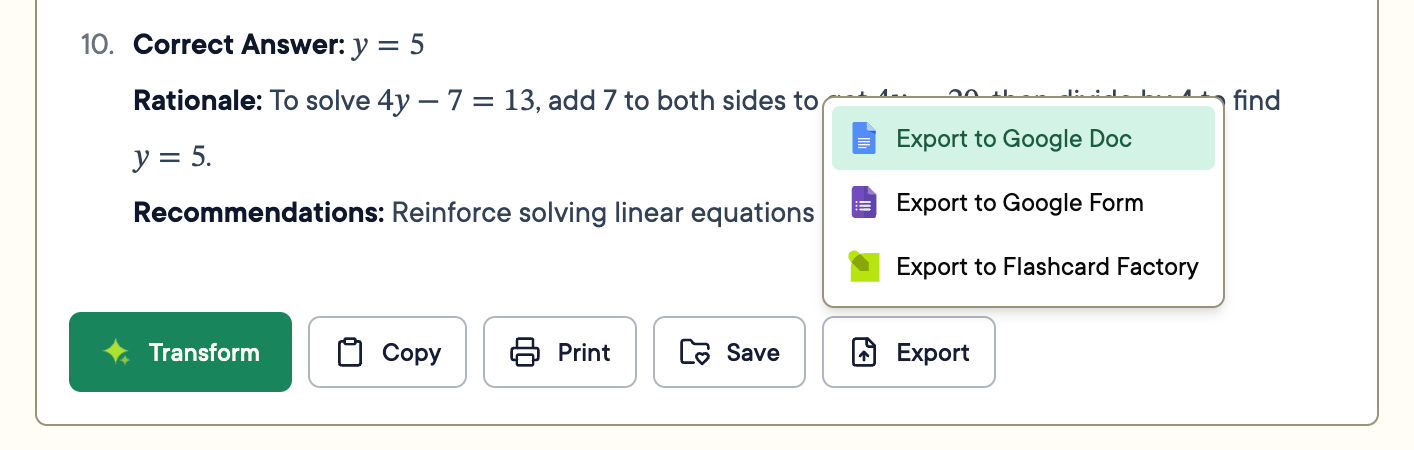
4. Click **Export** in the toolbar at the end of the generated content > **Export to Google Doc**.
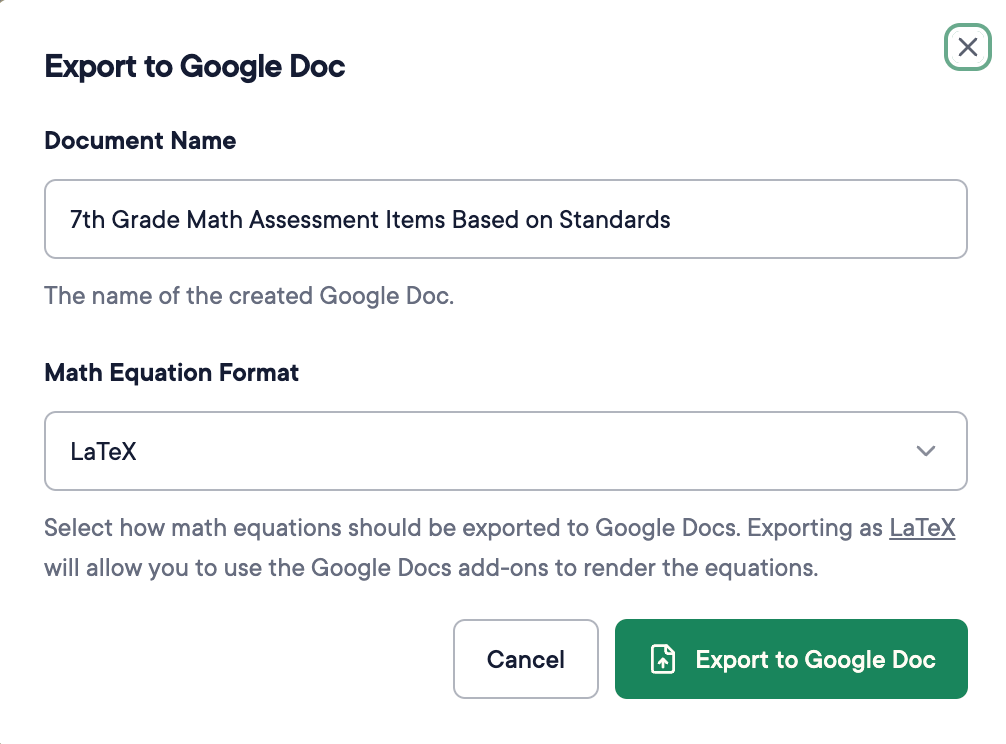
 5. Give the document a recognizable name.
6. Select **LaTeX** for **Math Equation Format**.
The LaTeX option appears only when a formula is detected in the content.
7. Click **Export to Google Doc**.
5. Give the document a recognizable name.
6. Select **LaTeX** for **Math Equation Format**.
The LaTeX option appears only when a formula is detected in the content.
7. Click **Export to Google Doc**.
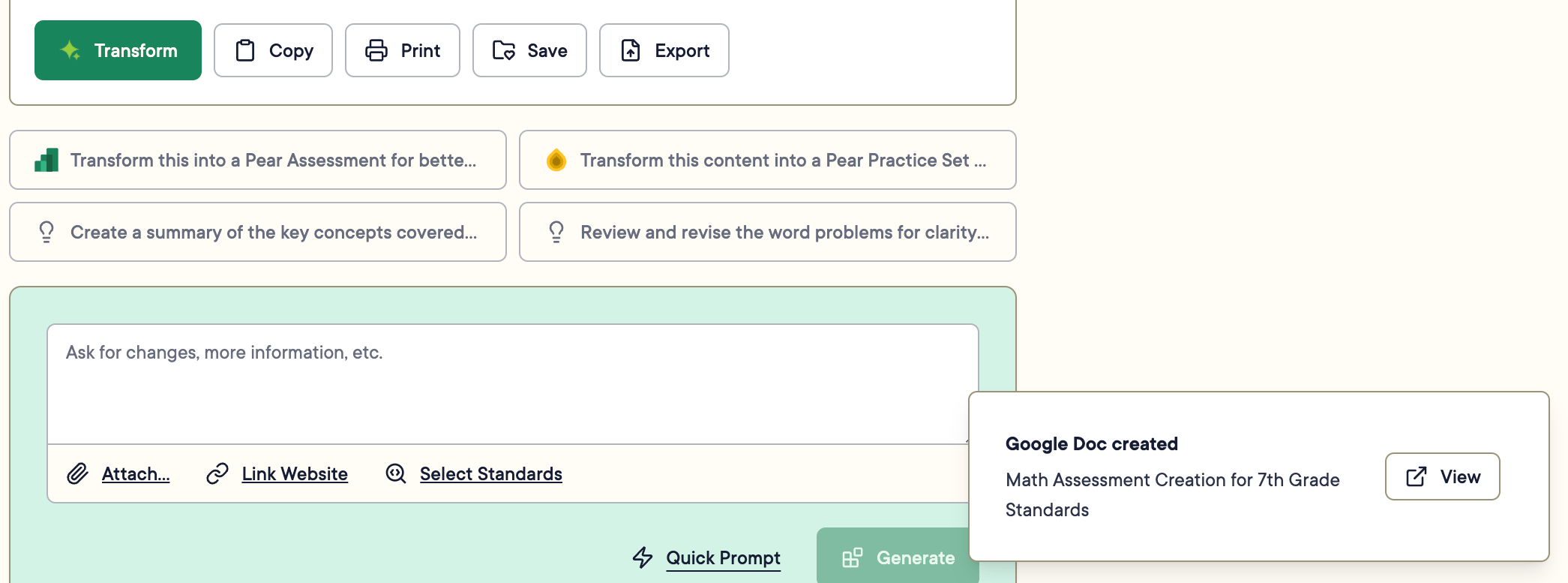
 8. Click **View** in the lower-right notification to open the Google Doc in a new tab.
 ## Export to Plain Text
1. Click **Tools**.
2. Under **All Tools**, click a tool that uses formulas.
3. Fill out the required fields and click **Generate**.
4. Click **Export** > **Export to Google Docs**.
5. Give the document a recognizable name.
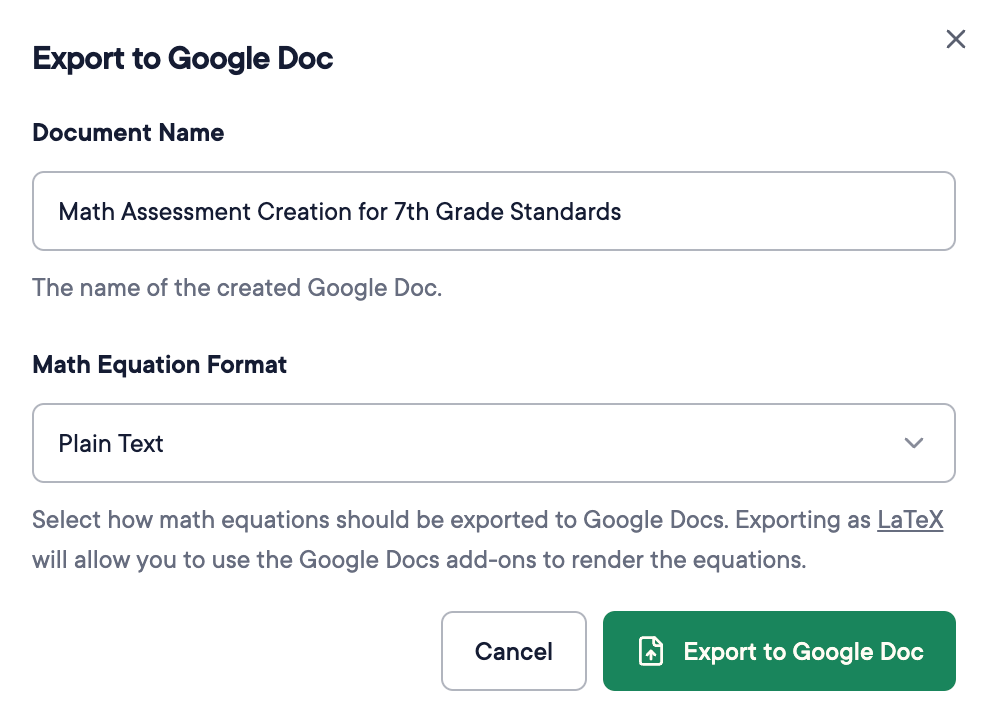
6. Select **Plain Text** for **Math Equation Format**.
7. Click **Export to Google Doc**.
8. Click **View** in the lower-right notification to open the Google Doc in a new tab.
## Export to Plain Text
1. Click **Tools**.
2. Under **All Tools**, click a tool that uses formulas.
3. Fill out the required fields and click **Generate**.
4. Click **Export** > **Export to Google Docs**.
5. Give the document a recognizable name.
6. Select **Plain Text** for **Math Equation Format**.
7. Click **Export to Google Doc**.
8. Click **View** in the lower-right notification to open the Google Doc in a new tab.
 ## Resources
A Pear Start compatible Google Docs extension for LaTeX rendering.
Official documentation for the LaTeX typesetting system.
## Resources
A Pear Start compatible Google Docs extension for LaTeX rendering.
Official documentation for the LaTeX typesetting system.