> ## Documentation Index
> Fetch the complete documentation index at: https://docs.goguardian.com/llms.txt
> Use this file to discover all available pages before exploring further.
# Add Additional Teachers and Helpers to a Class
> Add co-teachers, teaching assistants, or substitutes to a GoGuardian Teacher class and assign Owner, Teacher, or Helper permissions.
You can add co-teachers, teaching assistants, or substitute teachers to a GoGuardian Teacher class. The additional teacher must first have a GoGuardian Teacher account registered at [manage.goguardian.com](https://manage.goguardian.com/).
There are three teacher roles with different permissions: **Owners**, **Teachers**, and **Helpers**. Give teaching assistants or substitutes **Helper** permissions unless they need to edit class settings.
For classes imported from Clever or ClassLink, the class roster and class name cannot be changed in GoGuardian Teacher. Make those updates in Clever or ClassLink, which sync back to GoGuardian.
 ## Add a Co-Teacher
1. For the class, click the **Settings** cogwheel, then **Add Co-teachers**.
2. Click **Add Co-Teachers**.
## Add a Co-Teacher
1. For the class, click the **Settings** cogwheel, then **Add Co-teachers**.
2. Click **Add Co-Teachers**.
 3. Search for a user within your organization.
4. Choose a permission level from the drop-down.
5. Click **Add Teacher**.
3. Search for a user within your organization.
4. Choose a permission level from the drop-down.
5. Click **Add Teacher**.
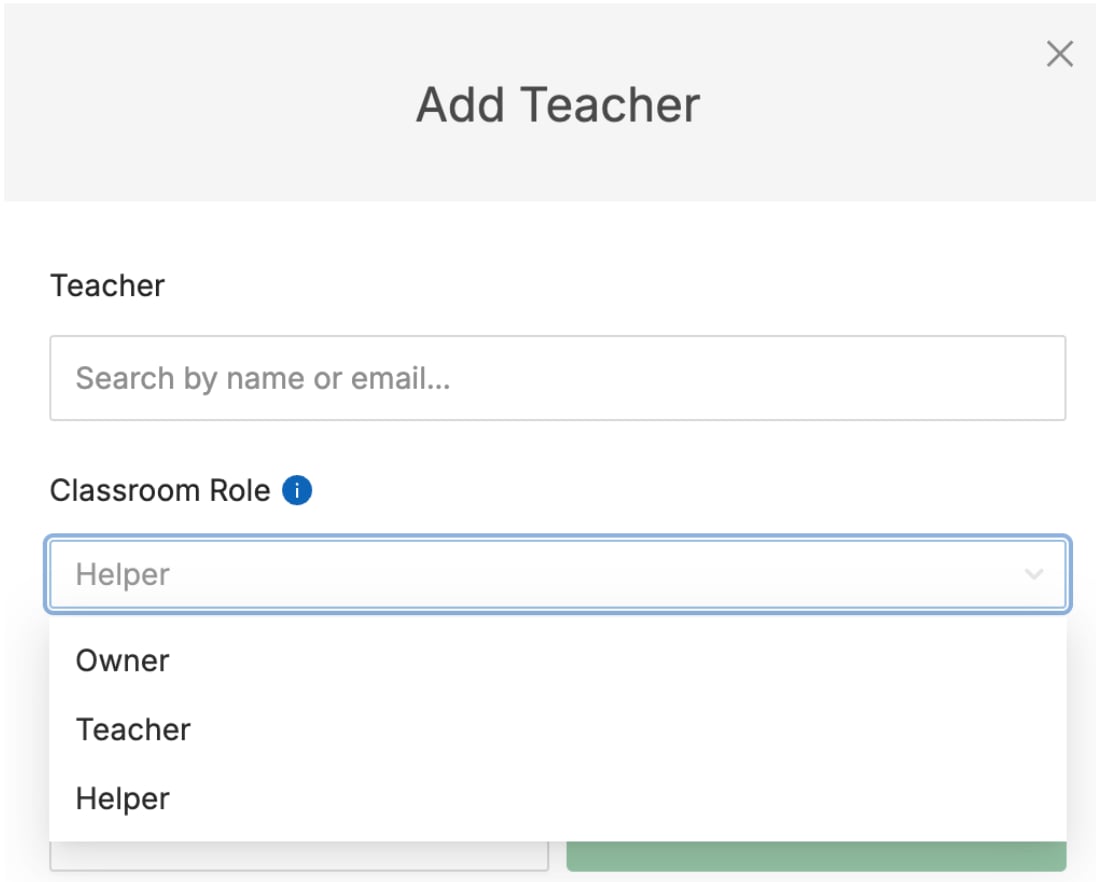 If a user does not appear in the drop-down, they likely do not have a GoGuardian account. Ask a Super User to create one at [manage.goguardian.com](https://manage.goguardian.com/).