> ## Documentation Index
> Fetch the complete documentation index at: https://docs.goguardian.com/llms.txt
> Use this file to discover all available pages before exploring further.
# Delete a Scene
> How to permanently delete a Scene in GoGuardian Teacher.
Teachers can delete Scenes they no longer use for class. While Scene rules can always be edited, it may be easier to delete outdated Scenes completely and start fresh.
 ## Delete a Scene
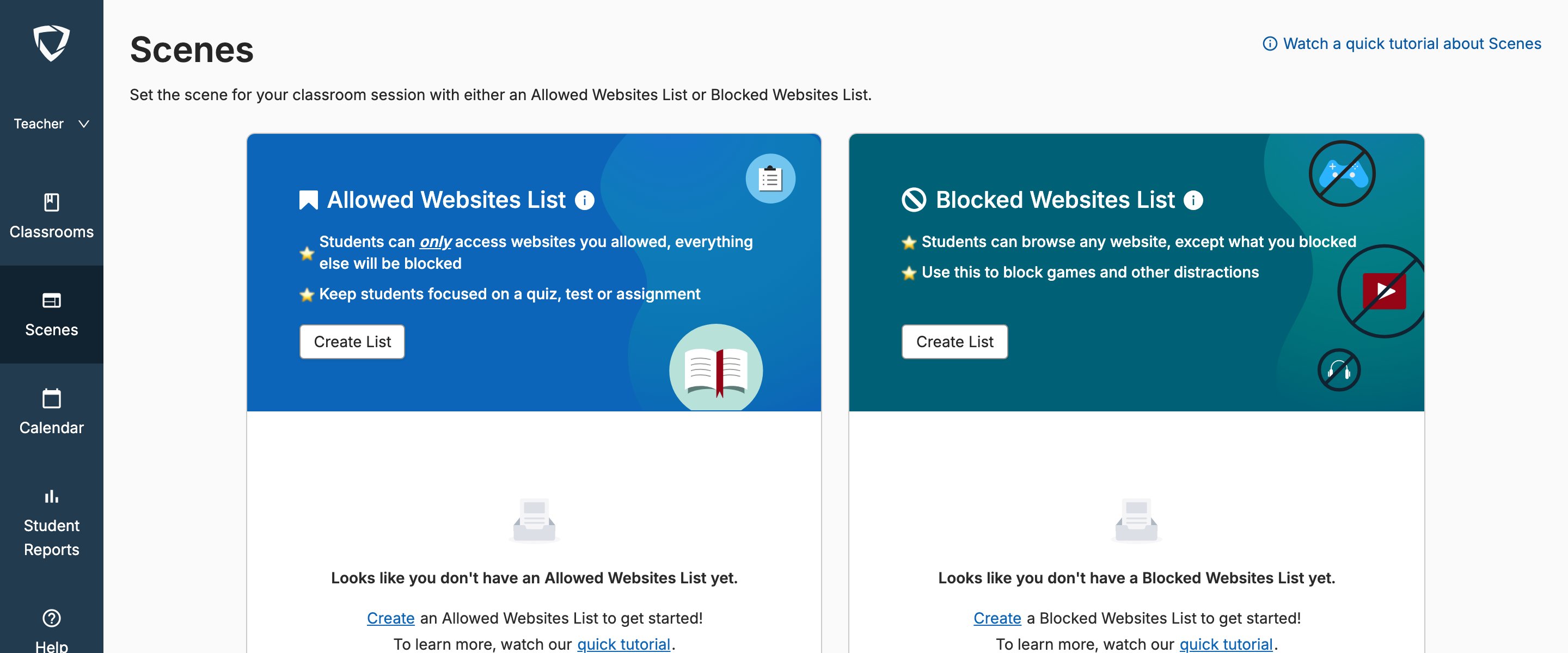
Go to your GoGuardian Teacher dashboard at [teacher.goguardian.com](https://teacher.goguardian.com) and select the **Scenes** tab.
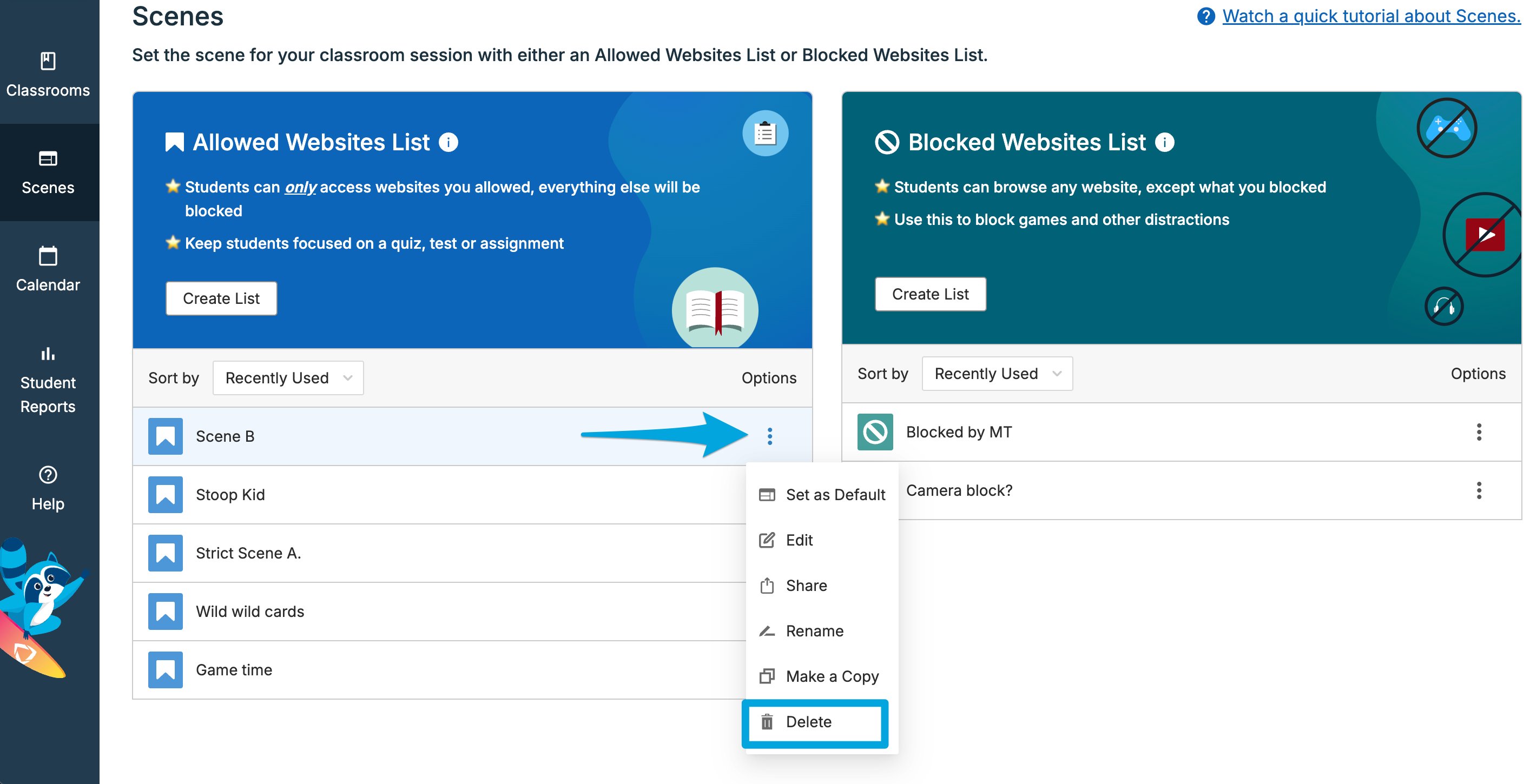
1. Click the gear icon next to the Scene you want to delete.
2. Select **Delete** from the dropdown.
Scenes can't be restored once they've been deleted.
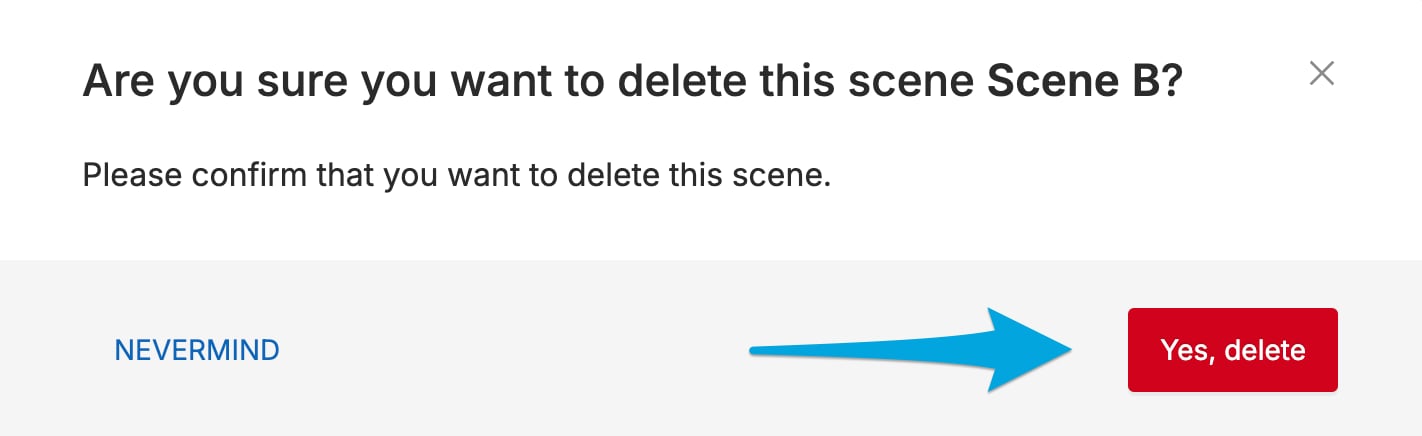
3. Click **Yes, Delete** on the confirmation dialog to permanently delete the Scene.
## Delete a Scene
Go to your GoGuardian Teacher dashboard at [teacher.goguardian.com](https://teacher.goguardian.com) and select the **Scenes** tab.
1. Click the gear icon next to the Scene you want to delete.
2. Select **Delete** from the dropdown.
Scenes can't be restored once they've been deleted.
3. Click **Yes, Delete** on the confirmation dialog to permanently delete the Scene.
 ## Resources
Learn how Scenes work in GoGuardian Teacher.
Build a new Scene from scratch.
Understand the rules and settings that make up a Scene.
Apply wildcard patterns to filter sites in a Scene.
## Resources
Learn how Scenes work in GoGuardian Teacher.
Build a new Scene from scratch.
Understand the rules and settings that make up a Scene.
Apply wildcard patterns to filter sites in a Scene.