> ## Documentation Index
> Fetch the complete documentation index at: https://docs.goguardian.com/llms.txt
> Use this file to discover all available pages before exploring further.
# Exclude and Include Students
> How to temporarily exclude students from a GoGuardian Teacher session and re-include them when ready.
The **Exclude** command lets teachers temporarily hide a student from the main classroom view and Timelines views, where browsing data is captured. You can exclude students who are absent or working on something outside of class, then re-include them at any time during the session.
Excluding a student is temporary and does not remove them from the class roster.
## Exclude 1 Student
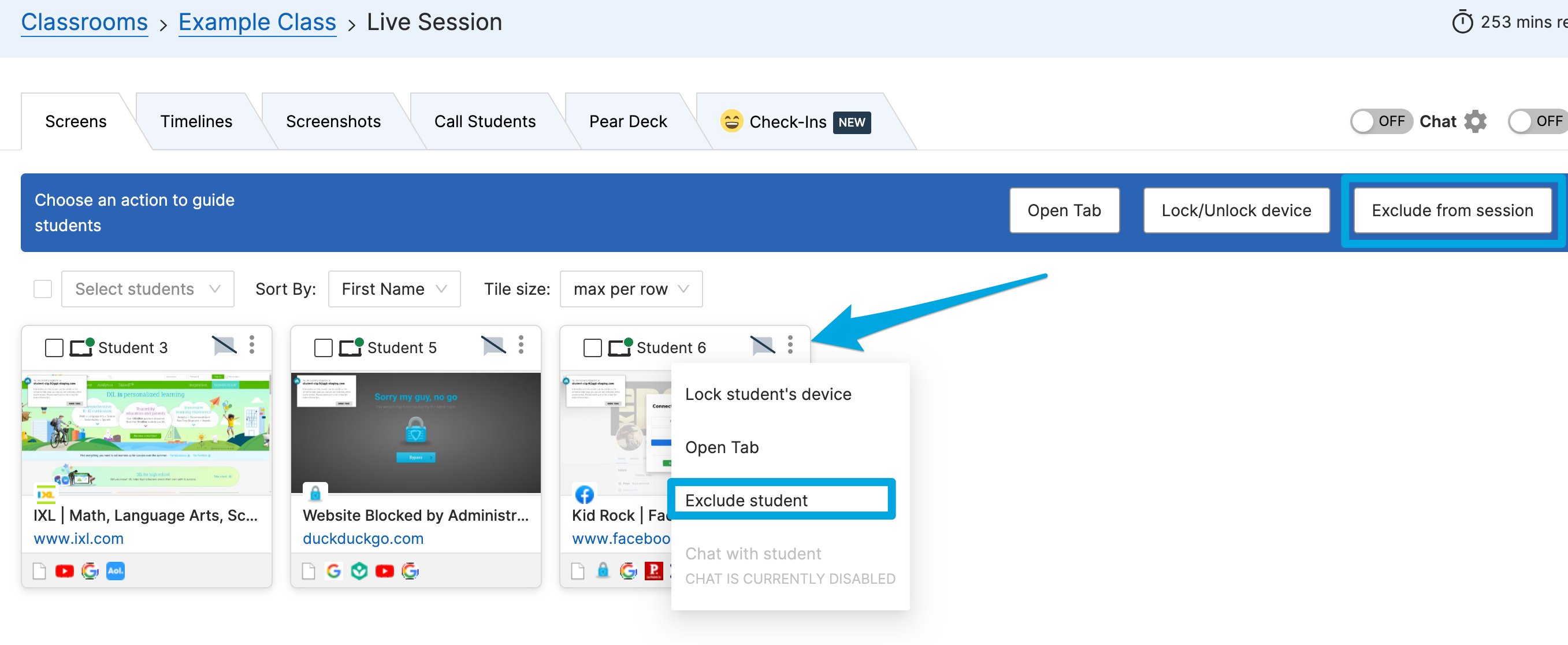
1. Click the **3 dots** button in the corner of the student's tile.
2. Click **Exclude student**.
## Exclude Multiple Students
1. Click **Exclude from session** in the command bar.
2. Select **All**, or check the boxes next to specific students.
3. Click **Exclude students** to apply.
 ## Include a Student
1. Locate the excluded student's tile in the classroom view.
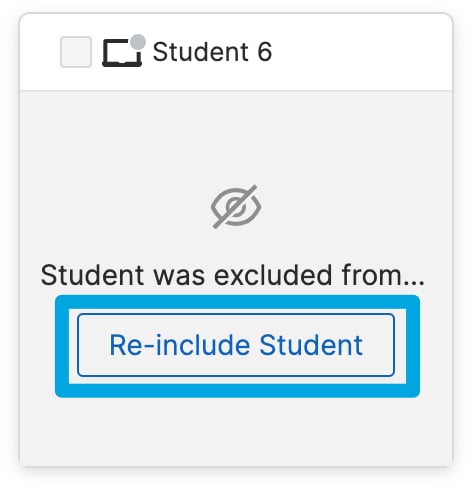
2. Click **Re-include Student**. The student returns to the main view.
## Include a Student
1. Locate the excluded student's tile in the classroom view.
2. Click **Re-include Student**. The student returns to the main view.
 ## Resources
See all available commands for managing a session.
Learn how to start a session and manage your class.
Review browsing activity captured during a session.
Lock student screens to pause activity during class.
## Resources
See all available commands for managing a session.
Learn how to start a session and manage your class.
Review browsing activity captured during a session.
Lock student screens to pause activity during class.