

This feature is not available on Beacon Starter. It is turned off by default. Only Super Users and Super Counselors can configure this setting.
Review What the Notification Includes
The parent or guardian notification includes:- The student’s name
- A customizable message with parent resources
Enable Parent and Guardian Notifications
- Go to beacon.goguardian.com and sign in.
- Click Settings from the navigation menu.
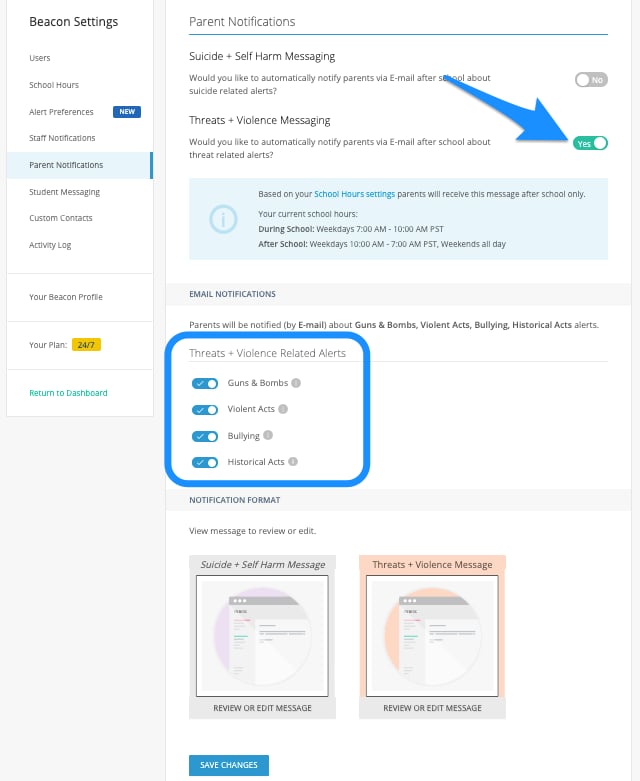
- Select Parent Notifications.
- Toggle on the Threats + Violence Parent/Guardian Notification.
- Toggle on each category for which you want parents and guardians to receive notifications.
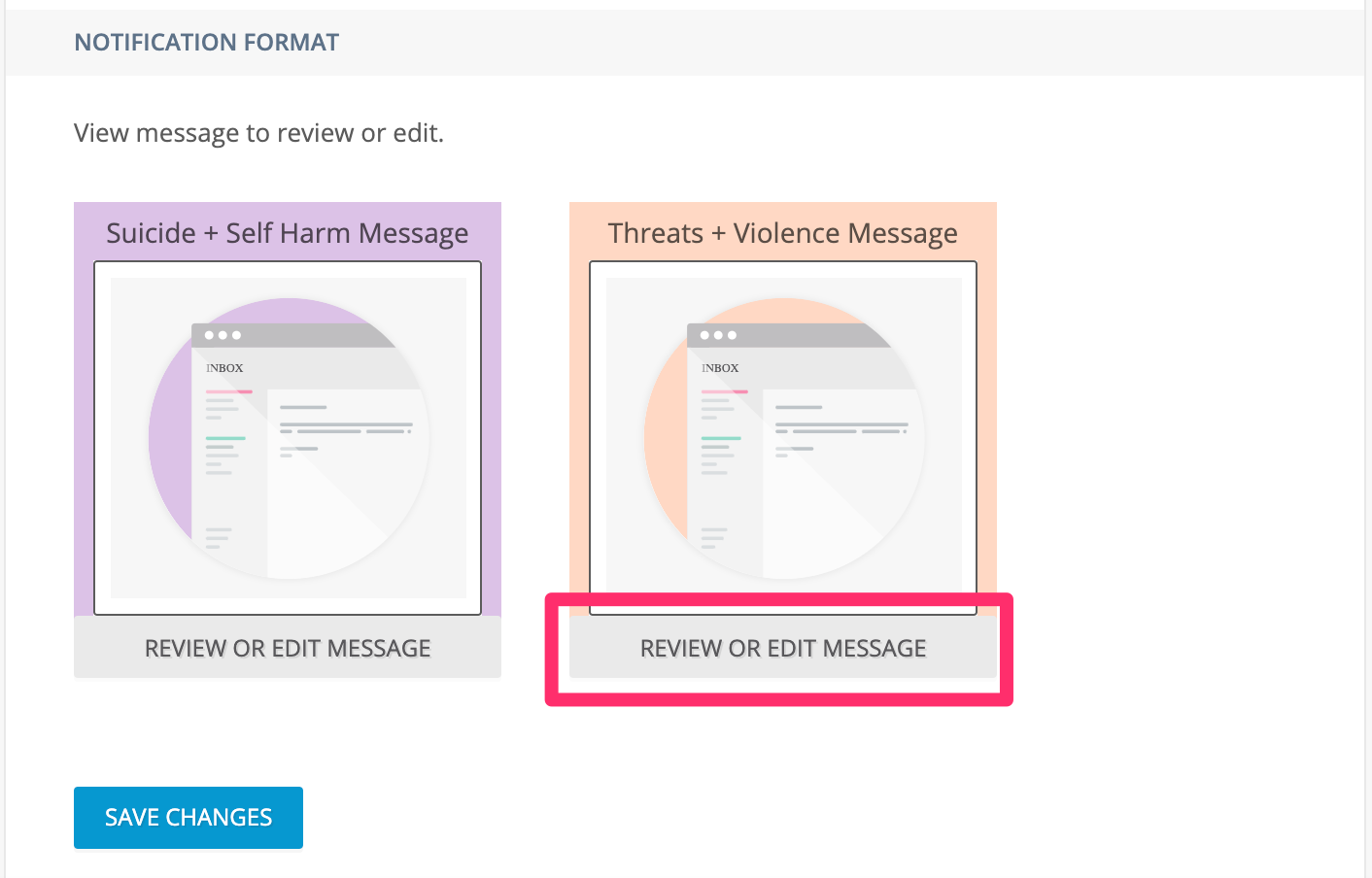
- Review the provided Threats + Violence template. Edit the message to include your school’s contact information and any additional resources.
- Click Save Changes at the bottom of the page, then confirm in the pop-up window.
Review and Edit Notification Message
Maintain Parent and Guardian Contact Information
Notifications are sent to the contact information associated with each student in your school’s system. Schools are responsible for maintaining current and active parent and guardian email addresses and phone numbers. Encourage parents and guardians to notify the school whenever their contact information changes so records can be updated.Parent and guardian notifications are sent only during after-school hours as defined in the School Hours setting.
Resources
Threats and Violence FAQ
Common questions about the Threats and Violence feature.
Threats and Violence Student Messaging
Display on-screen messages to students when Threats and Violence activity is detected.
Configure School Hours
Define the school hours window that governs notification timing.
Alert Categories
Reference for Threats and Violence category names and descriptions.