

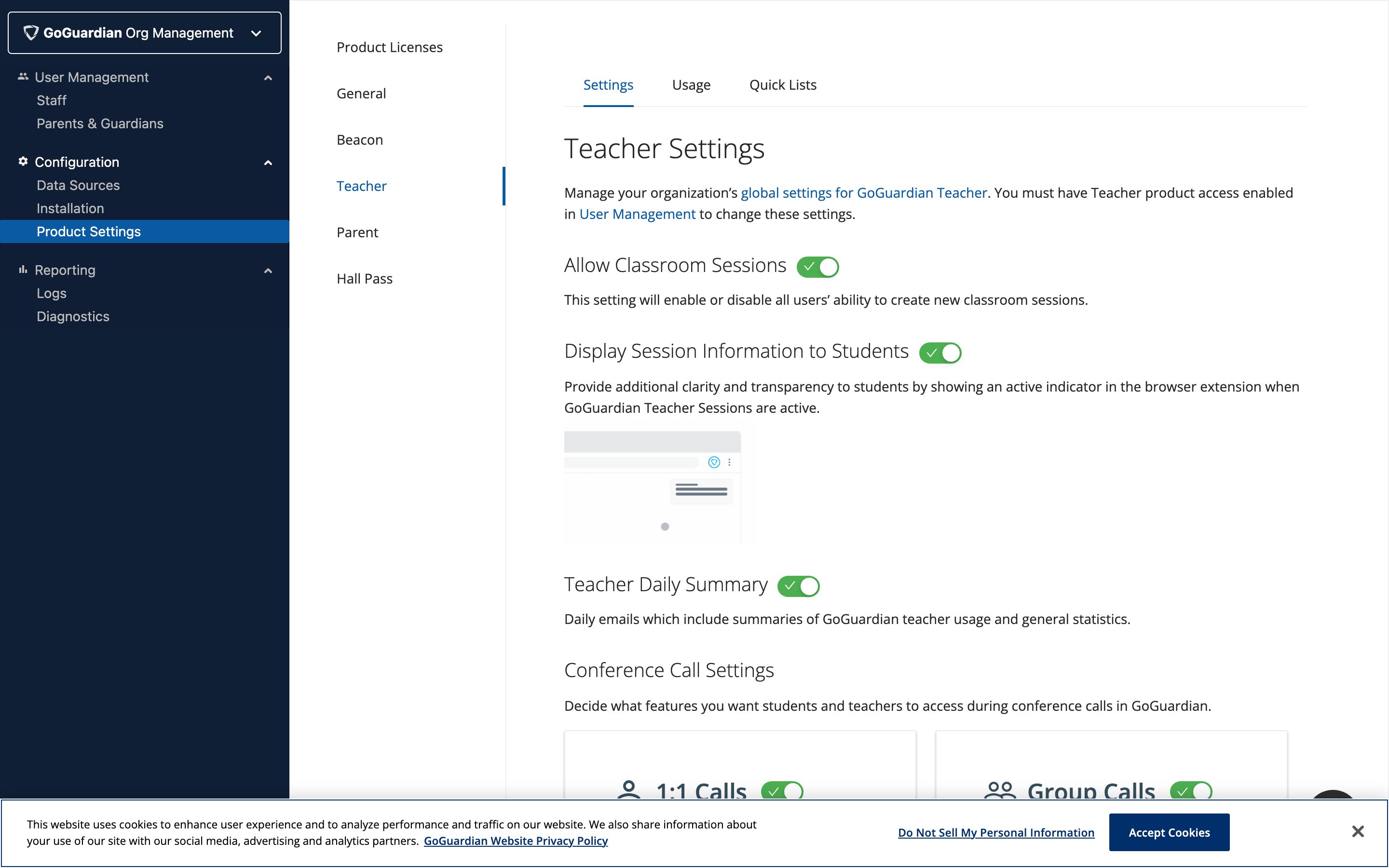
Enable Conference Call Settings
Video conferencing access is included with GoGuardian Teacher at no additional cost and is automatically provisioned for your organization. Super Users can turn call settings on or off using the available toggles. Select whether to enable or disable 1:1 calls and group calls, whether students and teachers can use their webcams, and whether calls can be recorded with student consent during classroom sessions.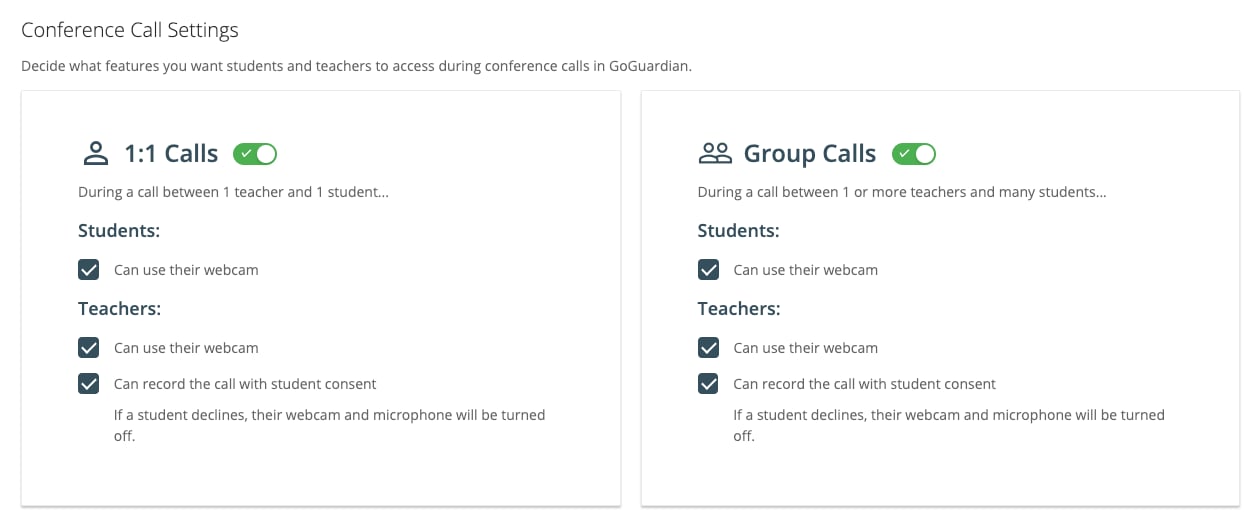
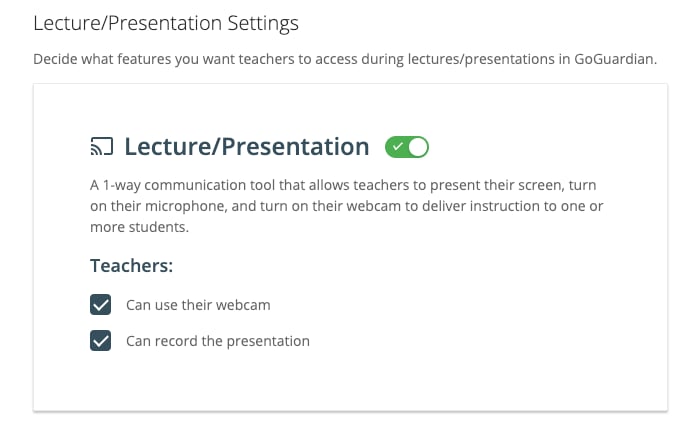
Enable Lecture and Presentation Settings
Select whether to enable or disable Lecture / Presentation mode. Next, choose whether to allow teachers to use their webcam and record the presentation during classroom sessions.A Super User must turn on recording in the organization settings before teachers can record calls or presentations. Student consent requirements still apply.
Update Firewall and Content Filter Settings
GoGuardian products require open connections to a number of back-end services. Firewalls and other content filters may unintentionally flag and block connections to these services due to the elevated number of active connections or HTTP requests. If you’re experiencing large-scale connection issues, check your firewall or any additional content filters for blocked connection attempts to the services listed below. If connections are being blocked, add the corresponding URL to your firewall or filter’s allowed list. GoGuardian Teacher’s Video Conferencing features connect to the following services.Video Conferencing and Lecture and Presentation
On ports: 10,000–60,000 UDP/SRTP/SRTCP- 3.235.111.128–3.235.111.255
- 44.234.69.0–44.234.69.127
- 34.203.250.0–34.203.251.255
- 34.203.254.0–34.203.254.255
- 54.172.60.0–54.172.61.255
- 34.216.110.128–34.216.110.159
- 168.86.128.0/18
- global.vss.twilio.com
- sdkgw.us1.twilio.com
- voice-js.roaming.twilio.com
- chunderw-gll.twilio.com
- chunderw-vpc-gll.twilio.com
- chunderw-vpc-gll-us1.twilio.com
Resources
Video Call Mode
Learn how teachers use video calls during classroom sessions.
Voice-Only Call Mode
Learn how teachers use voice-only calls during classroom sessions.
Enable Video Conferencing
Overview of enabling the Video Conferencing feature.
Manage Users and Settings
Manage Teacher settings and user permissions as a Super User.