

On screen, the summary box is labeled Pear AI, not “AI Summary.” This article uses “AI Summary” to describe the feature. When a step refers to the on-screen element, it uses the Pear AI label as it actually appears.
Where to Find AI Summary
AI Summary appears at the top of reports in Insights and Data Studio, including: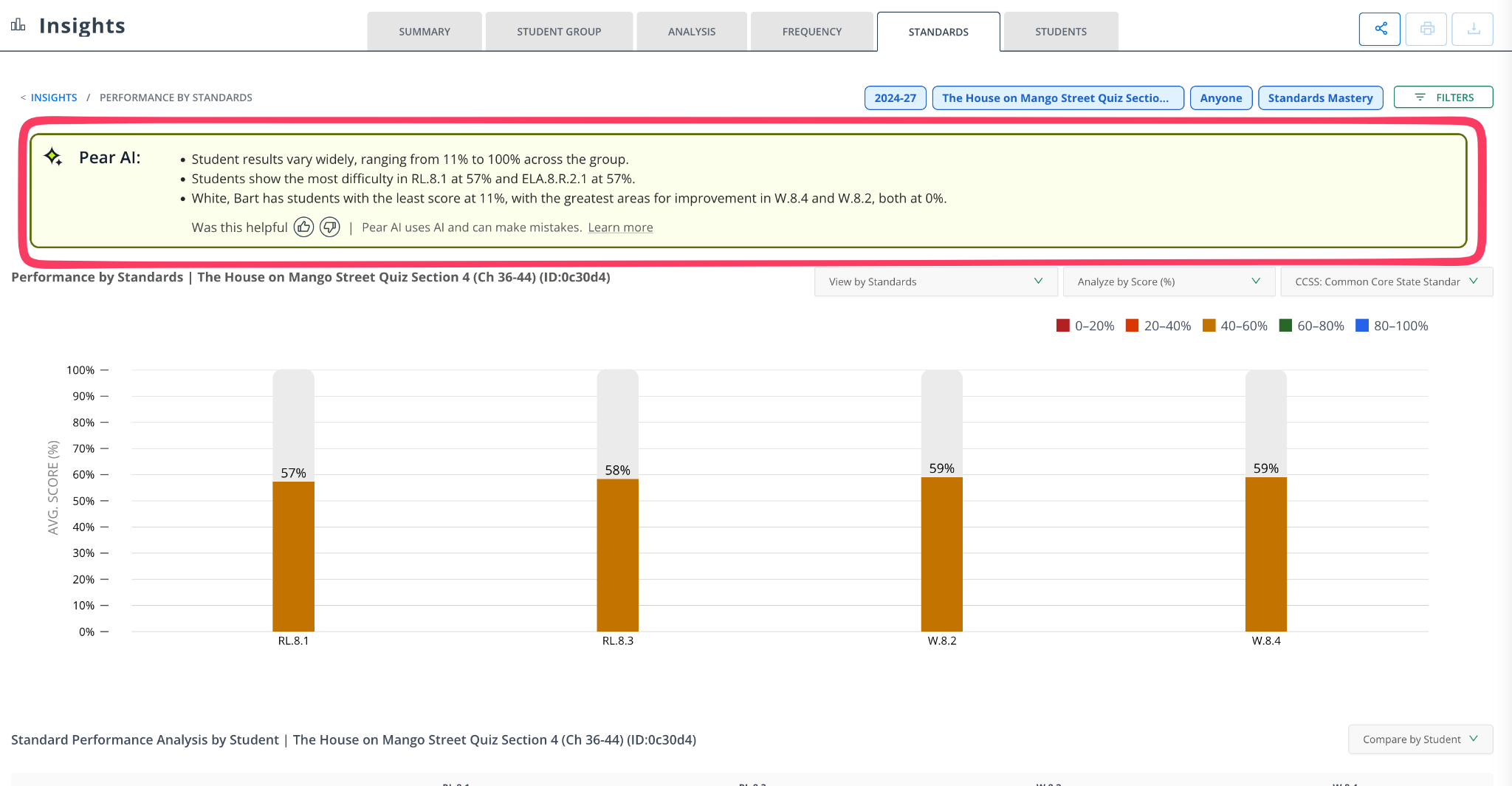
- Student Profile
- Student Progress
- Student Standard Progress
- Performance by Standards
- Question Analysis
- Sub-Group Performance
What Insights AI Summary Provides
The summary varies depending on the report you’re viewing, but it typically includes:- Performance Overview: an overview of student or group performance, compared with class, school, or district benchmarks.
- Strengths: standards or subjects where students are performing well, and consistently high-performing areas.
- Areas for Improvement: low-performing standards or domains, and significant gaps compared to peers.
- Trends and Patterns: patterns such as improvement or decline over time, and consistency across multiple assessments.
- Key Observations: notable findings, such as high variation or uneven performance.
How to Use AI Summary
AI Summary supports, but doesn’t replace, deeper analysis of assessment data. Use it to prepare for data discussions or meetings, identify instructional focus areas, prioritize students or standards that need attention, and validate patterns you find in detailed reports. Always refer to the full report for a more detailed analysis. AI Summary highlights key findings, but doesn’t include every underlying detail. Example use cases For teachers: identify standards that need reteaching, spot students who need intervention, and follow progress across assessments. For school leaders: review overall performance trends, identify gaps across classrooms or student groups, and support instructional planning.Data Privacy and Security
AI Summary protects privacy and security:- No personally identifiable information (PII) is shared with the LLM.
- Data is processed securely and in a privacy-conscious manner.
- AI Summary only uses the assessment data required to generate insights.
Things to Keep in Mind
- AI Summary uses the data available in the report.
- The quality of the insights depends on the completeness and quality of the report data.
- AI Summary highlights key findings but doesn’t include every underlying detail.
- Always refer to the full report for a more detailed analysis.
FAQs
Is AI Summary customizable? No. Pear Assessment generates AI Summary automatically from the report data. Does AI Summary update automatically? Yes. The summary refreshes whenever the underlying report data or applied filters change. Can I use AI Summary to make instructional or administrative decisions? AI Summary provides helpful guidance, but decisions should always be made using the complete report data and your professional judgment.Related Articles
- Notable Insights: an overview of the report types AI Summary appears in.
- Class Profile Report: a class-level report with its own AI Summary.