- Click Manage Class in the navigation menu.
- Click the class you want to enroll students into.
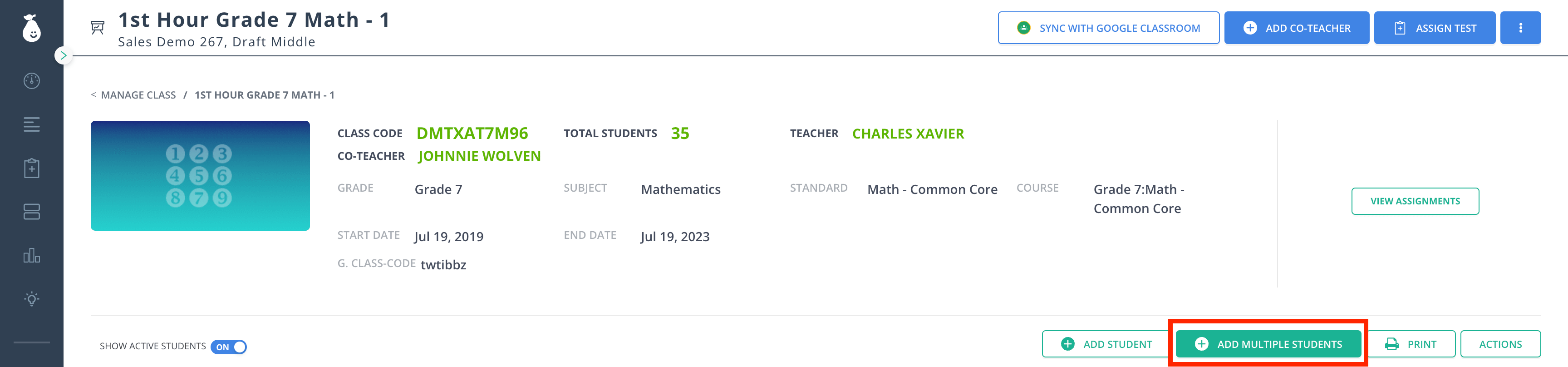
- Click Add Multiple Students.
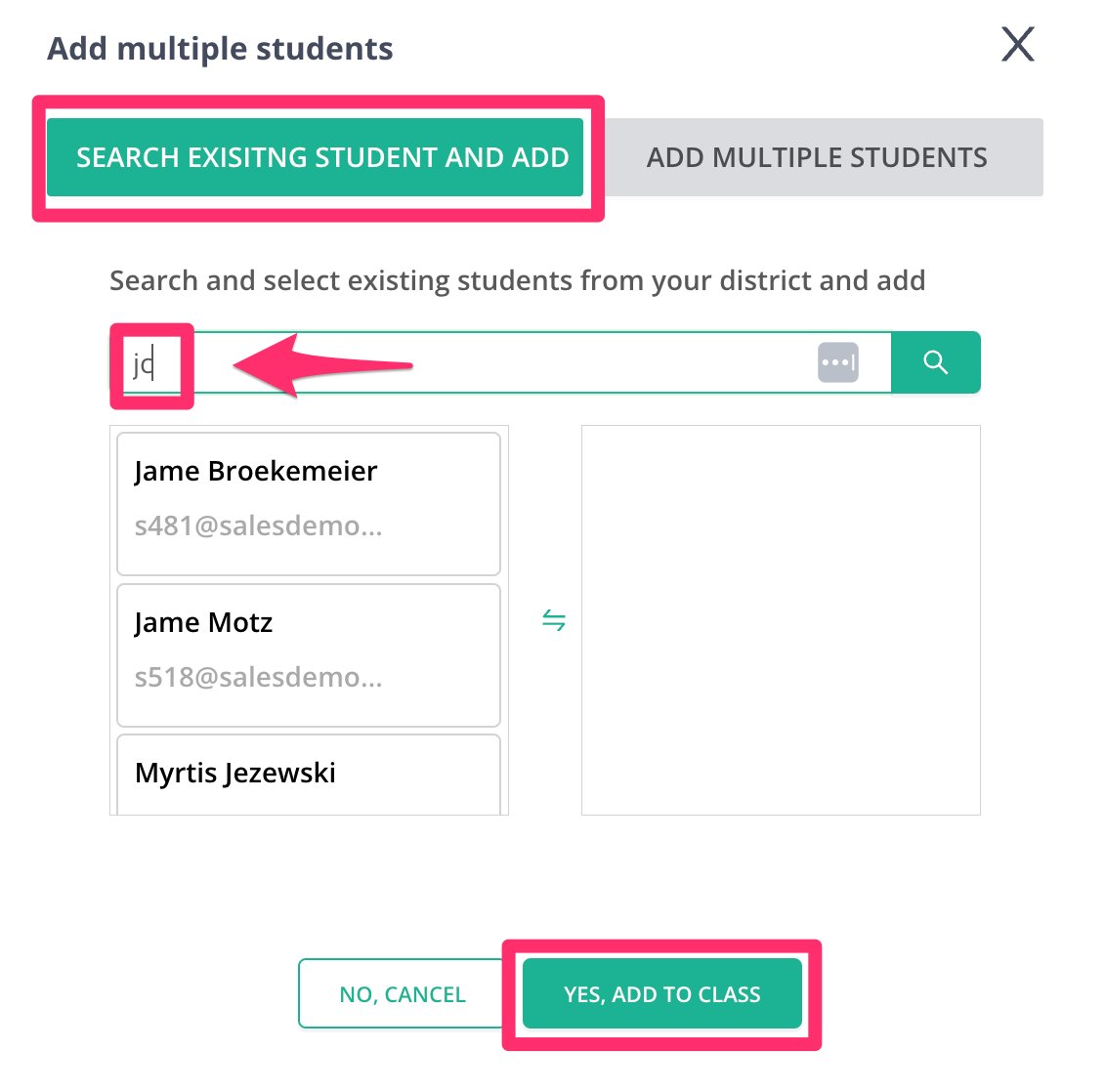
- Click Search Existing Student and Add, then search for a student by name or email.
- Click the students you want to add.
- Click Yes, Add to Class.
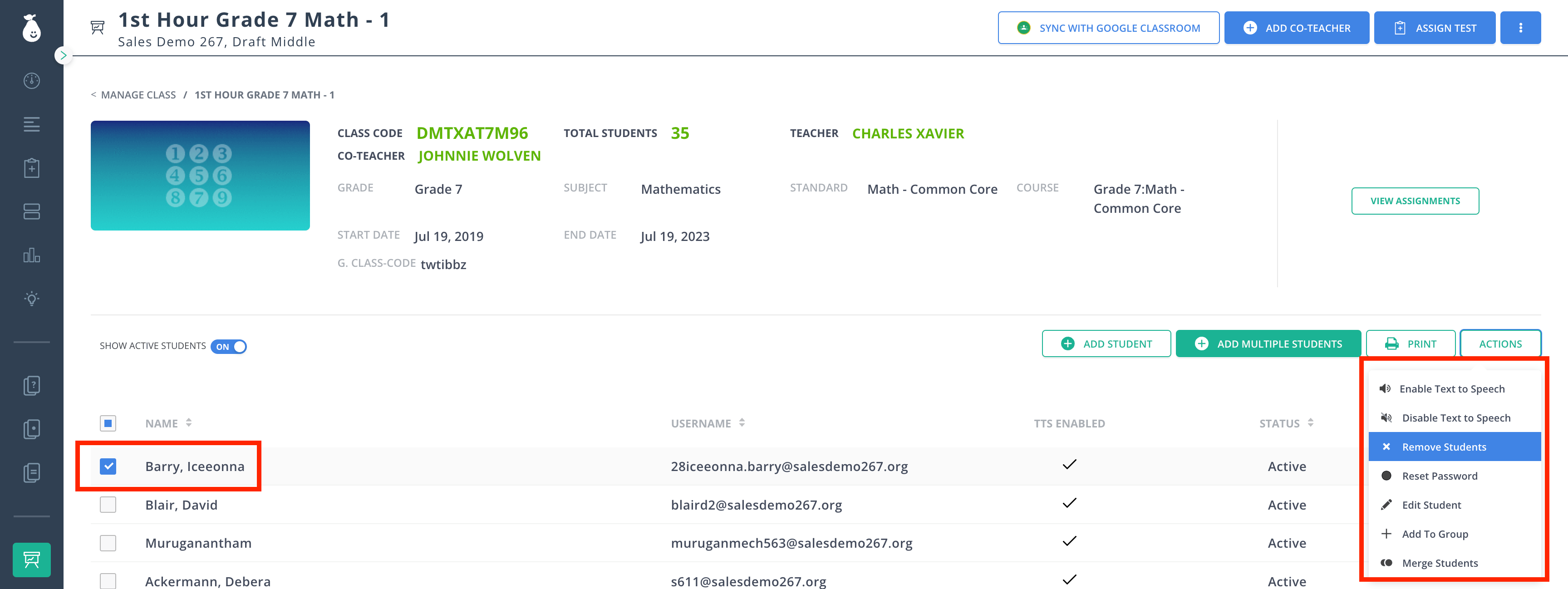
If a student was in the wrong class, they remain in the original class until the teacher removes them. To remove a student, open the class, select the student, and click Actions → Remove Student.