

Share a PowerPoint Deck from OneDrive
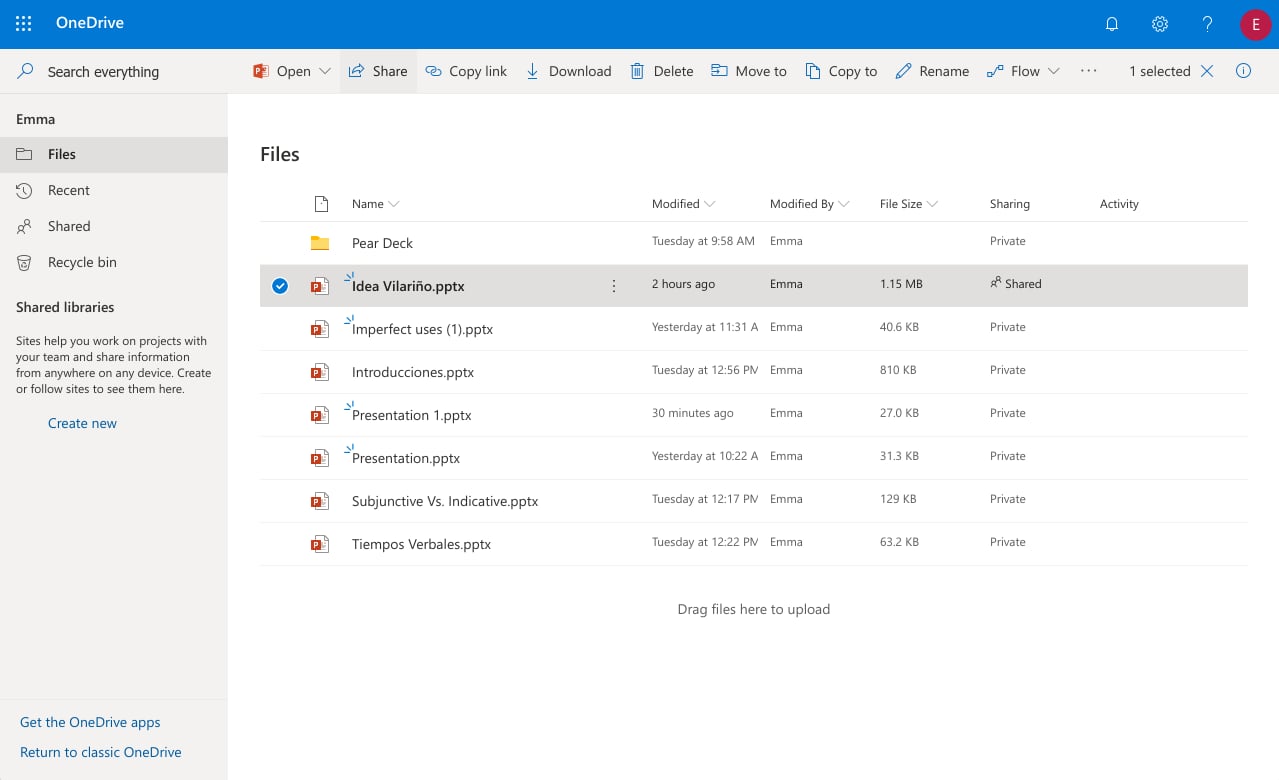
If you sign in to Pear Deck with a Microsoft Office 365 account, your files live in OneDrive. Follow these steps to share a Deck with another user.- Go to Files.
- Locate the file and select it.
- Click Share.
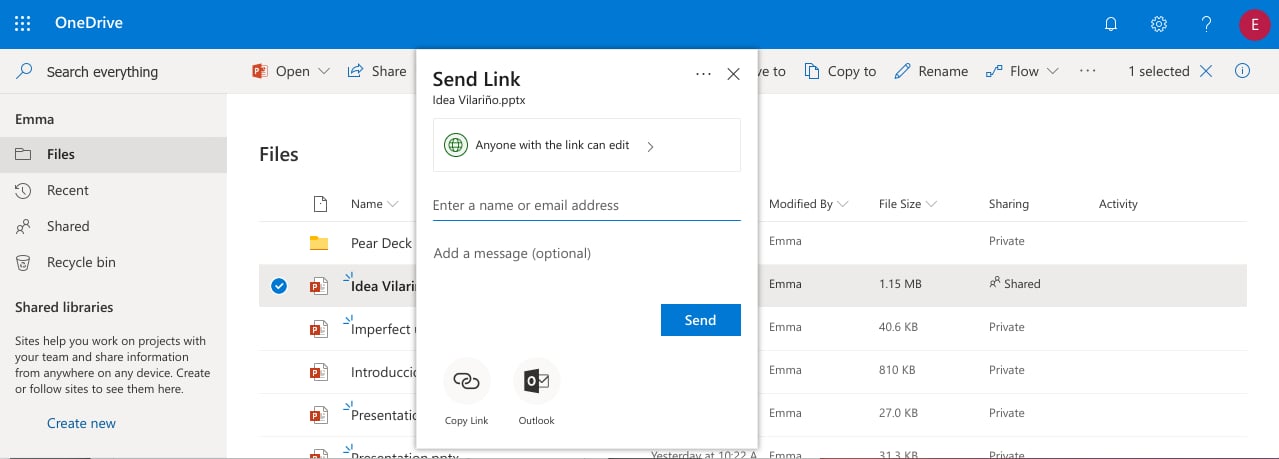
- In the Share window, type the Microsoft Office 365 email addresses or contact names you want to share the Deck with. To adjust permissions, click Anyone with the link can edit.
- Complete the share.
Files cannot be shared between individual Microsoft Office 365 accounts and organizational accounts, or vice versa. If you need to share across account types, download the file and send it to your colleague. They can then upload it to their own OneDrive, where it will appear in their Shared with me section.
Resources
Use Interactive Question Types
Explore collaboration and presentation features available in Pear Deck.
Get Started with Pear Deck
Learn the basics of creating and presenting Decks in Pear Deck.