

Understand Available Data Views
There are 4 types of student data that administrators can enable for guardian access.Top 5 Summary
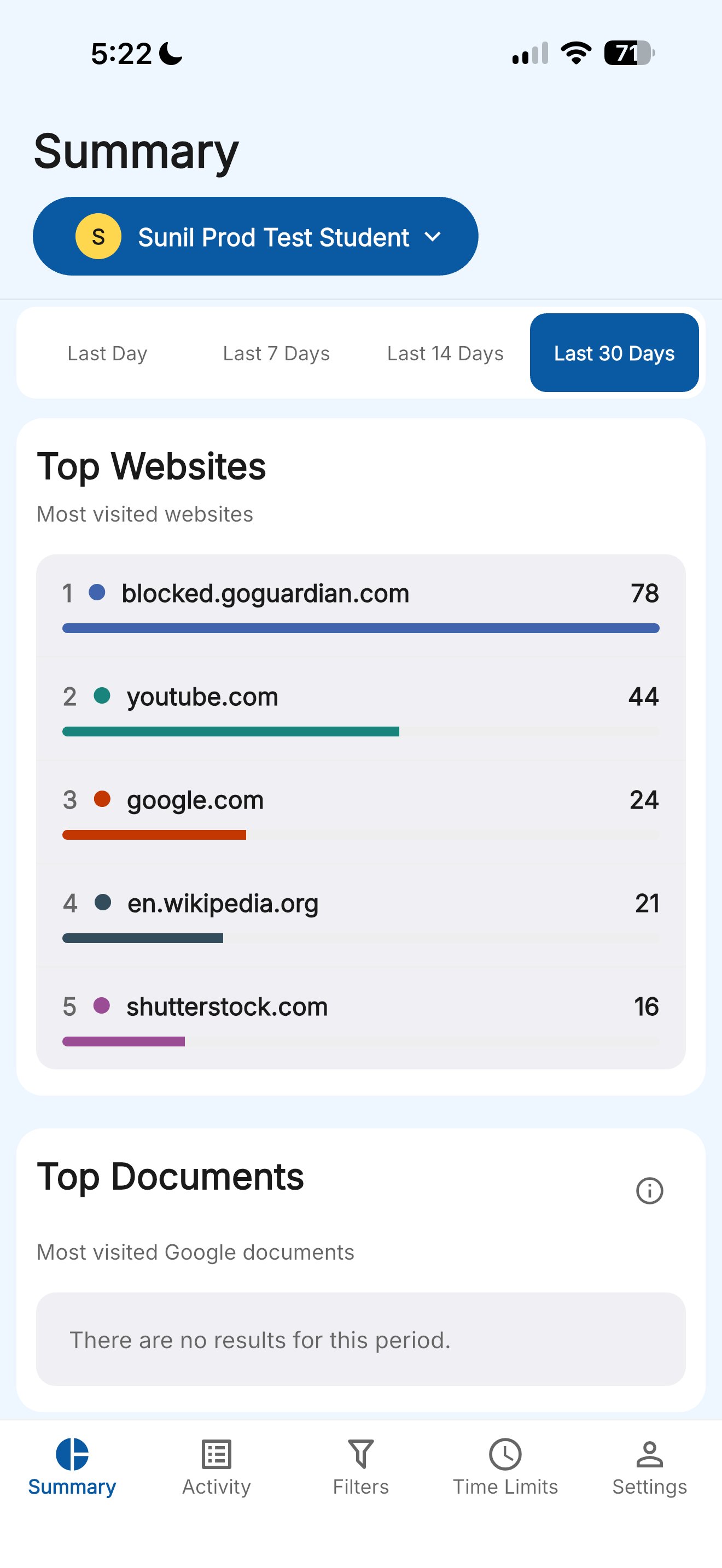
The Summary view shows at-a-glance data for the selected time range. Administrators can enable guardians to see the student’s top 5 items in each category:- Websites visited
- Google Workspace files viewed
- Apps and extensions used
- YouTube videos watched
Teacher Interventions
The Summary view also includes a count of teacher actions taken during GoGuardian Teacher sessions, including:- Screen locks and unlocks
- Tabs opened or closed by the teacher
- Websites blocked during a session
Teacher Interventions require a GoGuardian Teacher subscription. This section does not appear if your school does not use GoGuardian Teacher.
All Activity
The Activity view shows a chronological list of websites the student visited or attempted to visit on their managed device. Each entry shows the site URL, the time of the visit, and how long the student spent on the site. Sites blocked by the school’s filtering policies are labeled accordingly.Screen Time
The Screen Time view gives guardians access to the student’s Screen Time data when an administrator enables this permission in GoGuardian Org Management. If the view does not appear, contact your school or district to confirm whether Screen Time access is enabled.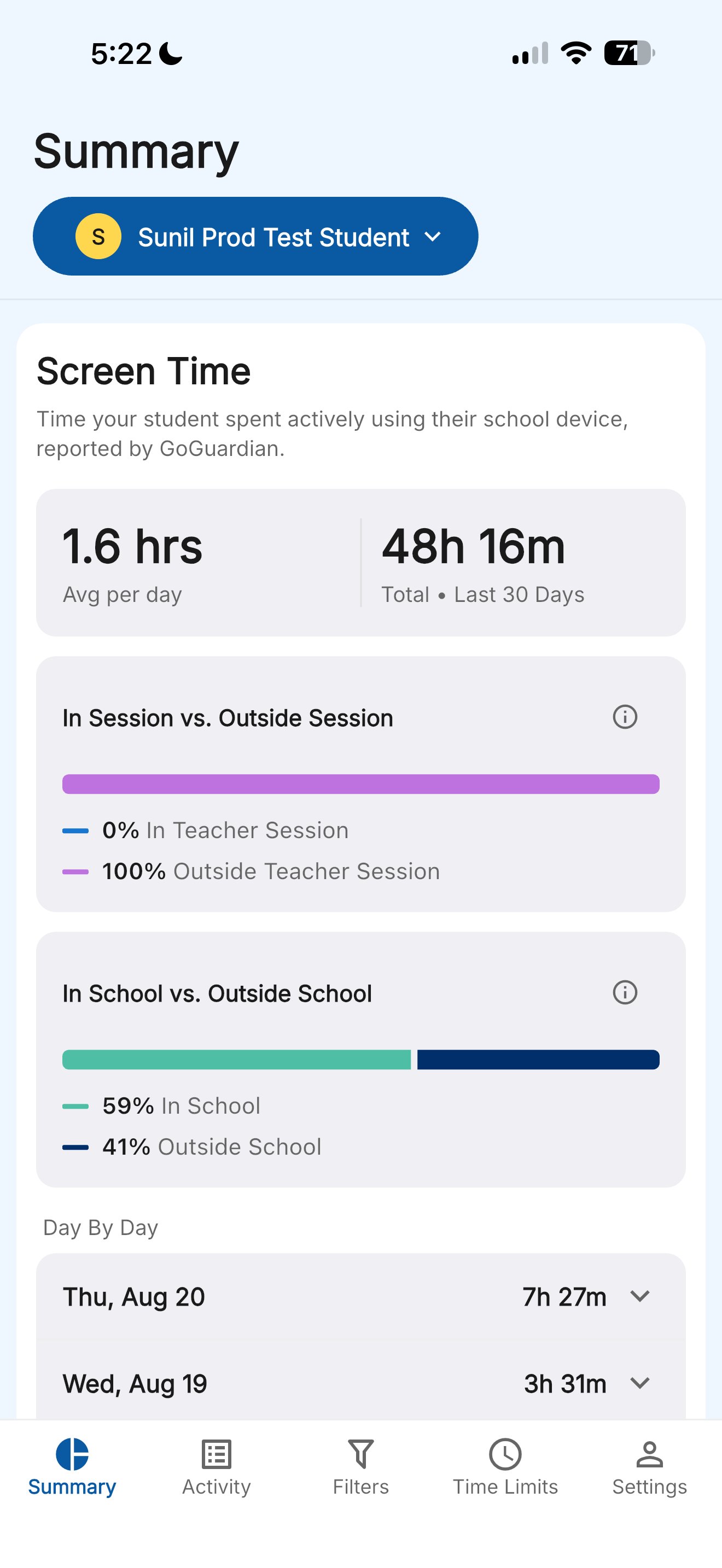
Understand Data Availability
- Top 5 Summary, Teacher Interventions, All Activity, and Screen Time data are limited to the past 30 days.
- Browsing activity outside of school hours may not be available, depending on how your school’s administrator has configured GoGuardian Admin.
- Data reflects activity on school-managed devices only. Activity on personally owned, unmanaged devices is not captured.