

Use the Math Editor Tabs
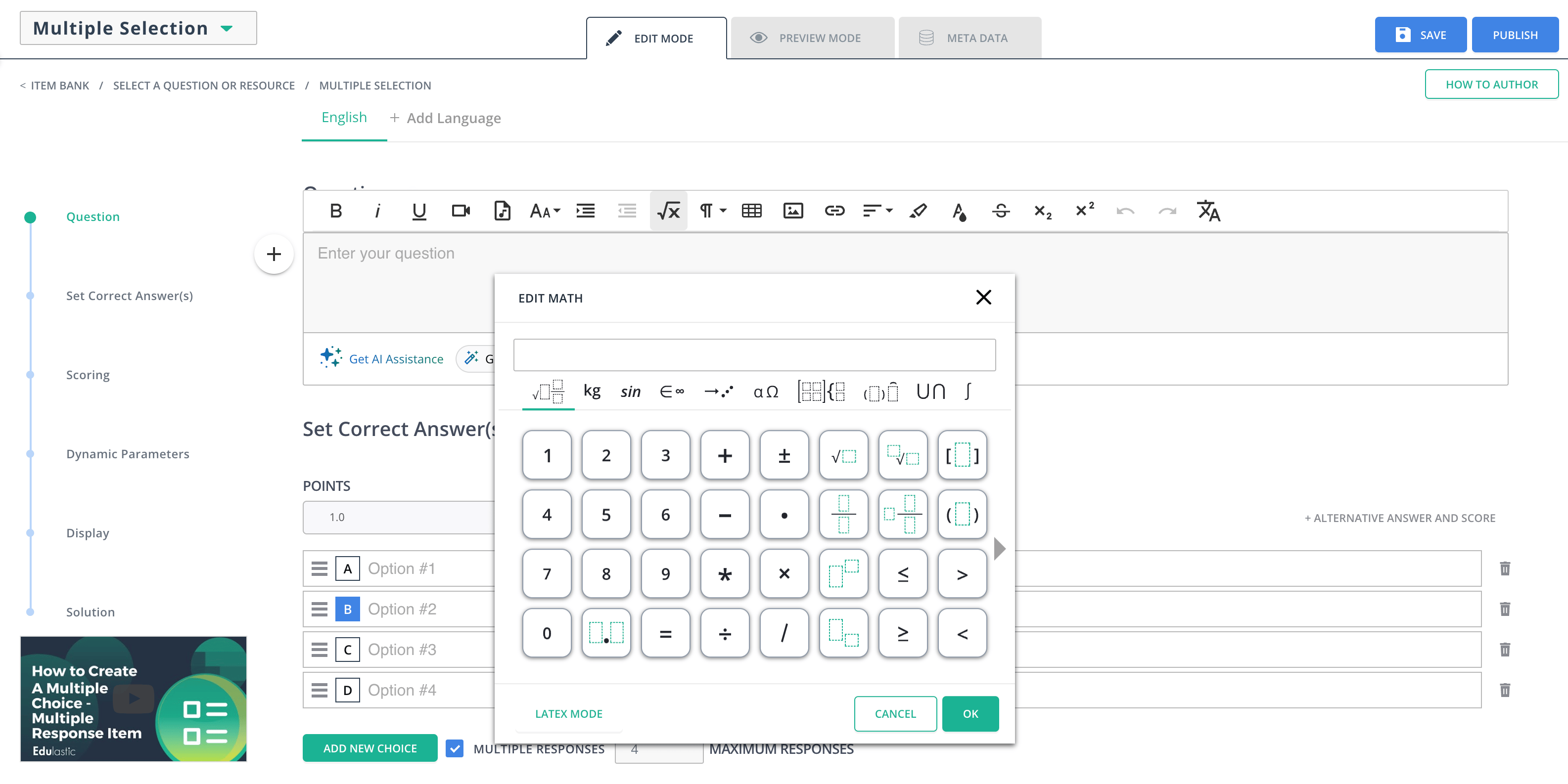
The editor toolbox supports expressions ranging from simple fractions to advanced calculus. Use the tabs above the number buttons to navigate expression categories:- General: Fractions including mixed fractions, roots, and more
- Sin: Sine and cosine
- Units: Customary and metric units
- Symbols: Angles (∠), right angle (∟), degree, triangle, and more
- Arrows: Vectors, line segments, rays, and more
- Greek symbols: Theta, gamma, beta, and more
- Matrices: Vectors, two-dimensional matrices including long division, 3-rows stack, and more
- Decorations: Parentheses, curly brackets, sets, absolute values
- Big operators: Sigma and more
- Calculus and Trig: Limits, integrals, and more
Resources
Wiris User Manual
Reference guide for the Wiris math editor used in Pear Assessment