

Clear All Filters to Find Shared Tests
- Click Test in the navigation menu.
- Click Clear All next to Filters. The filters appear next to the navigation menu.
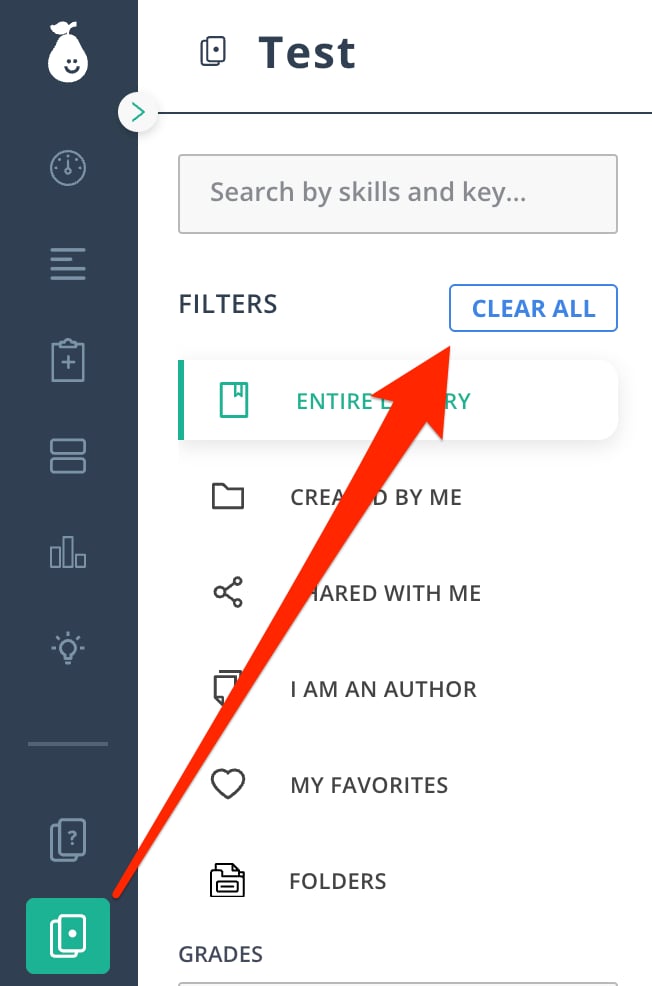
Tests appear under Shared with Me only if another teacher shared the test directly with you. If the test was shared with the School Library or District Library, scroll to the bottom of the filters and select the appropriate library under Collections.
Sharing Levels
Each test in Pear Assessment has one of four sharing levels:- Private: Not visible to others. The test resides solely in your teacher account.
- Public: Available to anyone using Pear Assessment.
- District: Available to everyone inside your district.
- School: Available to everyone inside your school.