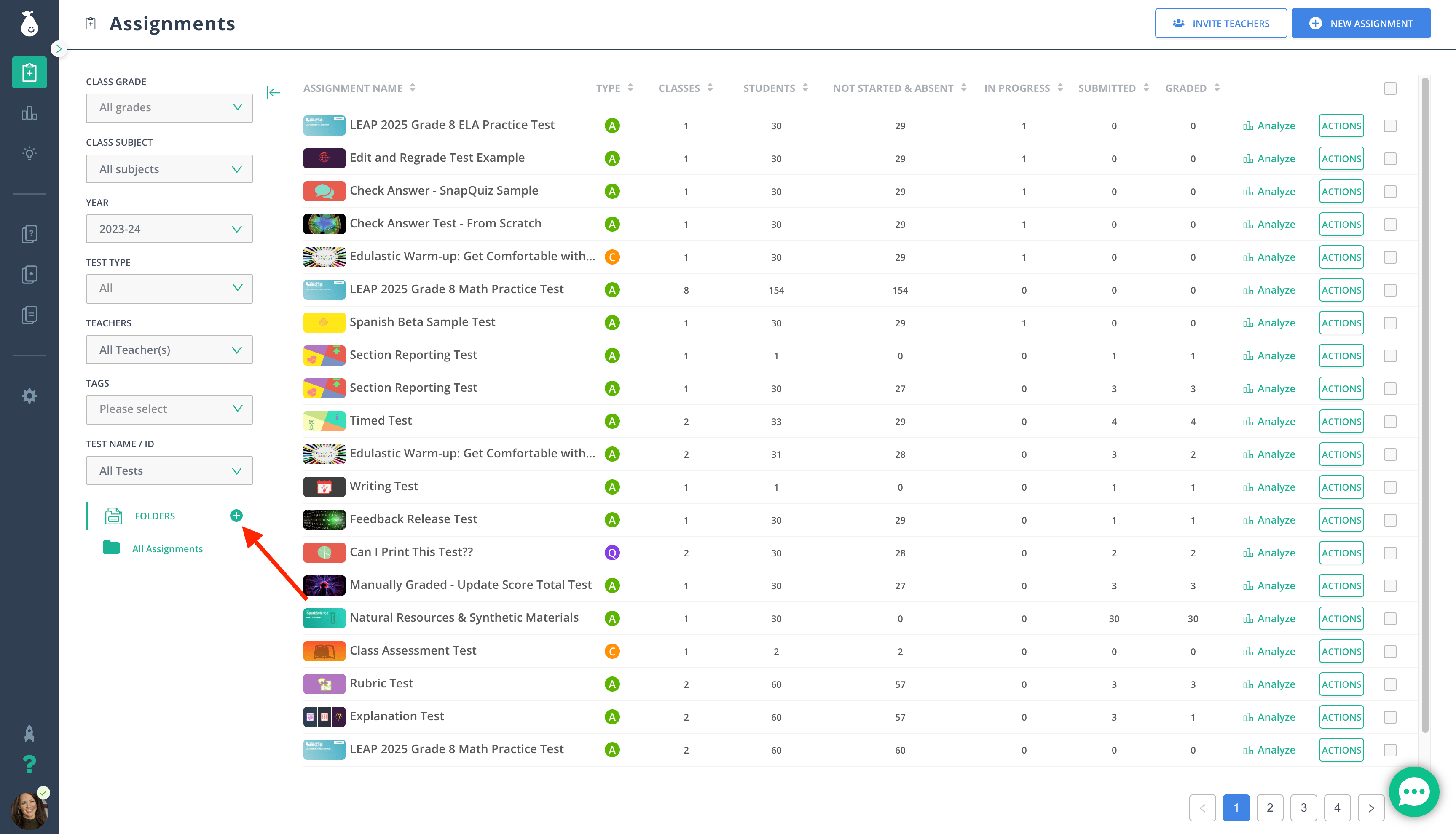
Create Folders for Assignments
- Go to Assignments in the navigation menu.
- Click Folders under Filters.
- Click New Folder.
- Name the folder.
- Place a checkmark next to the assessments you want to move into the folder.
- Click Actions > Move to Folder.
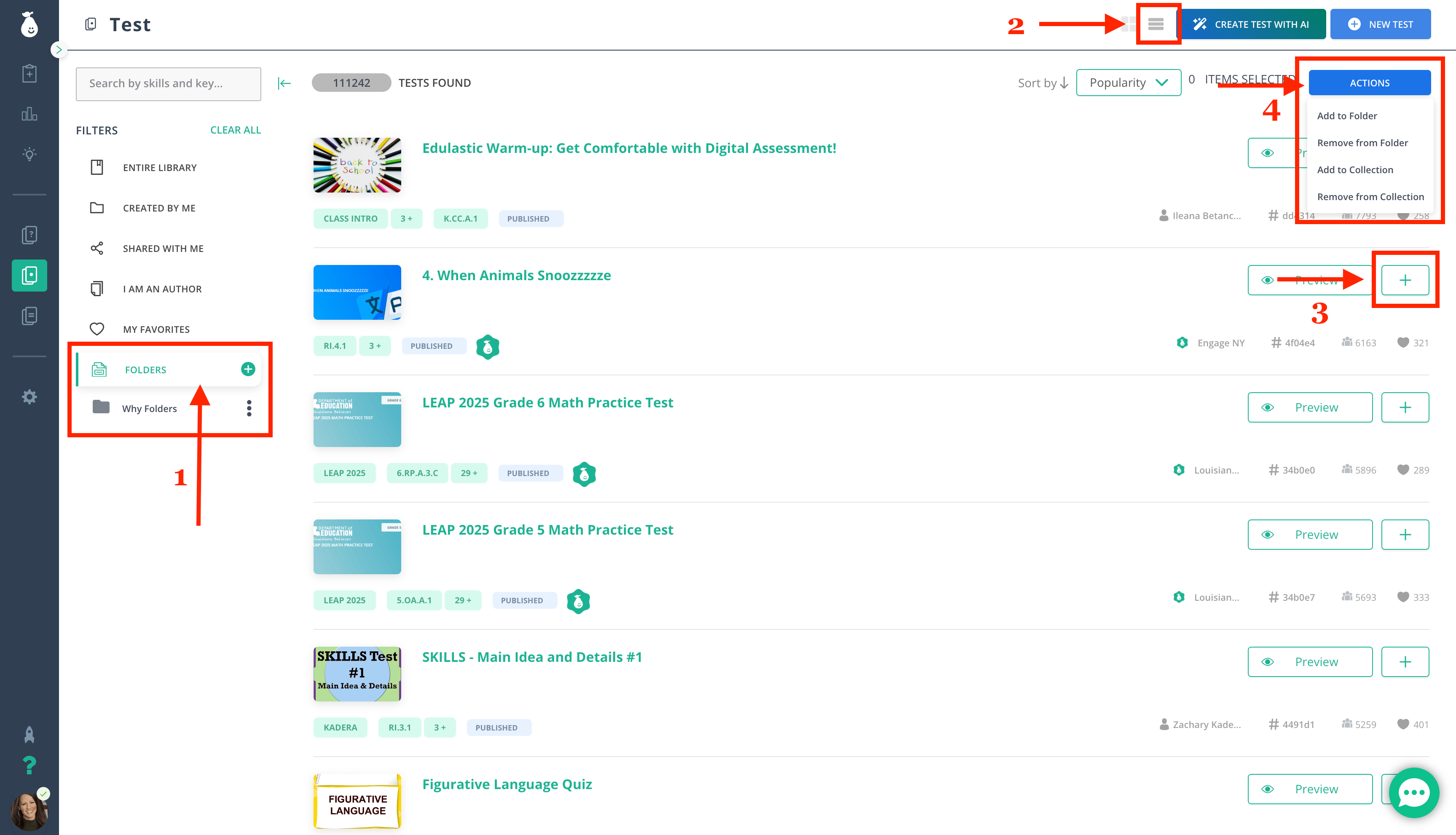
Create Folders for Tests
- Click Tests in the navigation menu, then click Folders under Filters.
- Change the layout to List View.
- Click the plus sign next to each assessment you want to add to a new folder.
- Click Actions > Move to Folder.
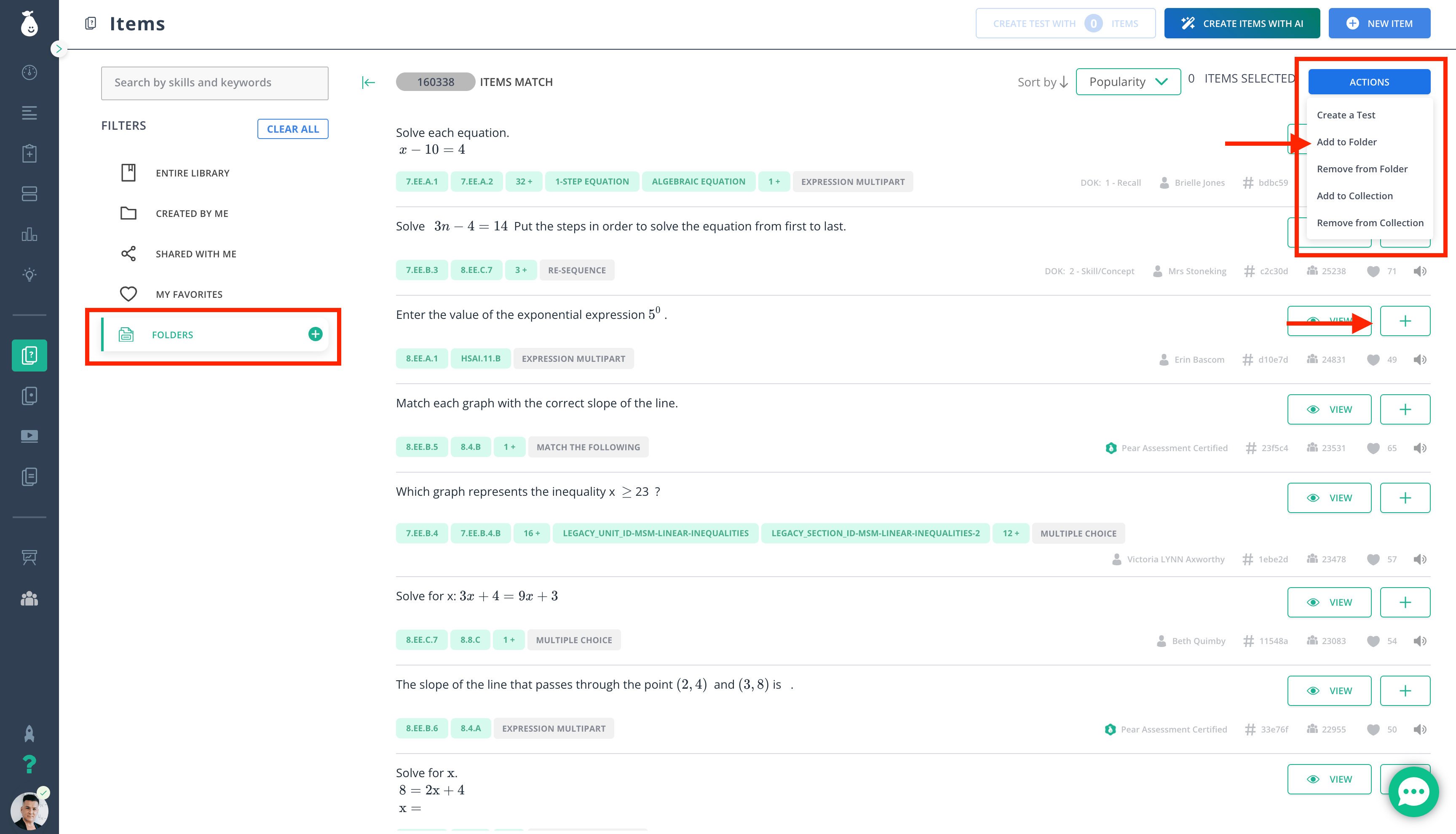
Create Folders for Items
- Go to Item Bank in the navigation menu.
- Click Folders under Filters.
- Click New Folder.
- Name the folder.
- Click the plus sign next to each item you want to add to the folder.
- Click Actions > Move to Folder.