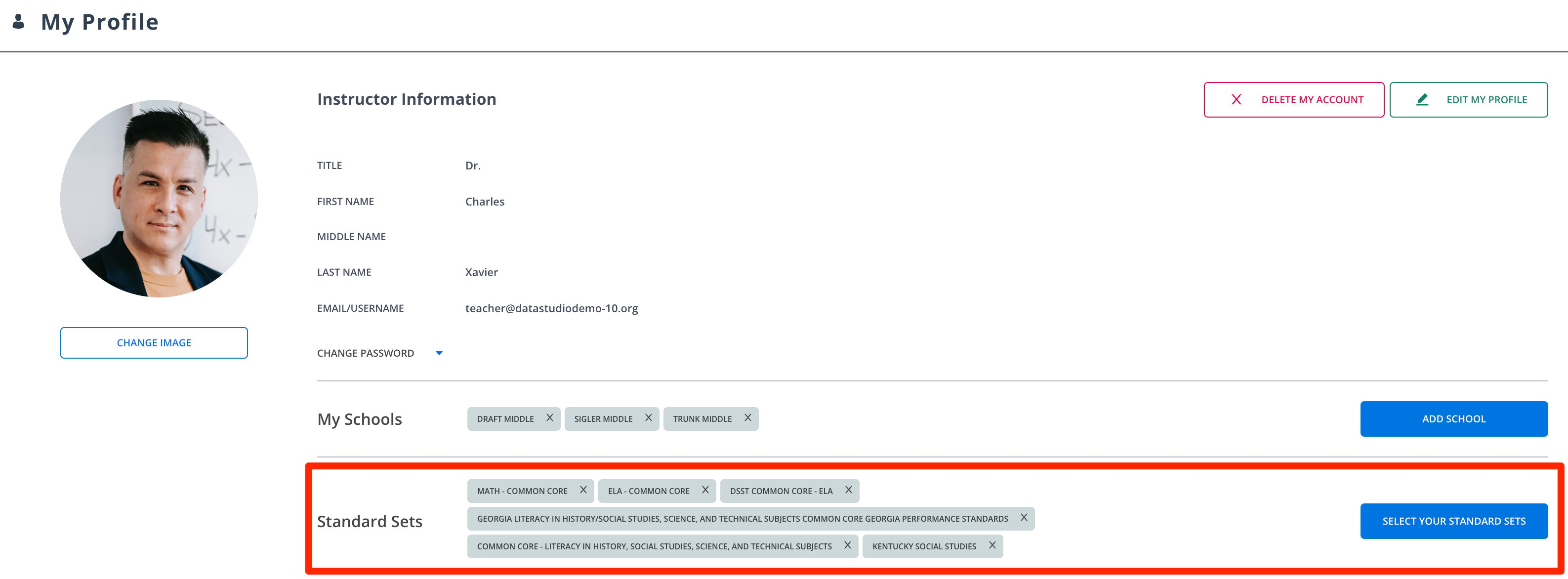
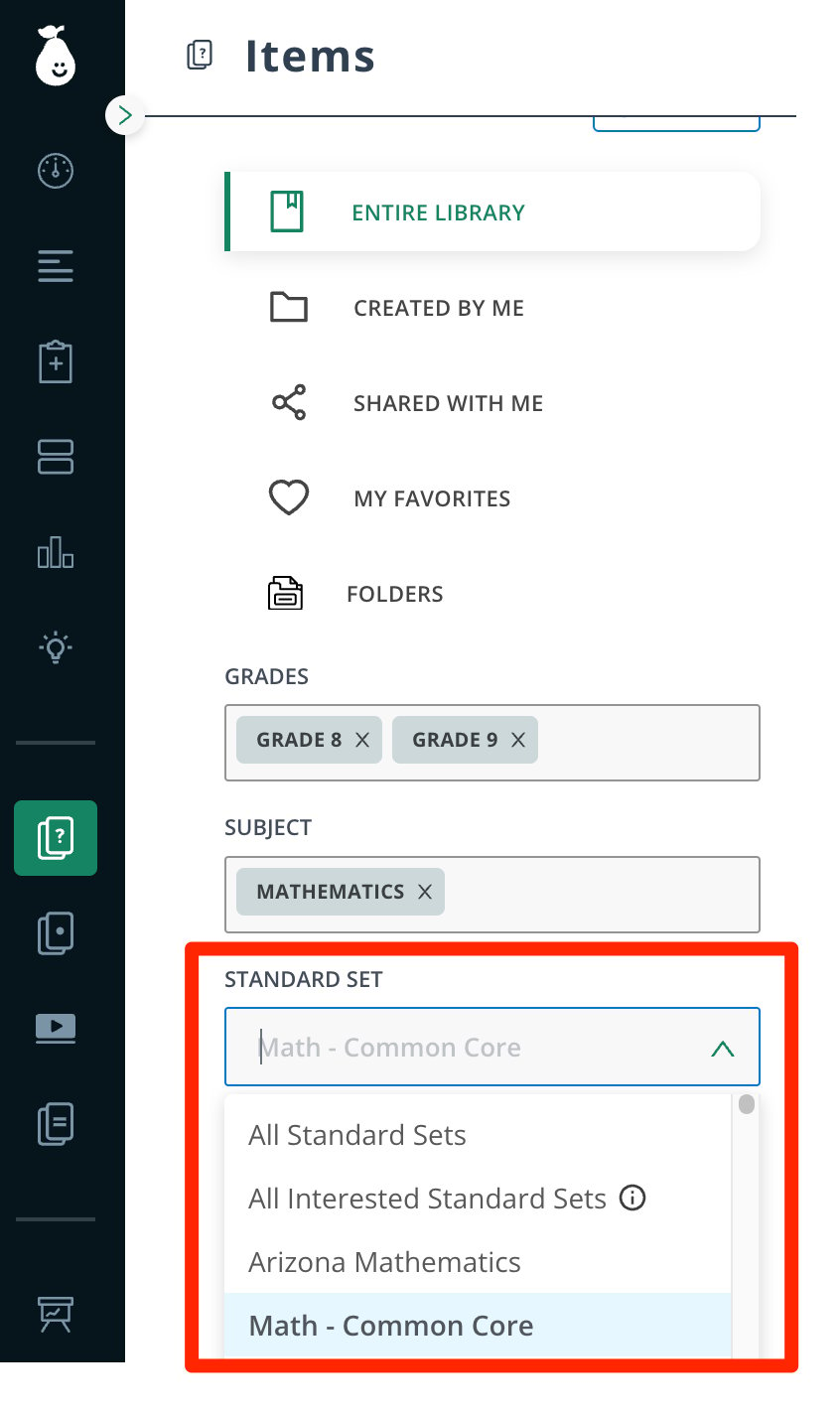
Select Your Standard Sets to Personalize Pear Assessment Users have the ability to select standard sets to reflect on items and tests. These reflect insights when they are conducted on all assignments.

Select Your Standard Sets to Personalize Pear Assessment

Teachers can preselect their standard sets to personalize Pear Assessment to their preferred standards and reduce unwanted options.

Select Standards

  1. Click My Profile.
  2. Click Select Your Standard Sets.
  3. Select your preferred sets under My Standard Sets. Please also deselect sets irrelevant to your classroom.
  4. Click Confirm.
Select your standard sets under My Profile. Tips: Select more standards if planning to search for questions and assessments to add to your classroom. You can narrow your search by applying the Standards filter. Elementary school teachers should select standard sets for all content that they teach. In My Profile, select your home state’s standards if authoring Items (questions) to make it the default standard. Select your preferred standards. View of the Standards filter in Items.
Last modified on July 16, 2026