Mark Absent Students and Manually Open Assessments
You must open the assessment before marking students as absent. Mark as Absent is not available before the assessment is open.- Select Assignments in the navigation menu.
- Click the name of the assessment that is not yet open to students.
- Open the assessment by clicking Open in the top right corner. This lets students start the assessment.
- Select the checkbox next to each absent student’s name.
- Click More > Mark as Absent. This prevents the selected students from accessing the assessment.

Redirect Assessment to Absent Students
- Select Assignments in the navigation menu.
- Click the name of the assessment you want to redirect.
- Select the students who were absent by checking the box next to their name and click Redirect from the menu options.
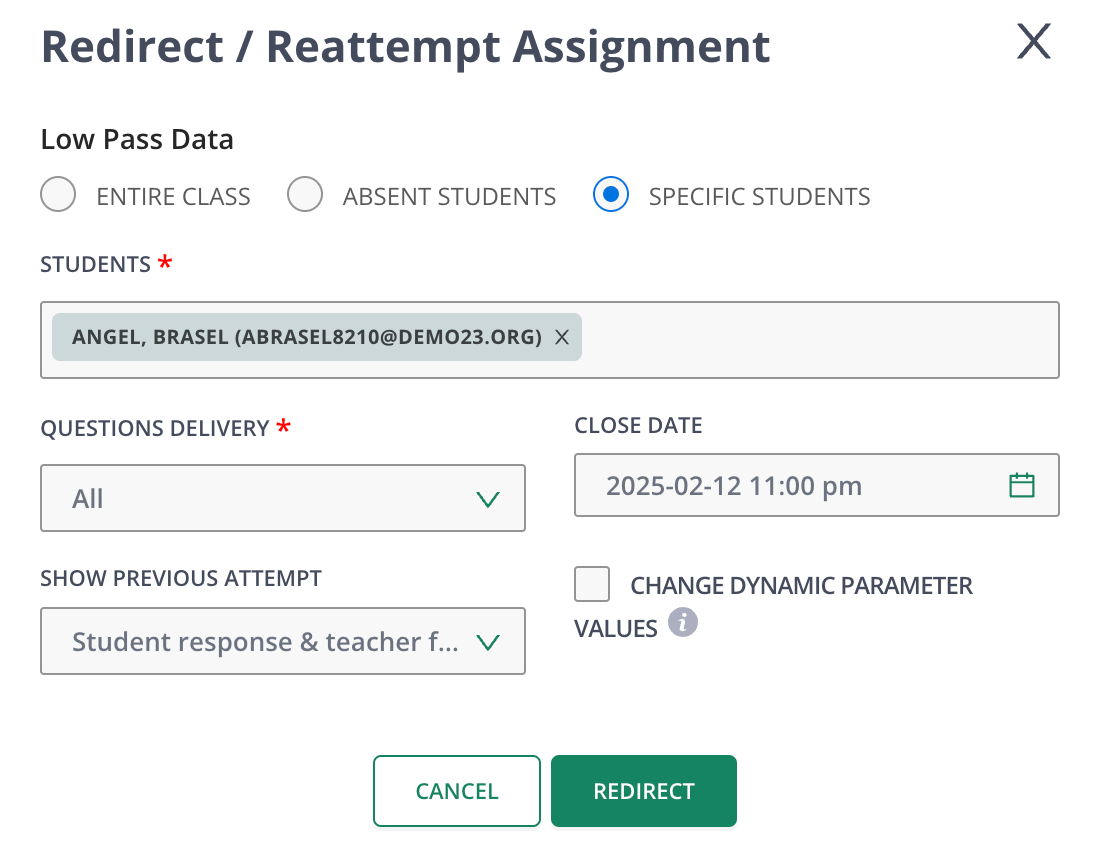
- Complete the Redirect/Re-Attempt Assignment modal and click Redirect. Previously absent students can now complete the assessment.