

This feature is not available on Beacon Starter. Beacon Starter generates Active Planning alerts only, and student names are always included in those notifications.
This setting only affects alert categories for which your school has already turned on staff notifications. If staff notifications for a category are turned off, enabling this setting does not affect those notifications.
Enable Student Names in All Email Notifications
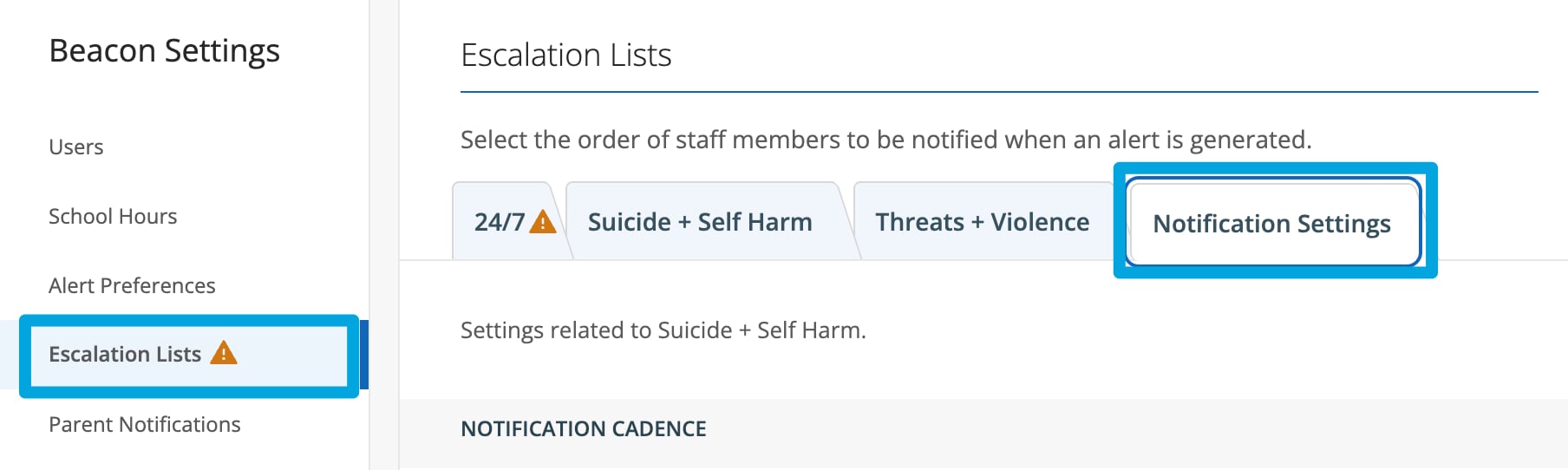
- Go to beacon.goguardian.com and sign in.
- Click Settings from the navigation menu.
- Select Escalation Lists.
- Click the Notification Settings tab.
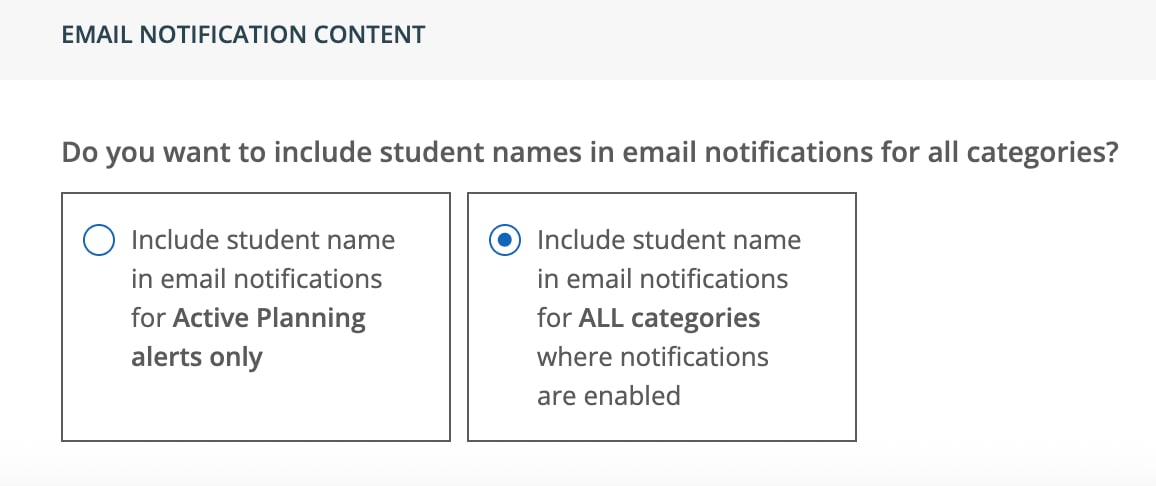
- Under Email Notification Content, select the option to include student names in all notifications.
- If a confirmation prompt appears, complete it to confirm the change.
- Click Save Changes.
Resources
Escalation Lists
Configure which staff members receive alert notifications and in what order.
Add and Manage Beacon Users
Add users to a deployment and configure their notification preferences.
Beacon User Roles and Permissions
Review which roles can manage notification settings.
Configure a Beacon 24/7 Escalation List
Build a shift-based phone call escalation schedule for Beacon 24/7.