

GoGuardian DNS reviews activity at the network level. It does not identify the individual user or physical device that generated a request, unless your district has deployed DNS Precision Filtering.
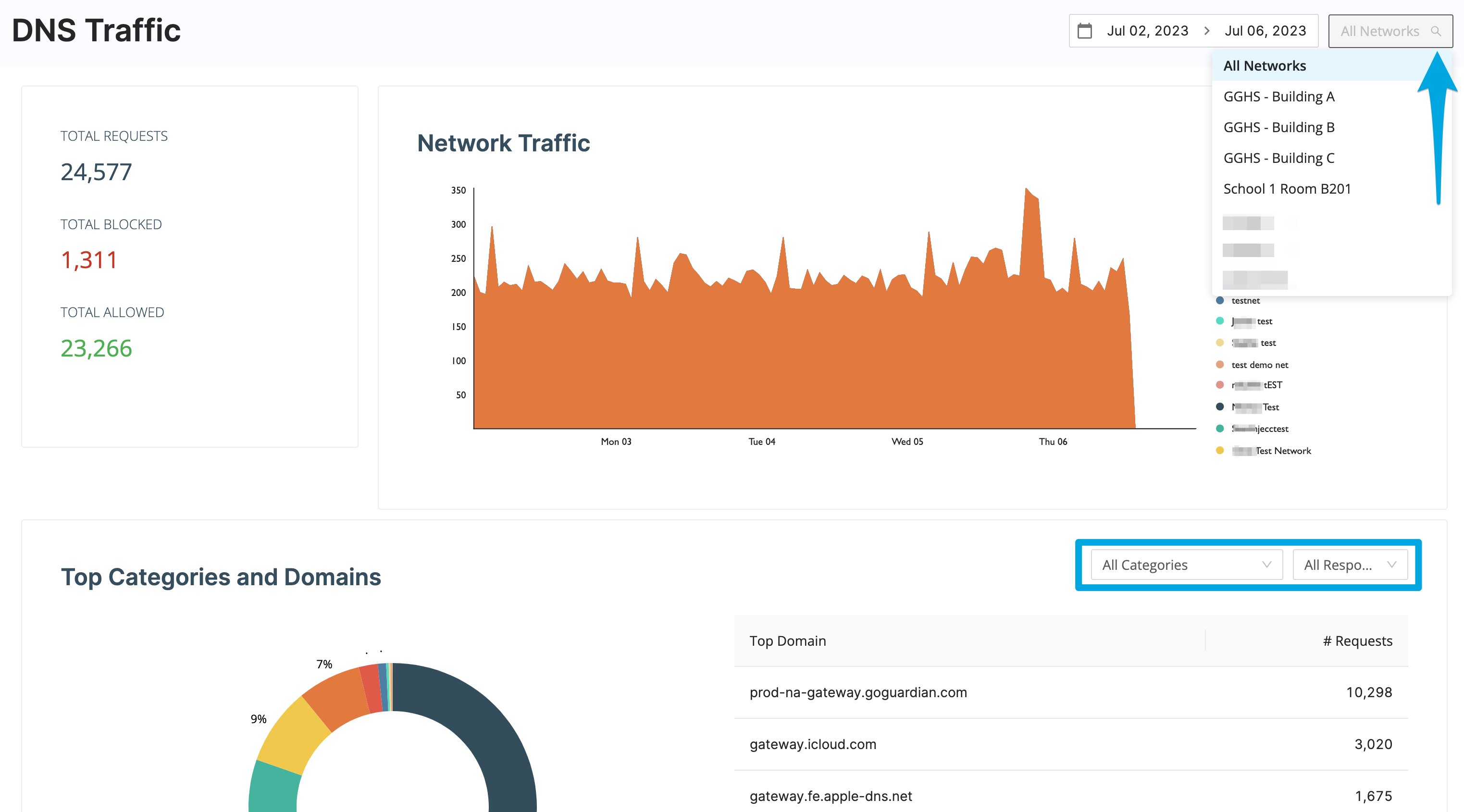
Filter DNS Traffic by Date
- Go to GoGuardian Admin and select DNS Traffic.
- Select Date Range.
- Select the period you want to review.
- Verify the result: DNS Traffic updates to show requests from the selected date range.
You can review up to 1 month of DNS traffic at a time.
Filter DNS Traffic by Network
- Select All Networks in the upper-right corner of the page.
- Select the DNS Network you want to review.
- Verify the result: The page updates to show traffic for the selected network.
Review Top Categories and Domains
The Top Categories and Domains section displays the 8 most-accessed domains and the number of requests to each domain. Select All Categories to narrow the results to a specific GoGuardian Website Category.Search Recent DNS Activity
Recent Activity Search displays the 20 most recent domain requests. Each result includes:- The domain
- The time of the request
- Whether the request was allowed or blocked
- The GoGuardian Website Category, when available
Understand What DNS Traffic Can Identify
A public IP address configured for a DNS Network identifies the network connection that sends DNS traffic to GoGuardian. It does not identify an individual device or user behind that connection.
Districts that deploy DNS Precision Filtering get per-student reporting with GoGuardian DNS, instead of the network-level-only behavior described above. Contact your GoGuardian Account Manager to learn whether DNS Precision Filtering is available for your deployment.
Contact GoGuardian Support About Unexpected DNS Data
Contact GoGuardian Support when:- The expected network does not appear in DNS Traffic.
- Requests do not appear after you confirm DNS resolver connectivity.
- A report shows an IP address that does not match the district’s configured network IP addresses.
- You need help distinguishing DNS network activity from account-based browsing activity.