Steps to diagnose and resolve GoGuardian DNS resolver connectivity issues when resolvers are not responding.
GoGuardian DNS resolvers are not responding when traffic from your network is not reaching GoGuardian’s DNS servers. This means filtering is not active for that network.
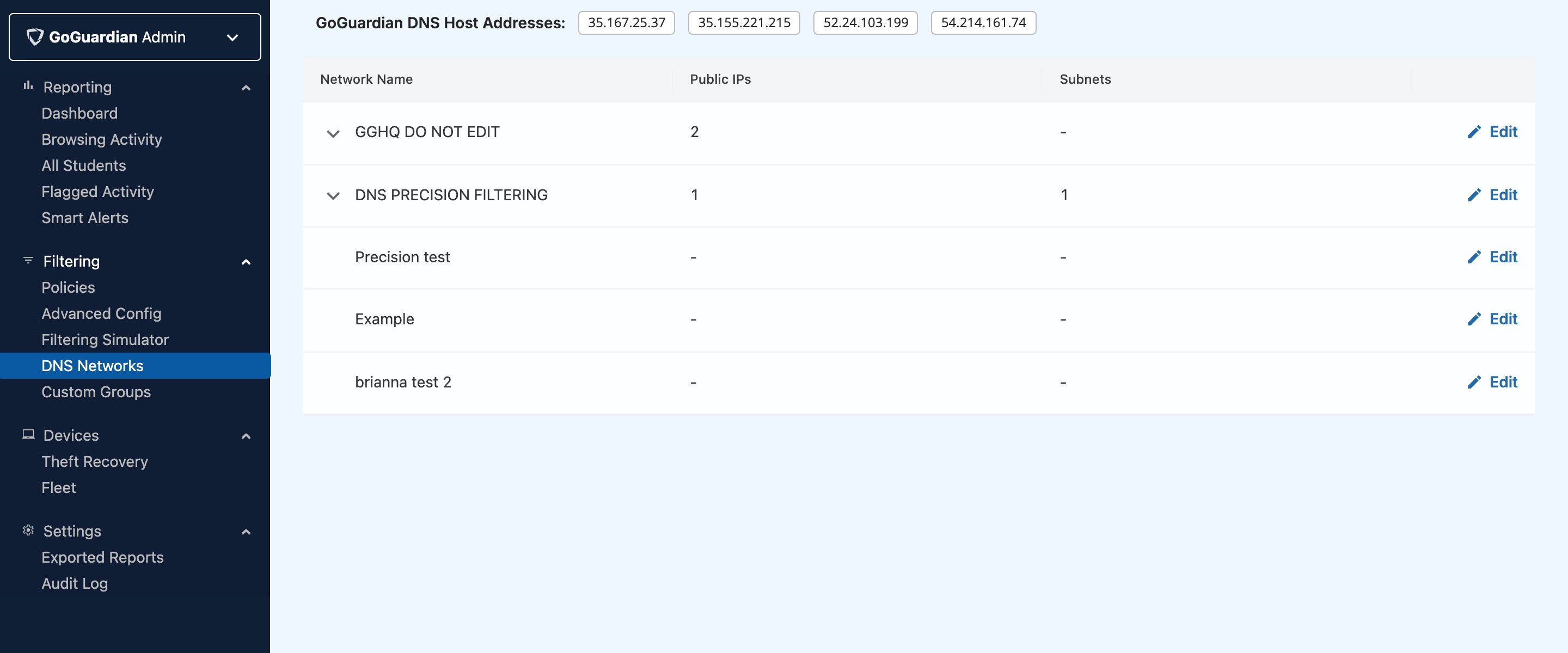
Confirm the network’s public IP address is entered in GoGuardian Admin under Filtering → DNS Networks. If it is missing or incorrect, update it and save.
Confirm your network’s DNS traffic is pointing to GoGuardian’s resolver addresses. Find the device that manages public DNS settings — typically a firewall, router, or DHCP server — and verify the following addresses are configured:
Test connectivity to each resolver using the terminal command:
nslookup goguardian.com [resolver IP]
Replace [resolver IP] with each resolver address. A response confirms connectivity. No response indicates the resolver is unreachable from your network.
If connectivity tests fail, check your firewall and network filters to confirm that incoming and outgoing traffic to GoGuardian’s resolver addresses is permitted.