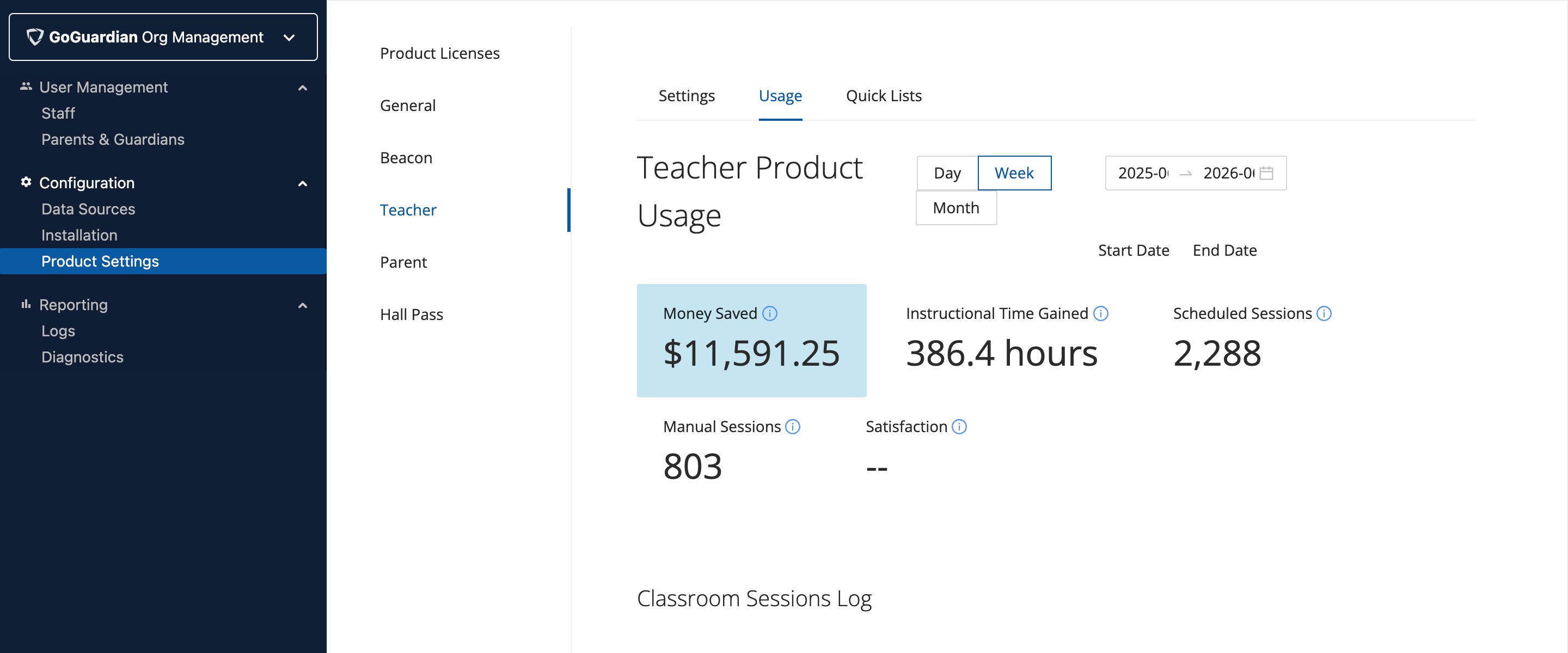
Use the Teacher Product Usage tool in GoGuardian Org Management to view session statistics, usage metrics, and daily summaries for your organization.
The Teacher Product Usage tool in GoGuardian Org Management shows how frequently teachers use GoGuardian Teacher and provides organization-wide statistics.
The graphs at the top of the Teacher Product Usage tool show the following metrics for a selected date range:
Metric
Description
Money Saved
Calculated by multiplying Instructional Time Gained by the average hourly teacher wage nationally. The Hourly Wage value can be modified for your organization.
Instructional Time Gained
Calculated by multiplying the total number of GoGuardian Teacher sessions by an estimation of instructional time gained per session (7.5 minutes, based on a 2019 GoGuardian Teacher survey).
Scheduled Sessions
Total number of sessions started via scheduling.
Manual Sessions
Total number of sessions started manually.
Satisfaction
Average satisfaction score (1 to 3) from the end-of-session survey presented to teachers.
The Classroom Sessions Log shows the 20 most recent classroom sessions for your organization. Click Load More at the bottom of the page to see the next 20. Click Load More as many times as needed to view all previous sessions.
Super Users can turn on Teacher Daily Summary emails to receive a daily summary of overall GoGuardian Teacher usage. See Manage Teacher Daily Summary Emails for details.
If the Teacher Product Usage tool and Teacher Daily Summary do not provide the level of detail you need, contact your account representative to ask about a more detailed report for your organization. These reports are built on a case-by-case basis, as they may require additional time and resources.
To request additional features or information in the Teacher Daily Summary emails or the Audit Log, share your ideas at ideas.goguardian.com. Other administrators and teachers can upvote your idea, and many popular requests have been added to the products.