

Delete an Assignment as a Teacher
- Click Assignments in the navigation menu.
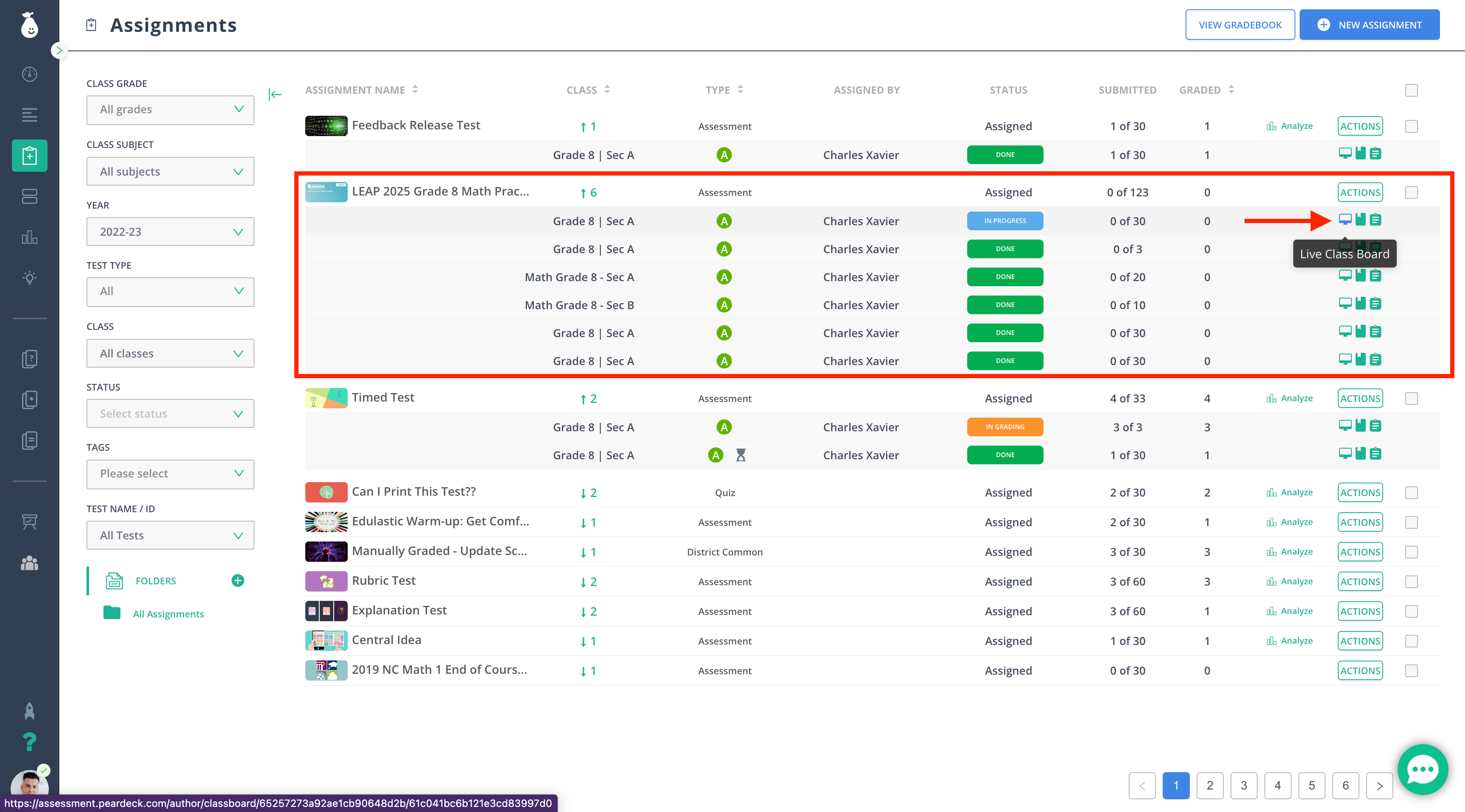
- Hover over the row of the assignment you want to delete.
- Click the Live Class Board button.
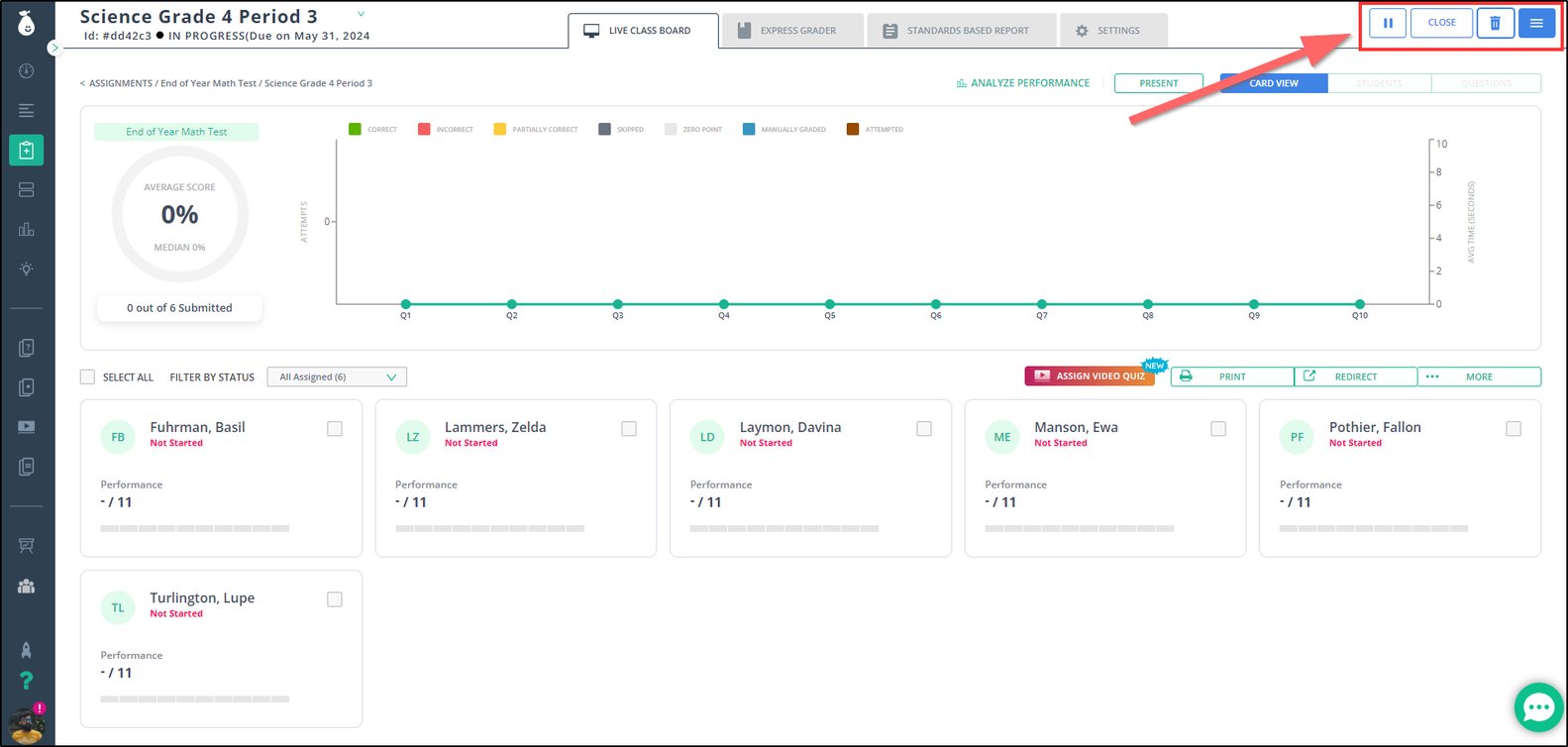
- Click the trash-can button in the Live Class Board.
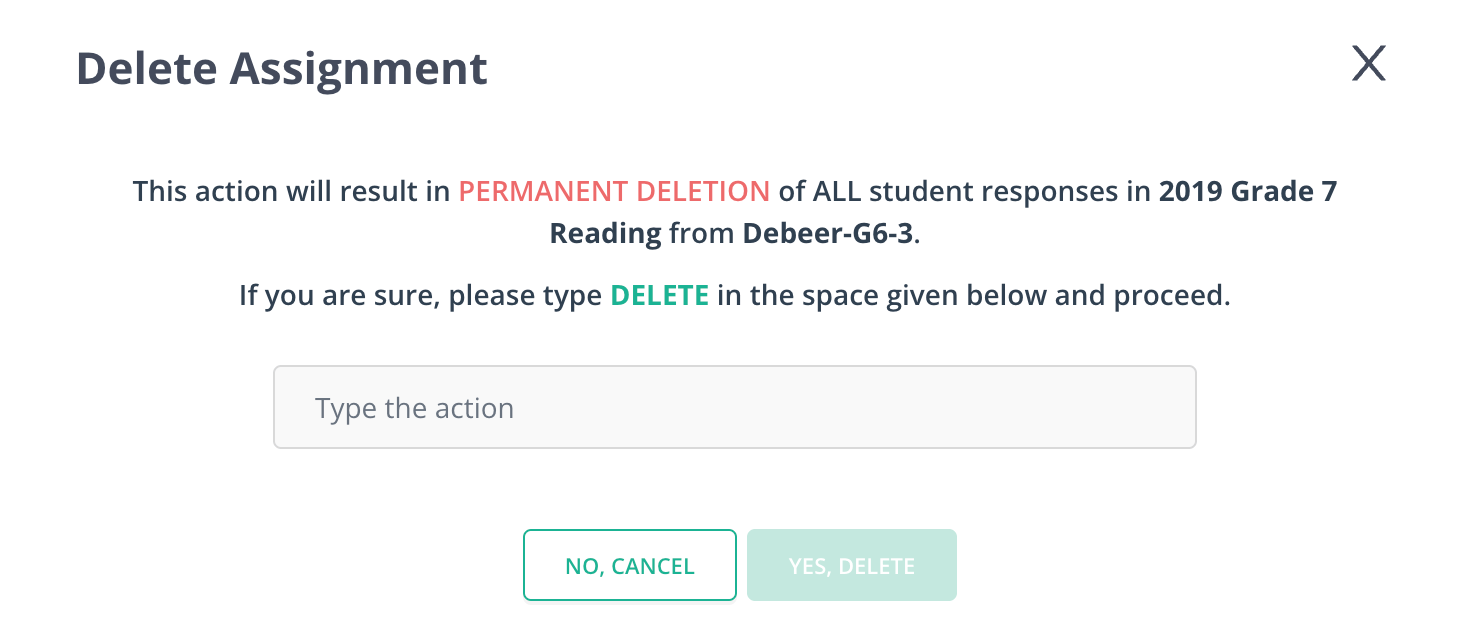
- Review the confirmation message. It states that the assignment will be deleted, all data will be permanently removed, the assessment will be removed from the assessment list, and any student data attached to this assignment will be deleted. Confirm to proceed.
Resources
Bulk Delete Assignments
Delete several assignments at once using the bulk delete option available to admins.