Teachers can update test settings in Pear Assessment at any time: changing test dates, releasing grades, and more. Settings can be updated for a single class or across multiple classes at once.

Update Test Settings for One Class

  1. Click Assignments in the navigation menu.
  2. Click the assignment’s name.
  3. Click the Settings tab and make changes as needed.
  4. Click Close.
Settings tab for editing a test's settings.

Update Test Settings for Multiple Classes

  1. Click Assignments in the navigation menu.
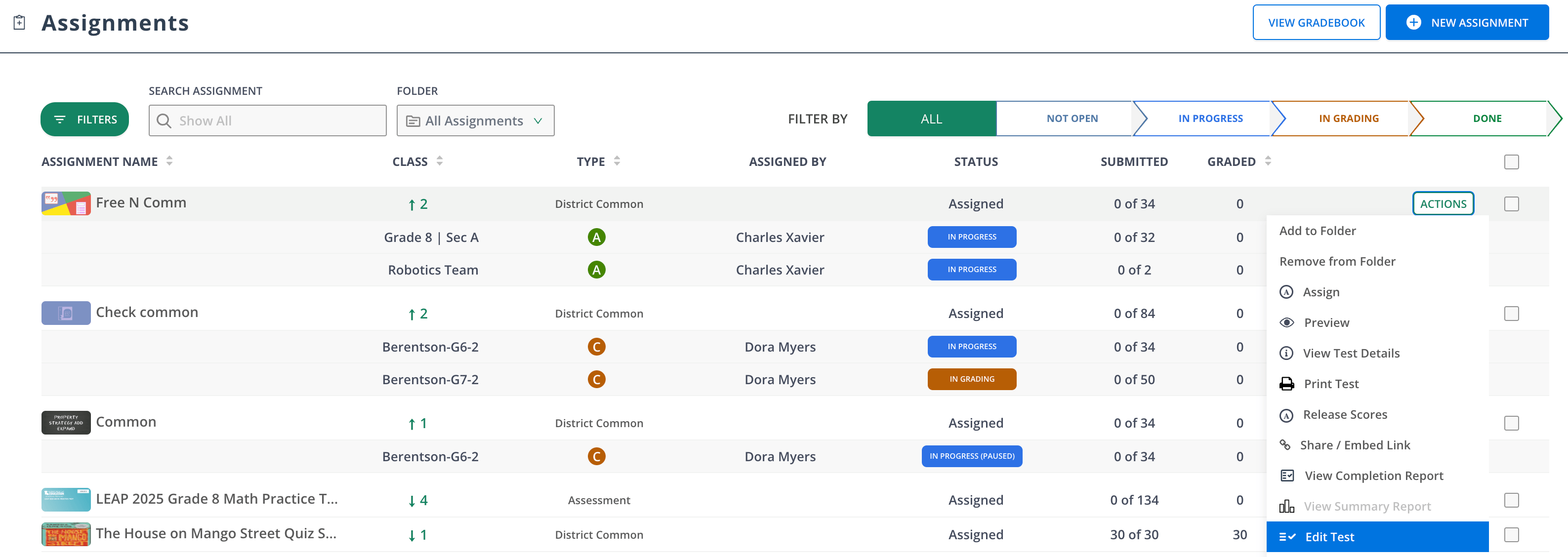
  2. At the end of the assessment’s row, click Actions > Edit Test.
  3. Click the Settings tab and make changes as needed.
  4. Click Publish.
Edit the test as needed from the Actions menu > Edit Test.
Last modified on July 14, 2026