

Redirect is part of the Enterprise package and can be disabled by administrators. Teachers who need the feature enabled must contact their admin.
Redirect a Test
- Select the Assignments tab in the navigation menu.
- Click Live Class Board for the assessment you want to redirect.

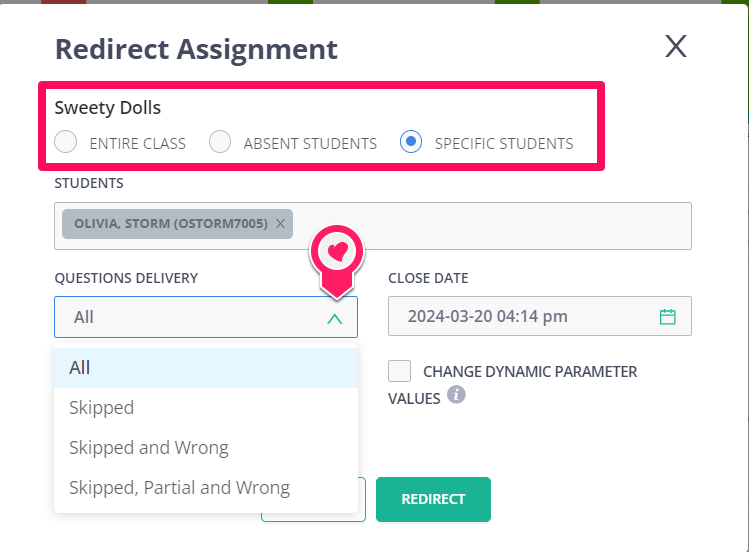
- To redirect the entire class, click Redirect. To redirect specific students, select the checkbox next to each student’s name, then click Redirect.

- Select your preferred settings for Questions Delivery, Show Previous Attempt, Close Date, and Change Dynamic Parameter Values.
- Click Redirect.
Frequently Asked Questions
When Redirecting, What Attempt Number Is Considered for Scores and Data?
The most recent attempt is used for scores and data. Teachers can review each individual attempt in the Live Class Board.Can I Undo a Redirect After It Has Been Sent?
No. After you redirect a student, you cannot remove the redirect.Why Do I Not See Question Delivery Options When Redirecting?
Question delivery options require a Teacher Premium account. Under a free account, you can only redirect the entire test without additional delivery configuration.Can I Change the Close Date on a Redirect?
Yes. You can change the close date in the Live Class Board settings.Resources
Auto Redirect Assignment
Set up automatic redirects for assignments in Pear Assessment.