

Update Grades Using the Express Grader
Premium and Enterprise account holders can use the Express Grader to enter scores or student responses directly.
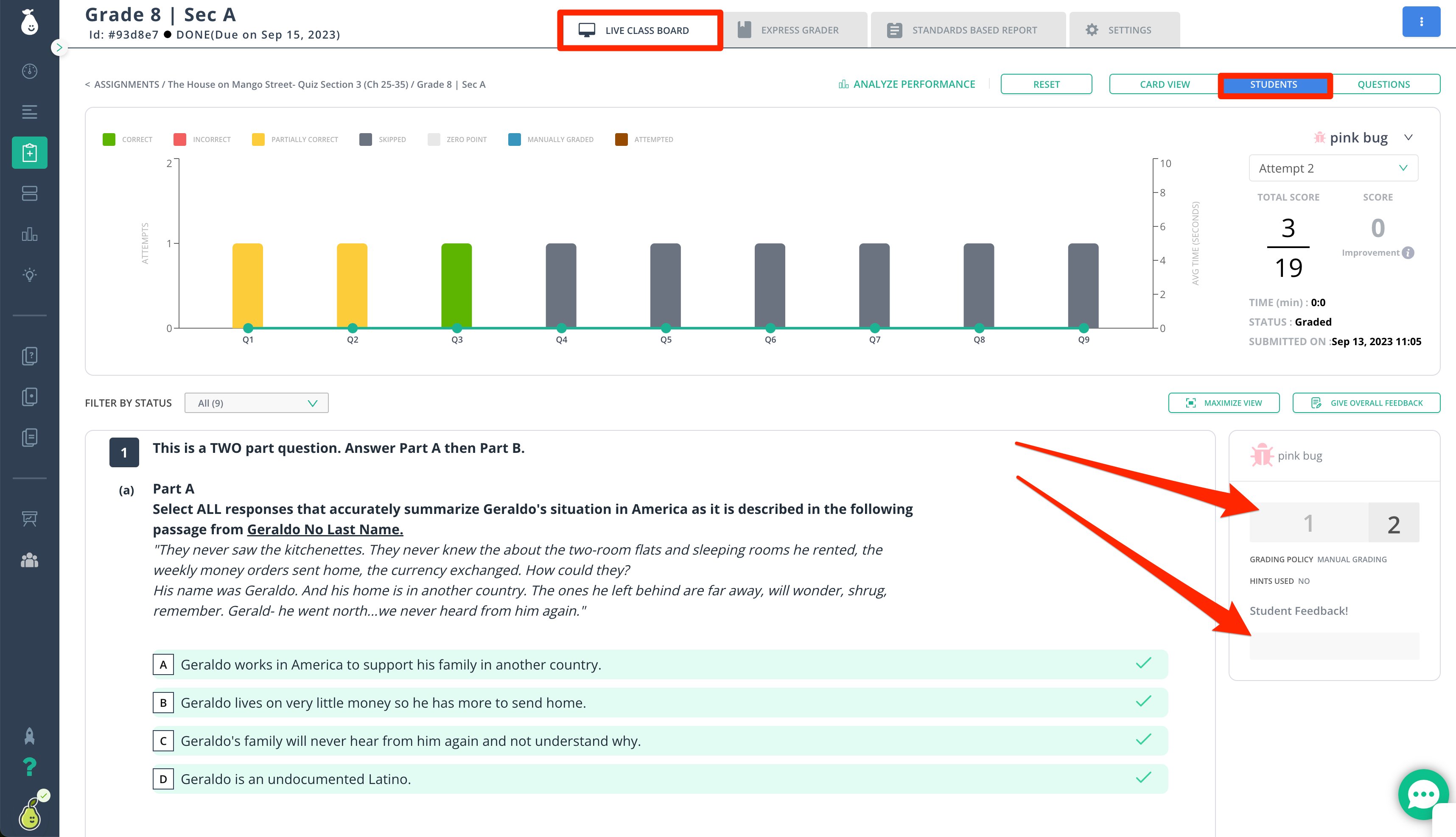
Update Grades Using the Live Class Board
Free and premium users can click into individual student answers from the Live Class Board to edit scores or add student feedback.Tips for Manually Updating Grades
- Essay questions are manually graded by default. If a rubric is attached and AI evaluation is enabled for the test, eligible rubric-based essay questions can be scored automatically. Review and approve AI-generated scores and feedback before students can see them.
- You can manually update any student’s score at any time after the student has submitted their assignment.
AI rubric grading is currently a beta feature, and its accuracy may vary.
Resources
Using Express Grader
Enter answers, scores, and comments for students using the Express Grader.
Use AI Rubric Grading
Attach a rubric, enable AI evaluation, and review AI-generated scores and feedback.