

Get Started
- Sign in to Pear Deck with your Google account.
- Click Flashcard Factory on the left side of your screen.
- Enter your own terms and definitions
- Paste in a list from somewhere else
Enter Your Own Terms and Definitions
- In the Vocabulary Editor, type your term in the Term field.
- Press Enter on your keyboard to move to the Definition field.
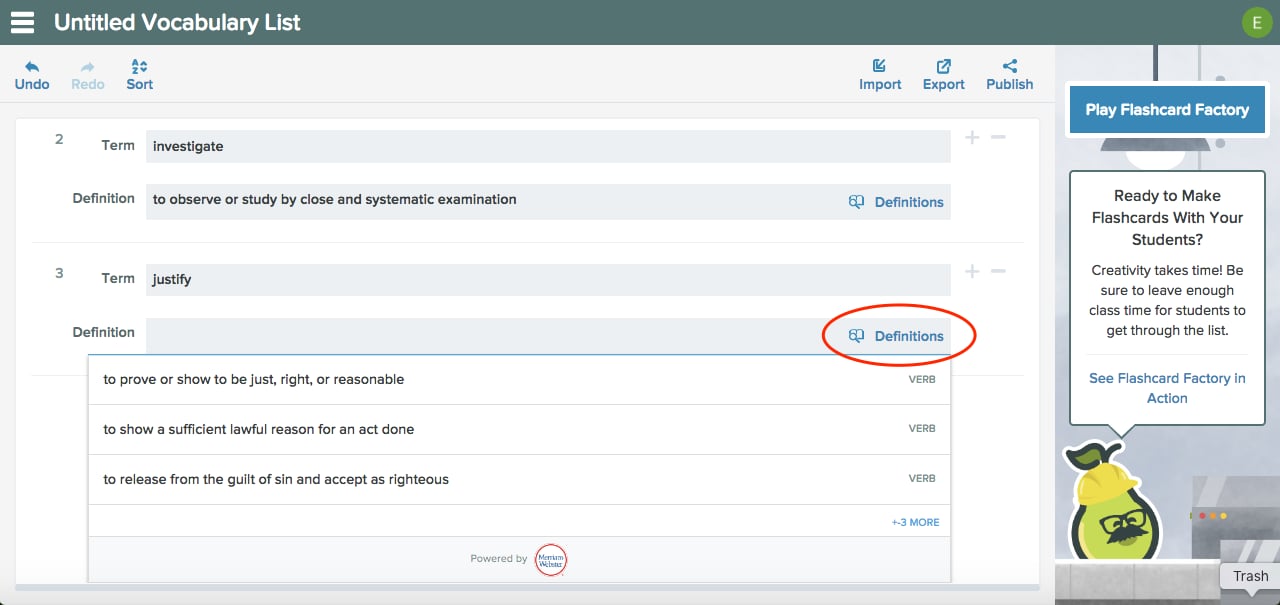
- Type your definition. Or, click Definitions to search Merriam-Webster. You can also leave the Definition field blank if you want students to define the term in their own words.
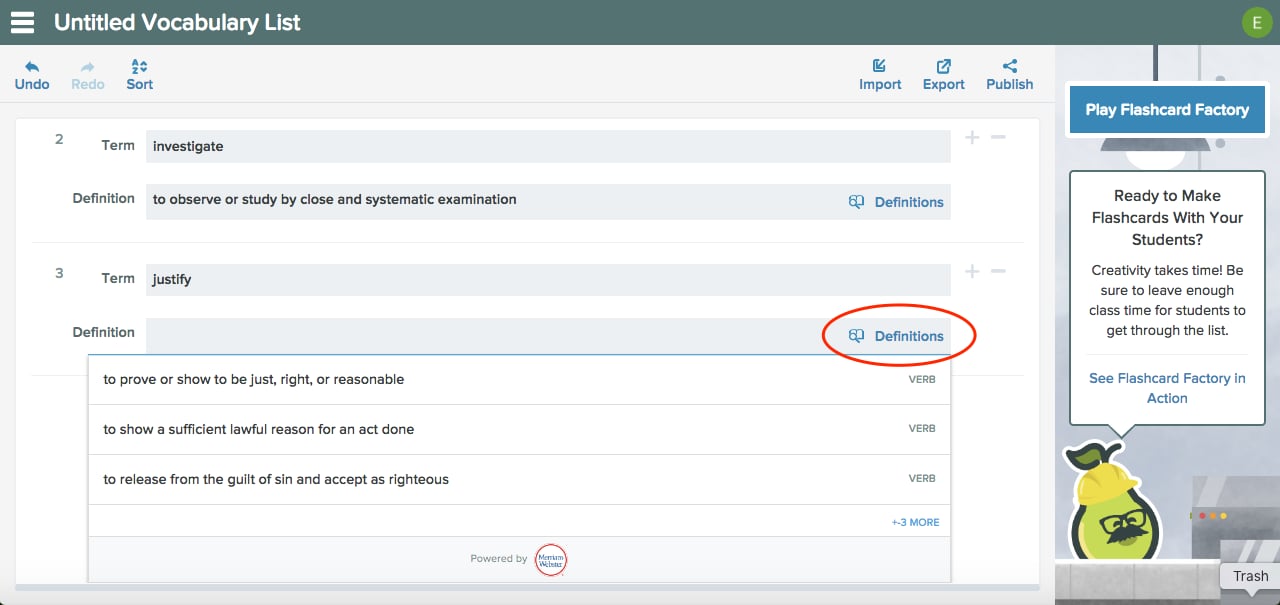
Students are always prompted to write an example sentence during the Flashcard Factory game, regardless of whether you include a definition.
Paste in a List From a Spreadsheet
If you have terms and definitions in a spreadsheet, you can copy and paste them directly into the Vocabulary Editor.- In your spreadsheet, select terms and definitions from two separate columns, then copy them.
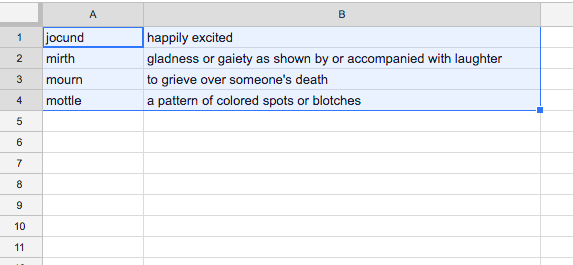
- Open the Pear Deck Vocabulary List Editor and click Import.
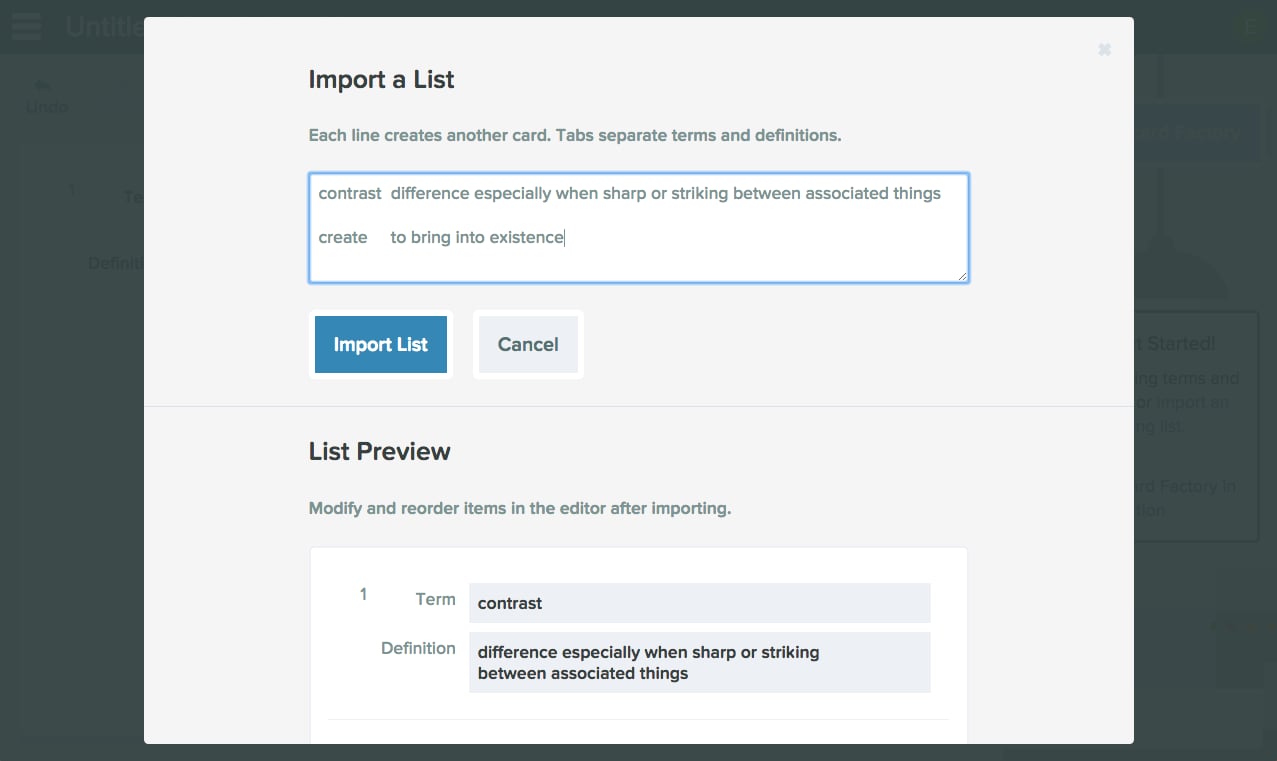
- In the window that opens, go to Import a List and paste your terms and definitions into the box.
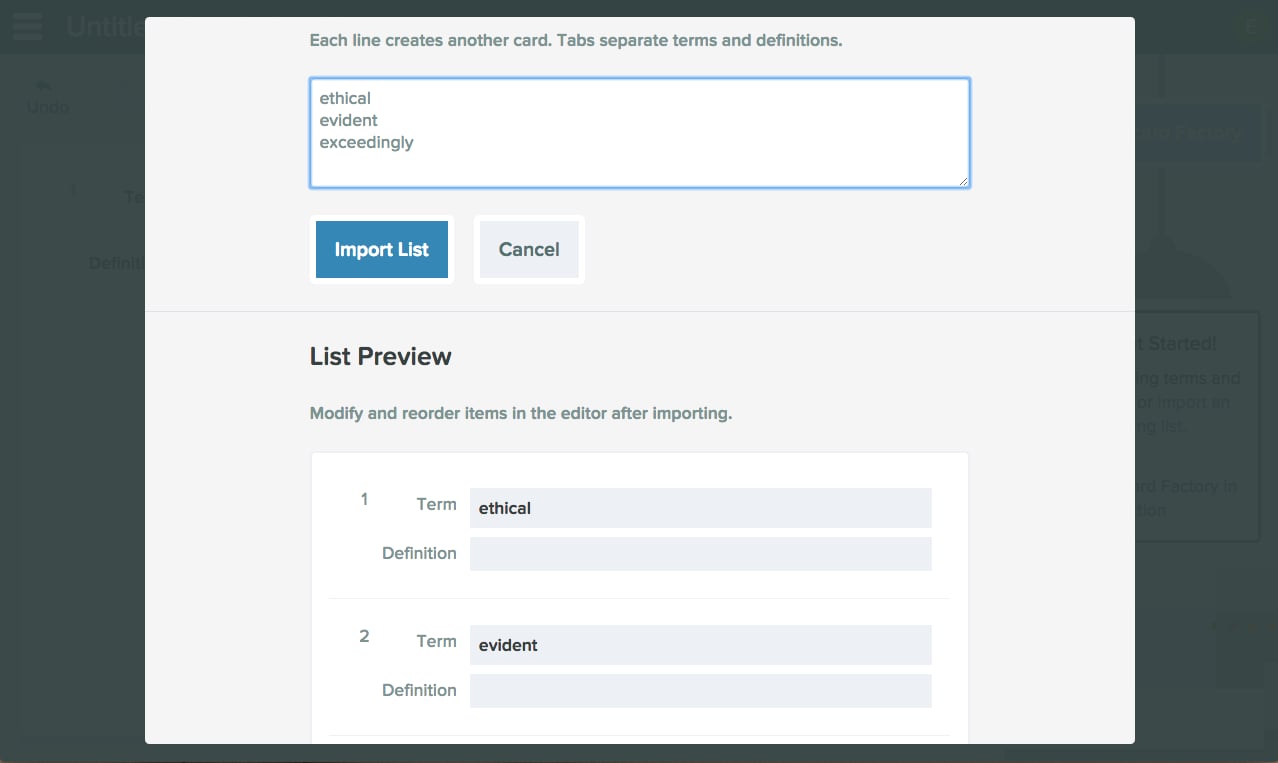
- Each line creates a separate card. Press Enter on your keyboard to start a new line and a new card. If you include definitions, they must be placed in a separate column. Separate the columns with the tab key on your keyboard. Use the List Preview to confirm how the cards will appear in your Vocabulary List.
If you leave definitions out of your list, students will see only the term during the Flashcard Factory game and can write either an example sentence or their own definition.
- Click Import List.
- Review your Vocabulary List. You can still add definitions here by typing them or by clicking Definitions to search Merriam-Webster.
Vocabulary Lists are automatically saved to a Vocabulary folder in your Google Drive. To open a list you created previously, go to Pear Deck Home, click Open Existing File, search for the list, click Select, and then choose to edit the list or start a Flashcard Factory game.
Resources
Play the Flashcard Factory Game
Run a live Flashcard Factory session using a Vocabulary List you have created.