

To access the add-on within Google Classroom, teachers must have either the Google Workspace Teaching and Learning Upgrade or the Google Workspace for Education Plus edition. See Google Workspace editions for a full comparison.
Install the Add-On
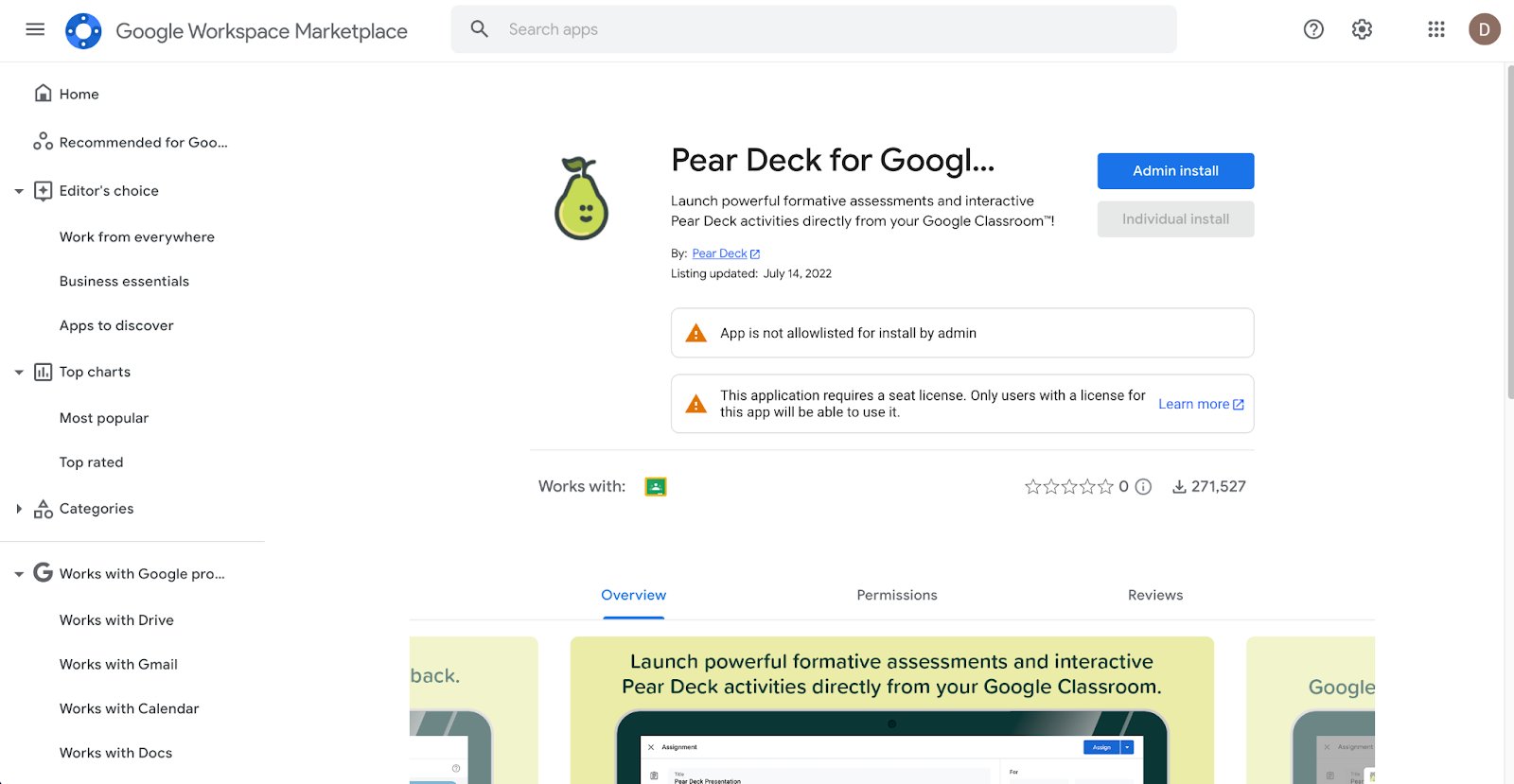
- Open the Pear Deck for Google Classroom listing in Google Workspace Marketplace.
- Select Admin Install.
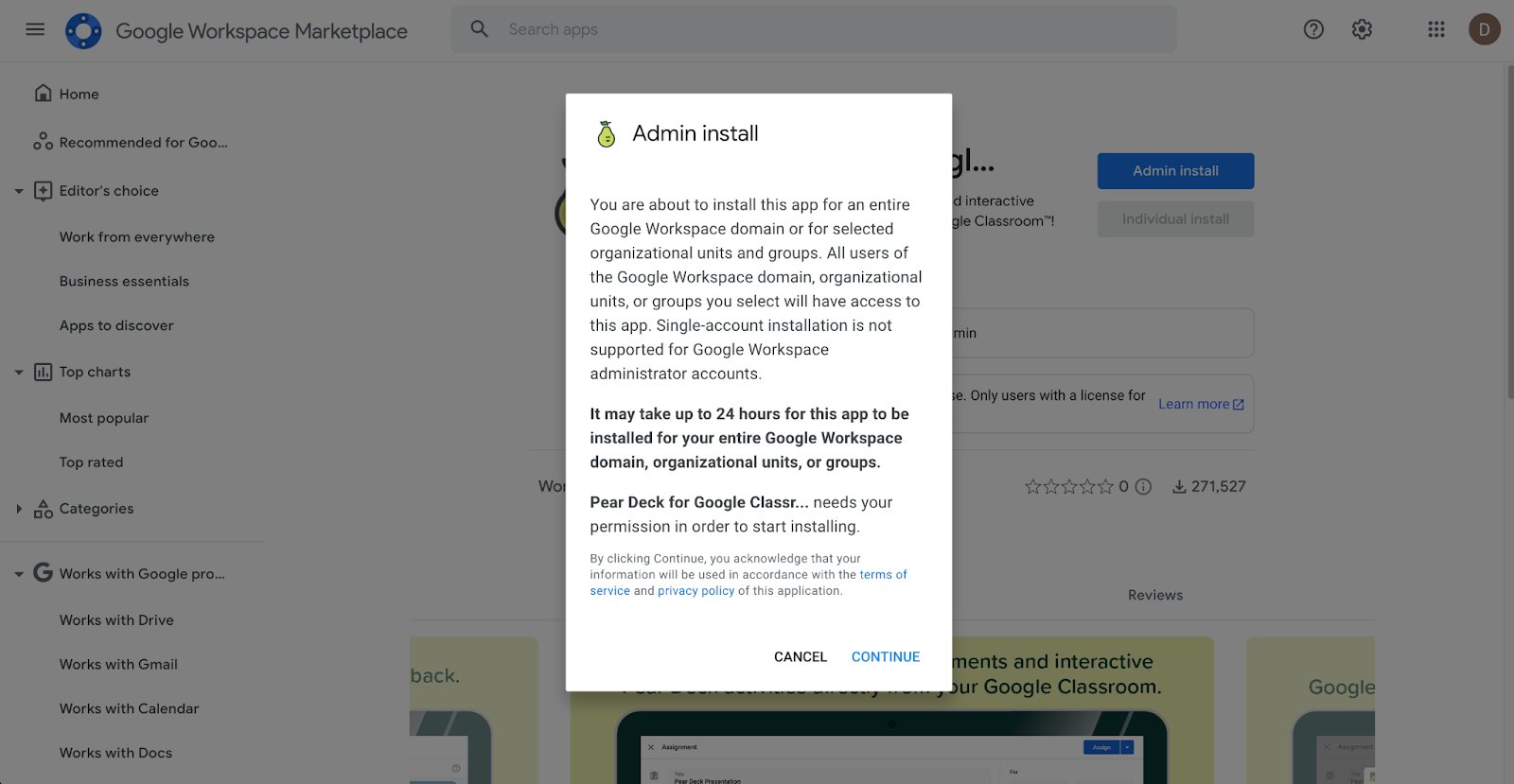
- Review the prompt confirming you are installing the app for your entire Google Workspace domain, organizational units, or groups. Select Continue.
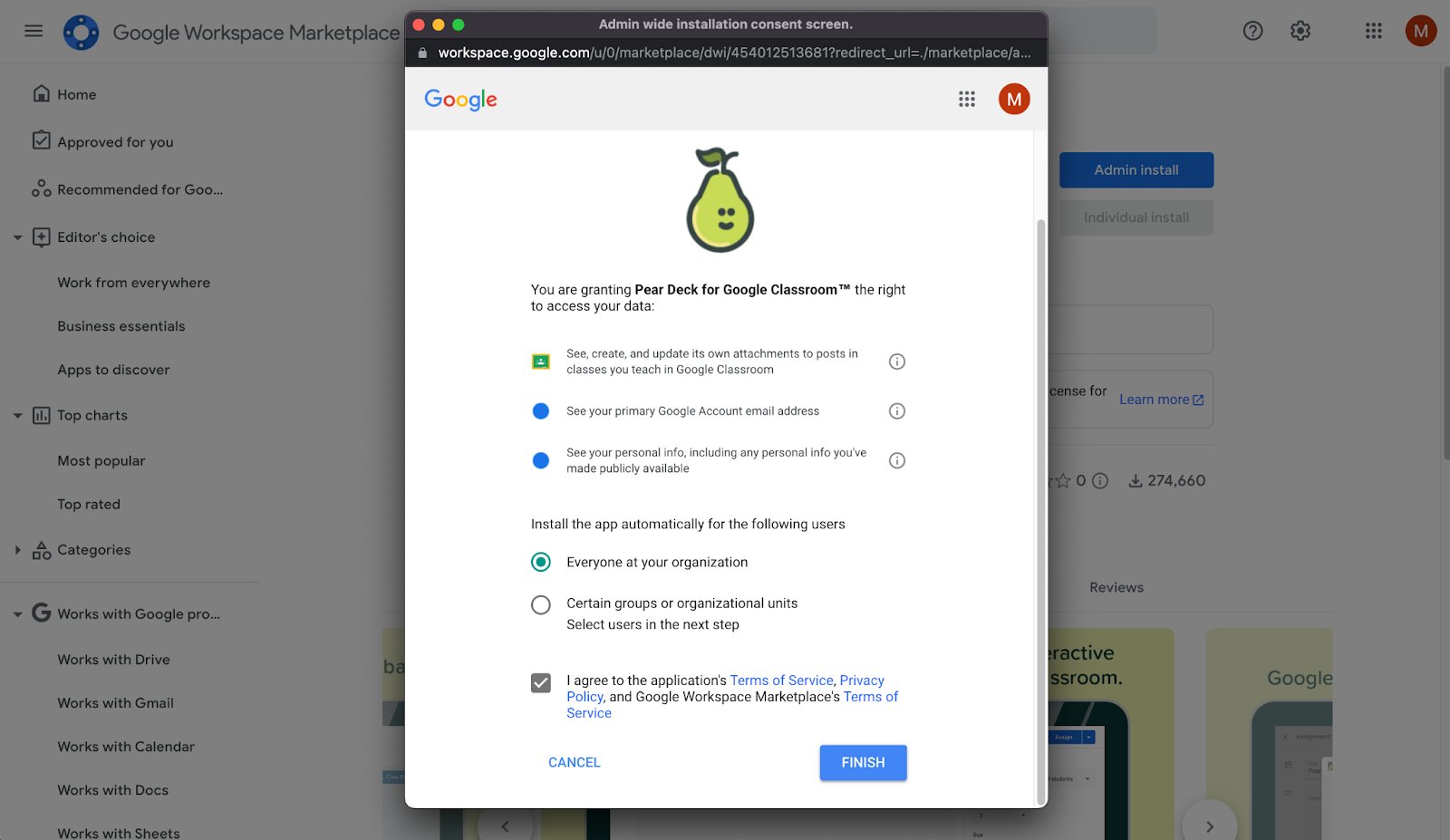
- Review the data access permissions Pear Deck for Google Classroom requires, then select Allow.
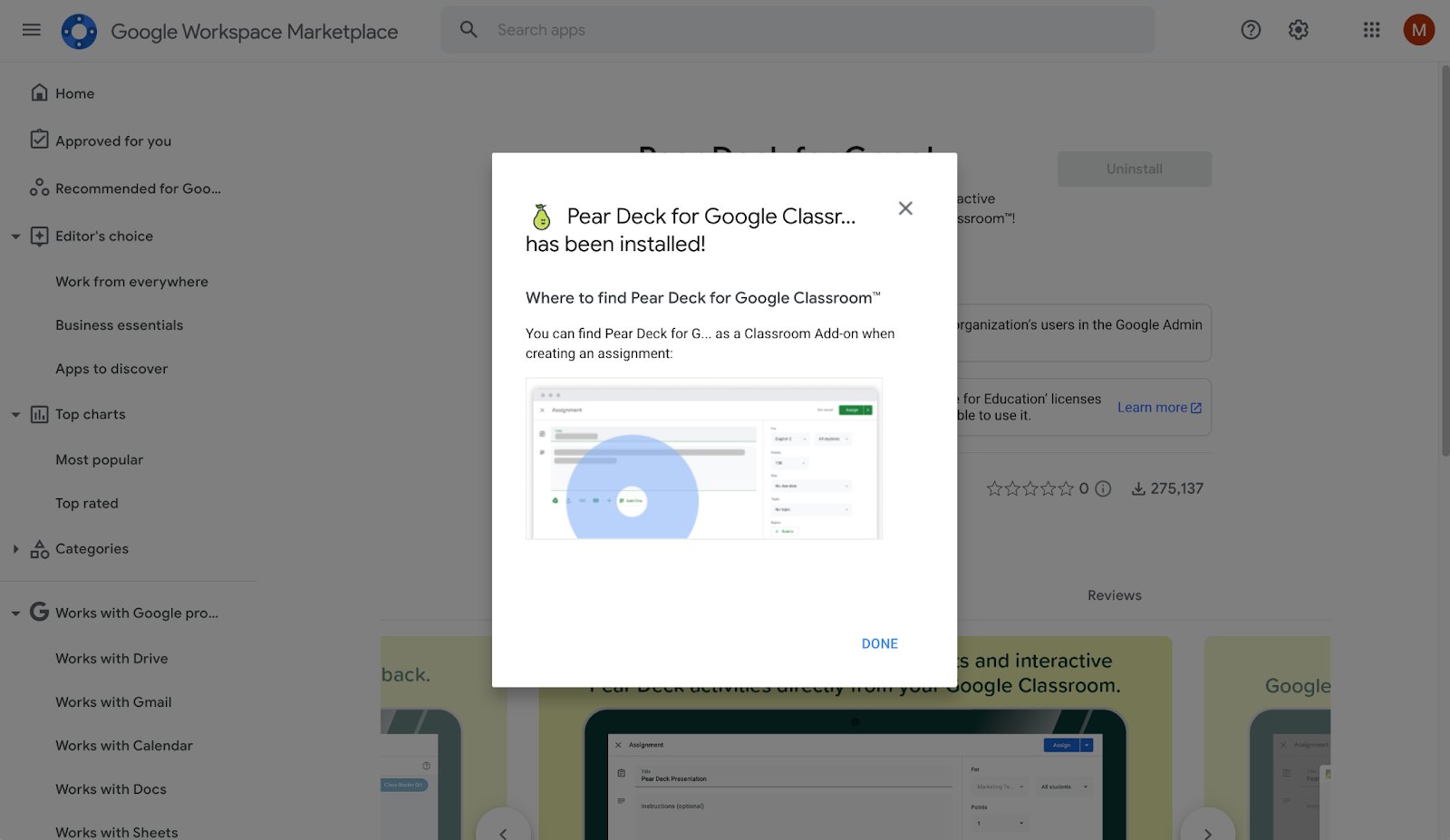
- Select Finish. The domain install is complete.
Resources
Use the Pear Deck for Google Classroom Add-On
Learn how teachers can use the Pear Deck for Google Classroom add-on once it is installed.
Getting Started with Pear Deck
Explore the core setup steps and first-use guidance for GoGuardian Pear Deck.