

Can I Turn Off All Teacher Sessions During Break?
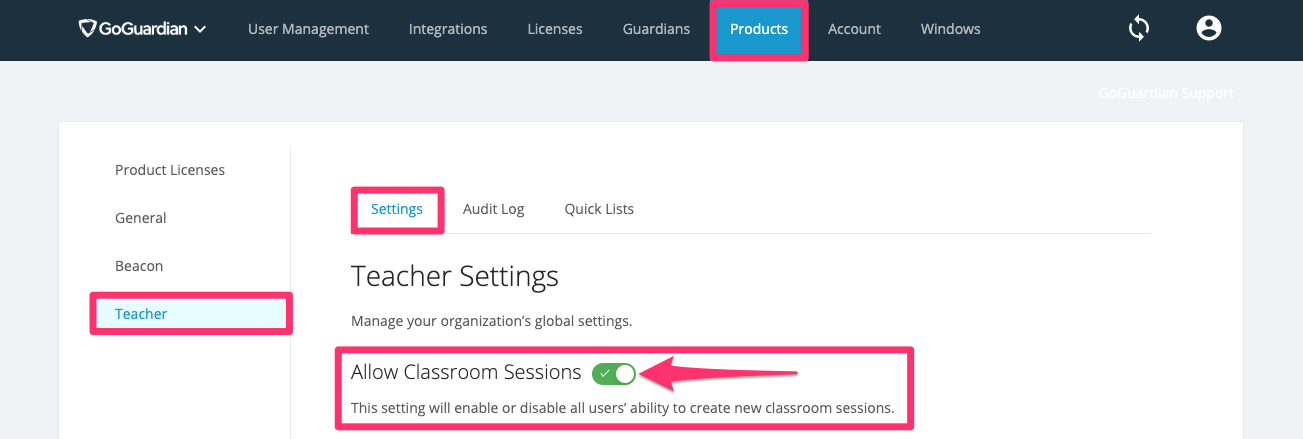
Yes. To prevent sessions from running automatically during Thanksgiving, winter, or spring break, you can disable all classroom sessions in the Teacher product settings in Org Management.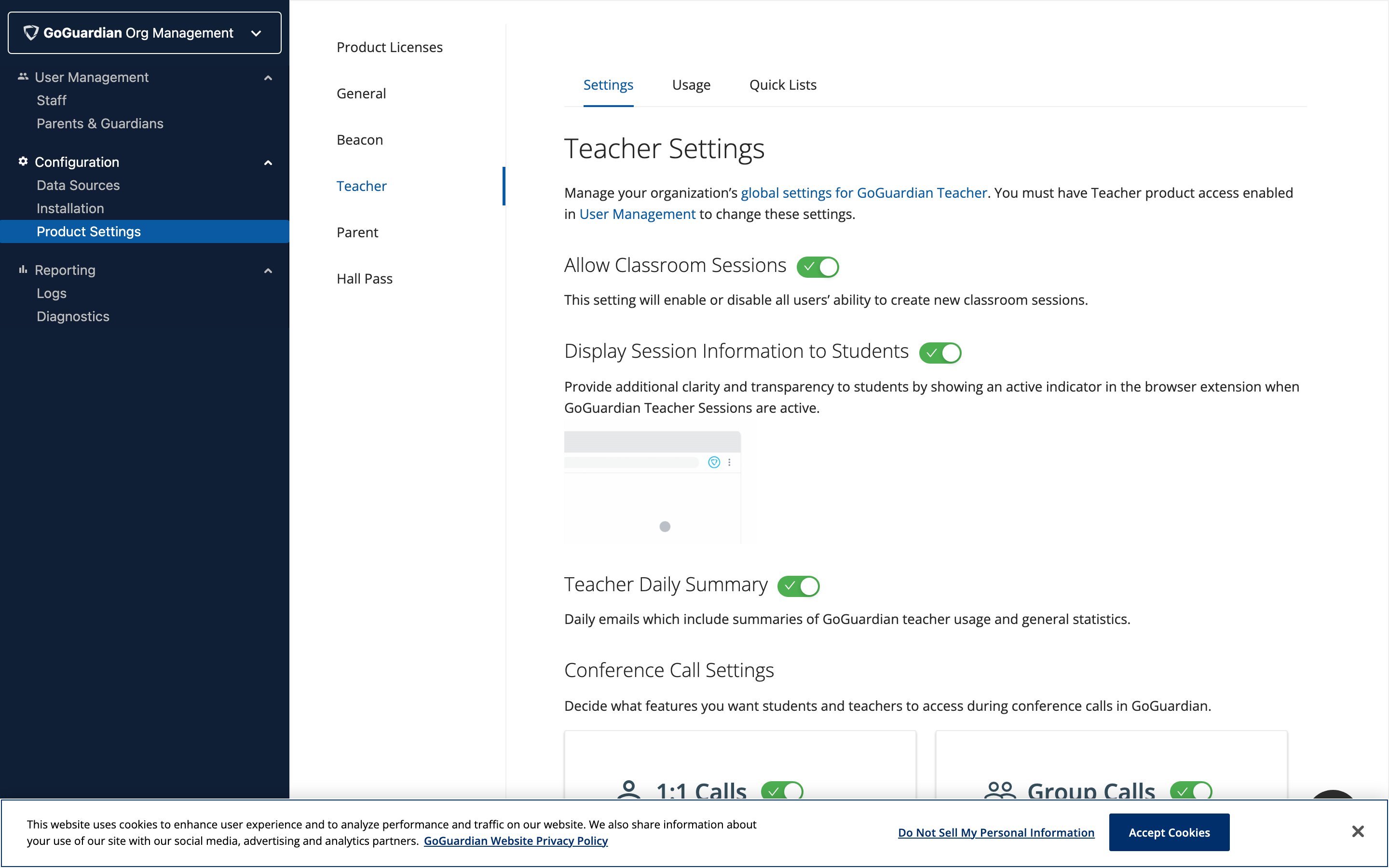
Turning off Allow Classroom Sessions also disables manually started sessions. Do not use this setting if some students may be attending summer school or weekend sessions.
Can I Turn Off Only Automatic Scheduled Sessions?
Not at this time. The Allow Classroom Sessions toggle disables all sessions, including both scheduled and manually started ones. There is no option to disable only scheduled sessions while keeping manual sessions available.Resources
Schedule Classroom Sessions
Set up automatic session schedules for your classes
Start a Classroom Session
Manually start a session with your students
Scenes Overview
Learn how scenes control student browsing during sessions
Manage Users and Settings
Configure Teacher product settings in Org Management