

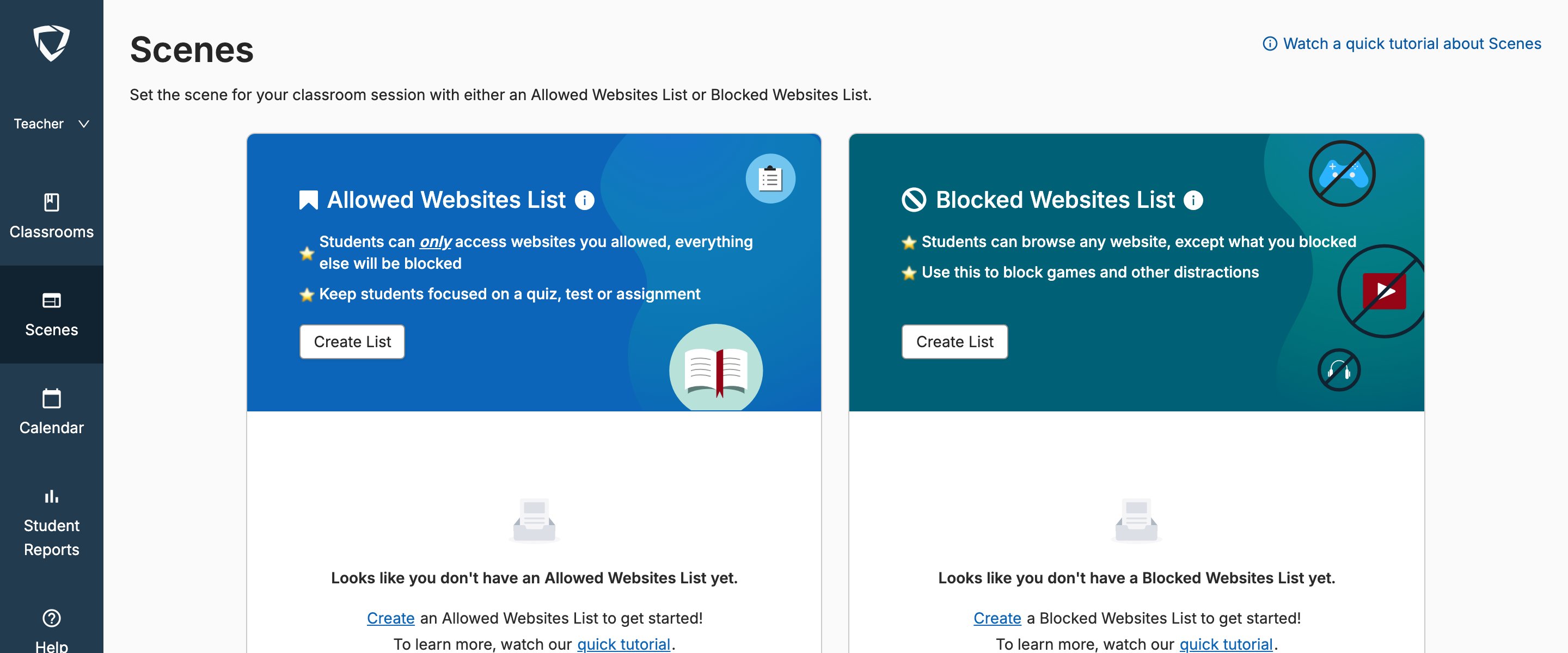
You can’t allow sites that are blocked by GoGuardian Admin. The Website Checker lets you identify the source of a block and update your own Scenes — Admin-level blocks require action from your district administrator.
Access the Website Checker
In GoGuardian Teacher, go to the Classrooms view and select Check if a website is blocked.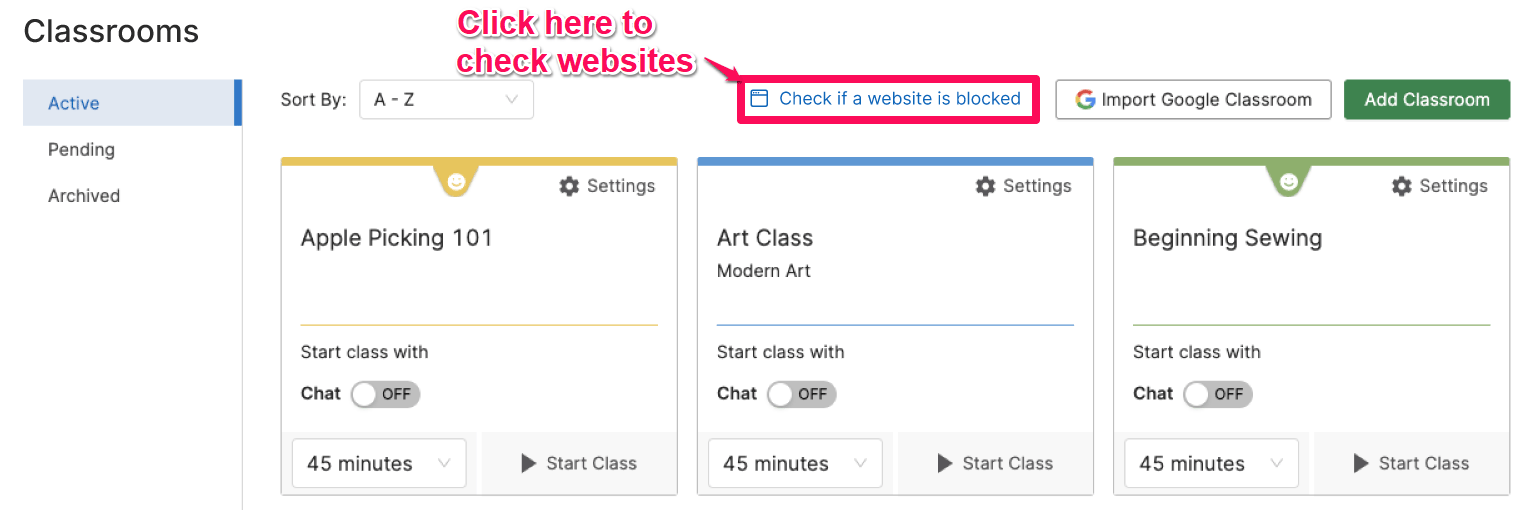




Check a Website
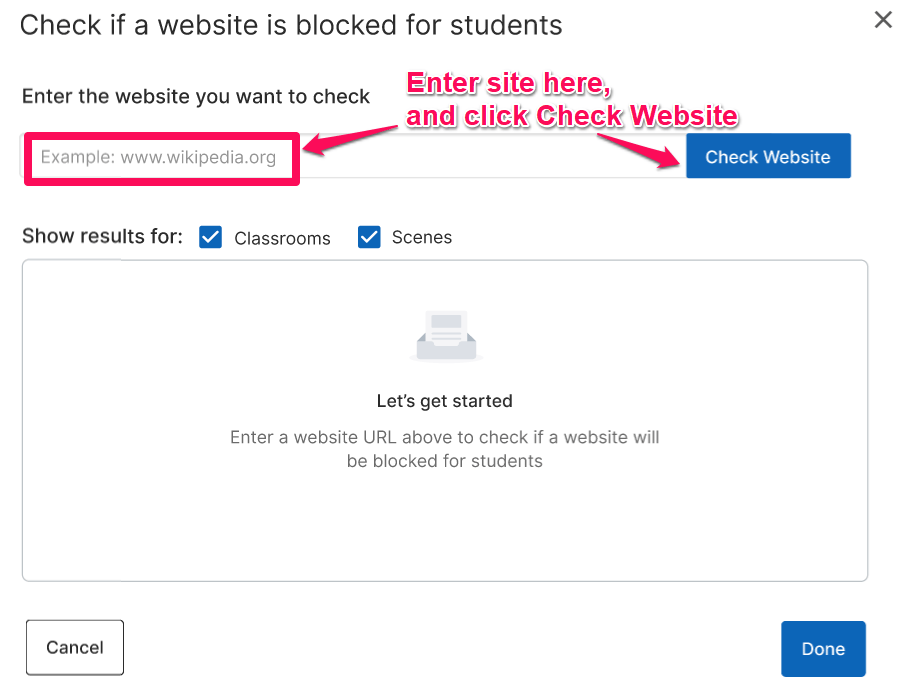
- From the Classrooms page, select Check if a website is blocked. A pop-up window appears.
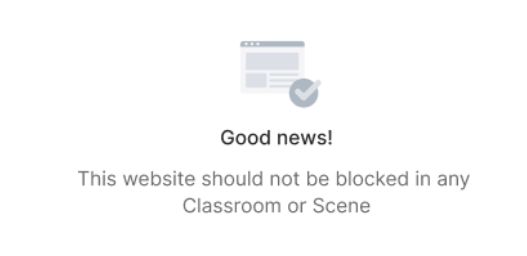
- Enter the site you want to check in the text field, then select Check Website. Results display for all of your Classrooms and Scenes.
-
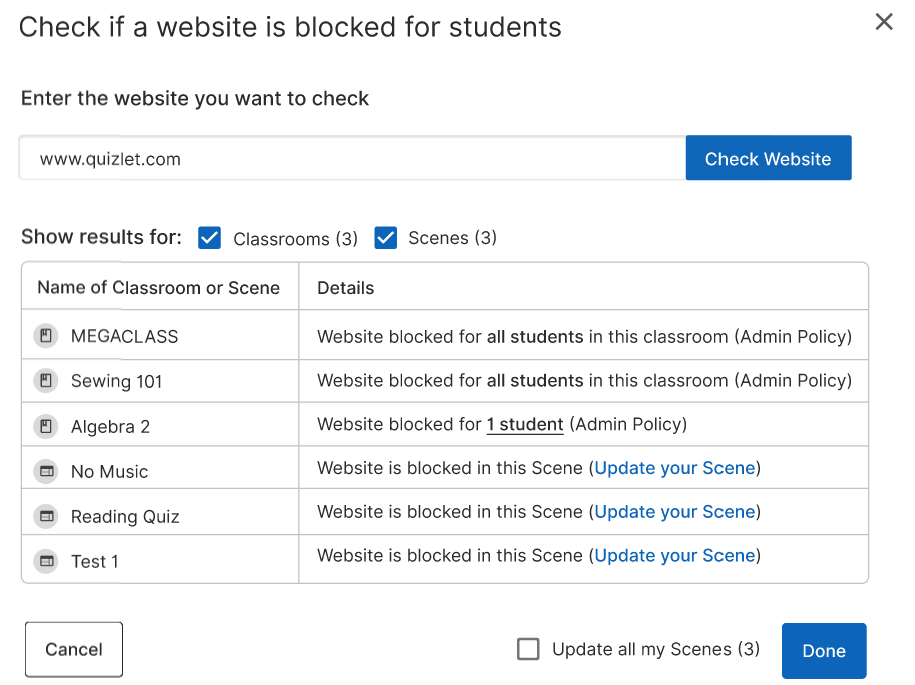
The results table shows:
- The name of each Classroom or Scene where the site is blocked
- How many students are affected within each Classroom
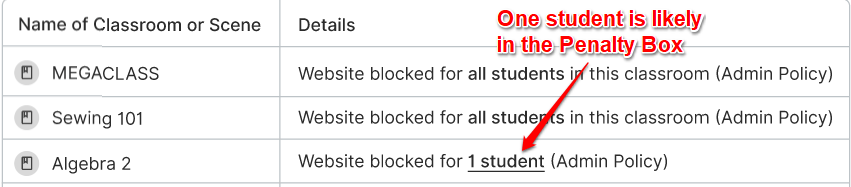
- Whether the block comes from a Scene or an Admin policy
Understand the Results
Sites Blocked by GoGuardian Admin
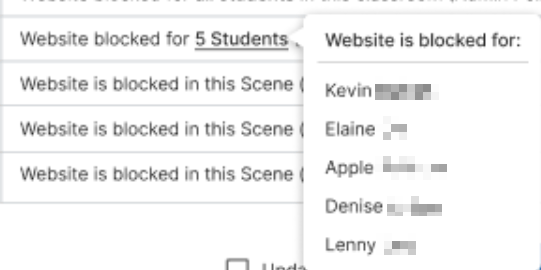
When a block is caused by an Admin filtering policy, you’ll see “Website blocked for all students in this classroom (admin policy)” next to the affected Classroom. If only 1 student is blocked, that student may be assigned to a highly restrictive policy in GoGuardian Admin — sometimes called the Penalty Box. Select the number of students blocked to see a list of the affected students by name.Admin-level blocks can’t be changed from GoGuardian Teacher. Contact your district administrator to adjust those filtering rules.
Sites Blocked by Scenes
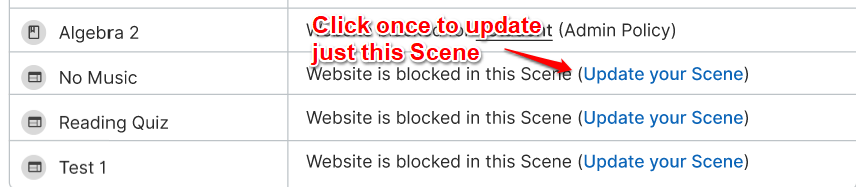
When a block is caused by a Scene, you have 2 options for allowing the site: Update 1 Scene Select Update your Scene next to the Scene you want to change. The row updates to show Updated with an Undo option. You can undo the change at any time while the window is open. Update all Scenes at once Select the Update all my Scenes (X) checkbox at the bottom of the window, where X is the number of affected Scenes. All affected Scenes switch to Updated status. Select Done to confirm the changes.Resources
Scenes Overview
Learn how Scenes control site access during a class session.
Create and Apply a Scene
Build a custom Scene or apply an existing one to your class.
Allow Access to Blocked Sites
Other ways to give students temporary access to blocked content.
Scene Conflicts
Understand what happens when multiple filtering rules apply at the same time.