

Navigate to Exported Reports
Go to GoGuardian Admin and select Exported Reports in the left-side navigation panel. To narrow the list to a specific type, select the Report Type dropdown, choose a type, and click Apply.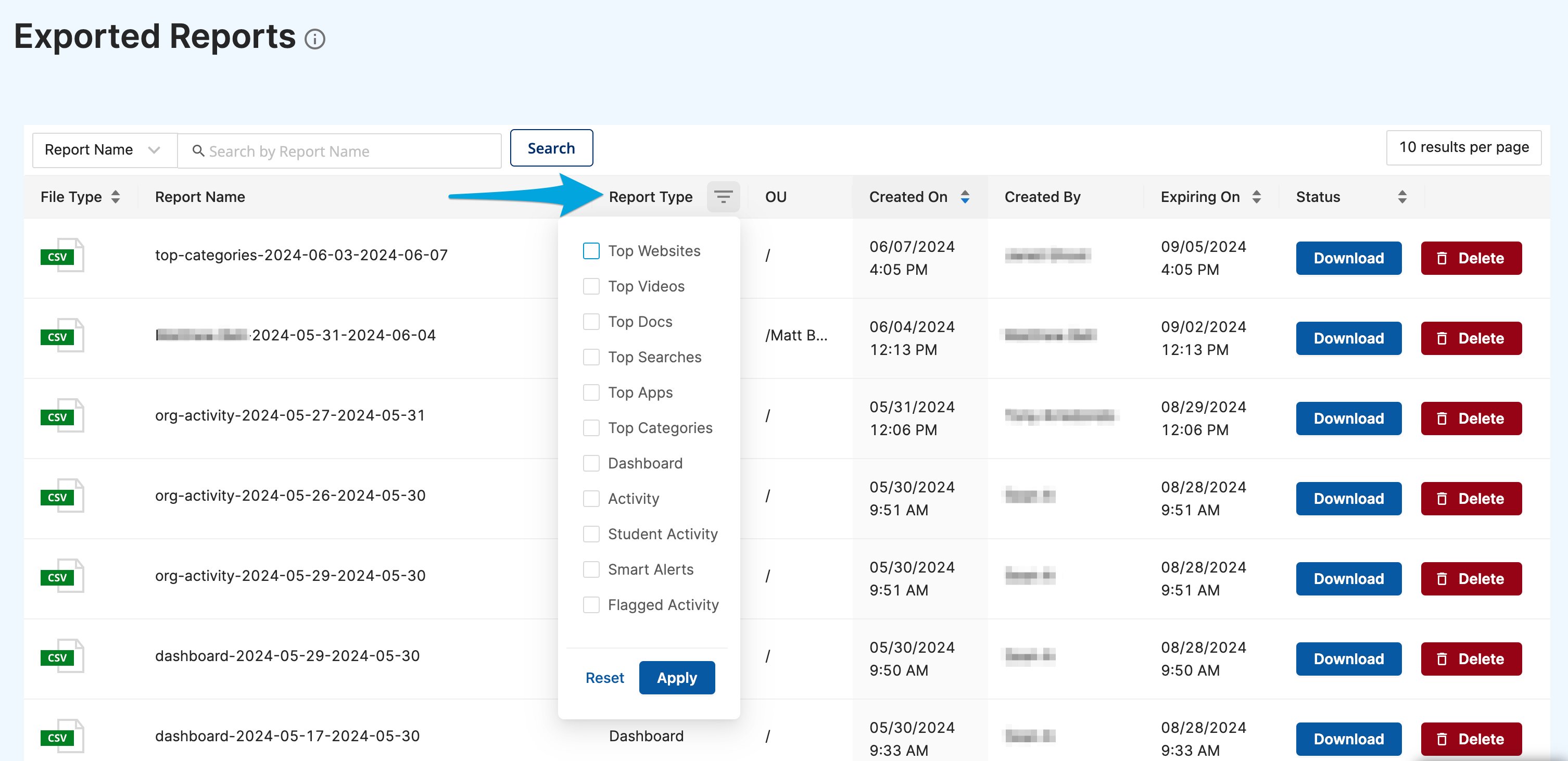
Understand Report Statuses
Each row in the Exported Reports queue shows the current status of the report. The possible statuses are:
Reports are available for download for three months from the date of creation. After that period, they expire and can no longer be downloaded.
Read the Report Details
Each row in the queue displays the following information:Download a Completed Report
- Go to GoGuardian Admin and select Exported Reports in the left-side navigation.
- Find the report you want to download in the queue. Confirm the status column shows Download, which indicates the report is ready.
- Click the Download button next to the report.
- The CSV file downloads to your device. Open the file to confirm the data is complete.
The Download button is not clickable if your GoGuardian Admin account does not have access to all org units included in the report. Contact your GoGuardian Super User to request access through Org Management. See Understand OU Access Requirements below.
Delete a Report
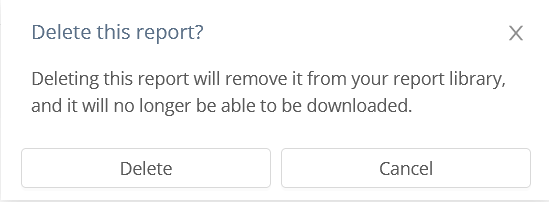
To remove a report from the queue, click the Delete button next to the report, then click Delete again on the confirmation page.Understand OU Access Requirements
An administrator can only download a report if their GoGuardian Admin account has access to every org unit included in that report. If access to one or more org units is missing, the Download button is not clickable. A GoGuardian Super User can grant or update OU access through Org Management atmanage.goguardian.com. For details, see Review User Roles and Permissions.
Understand the CSV Row Limit
All CSV export options in GoGuardian Admin are limited to 15,000 rows. If your report contains more data than the row limit allows, adjust your date range or org unit filter before exporting to reduce the result set.Resources
Review Browsing Activity
Filter and export browsing activity data across your organization.
Understand Roles and Permissions
Review how admin roles and org unit access are configured in GoGuardian Admin.