Connect Front Office Check-Ins to Classroom Passes
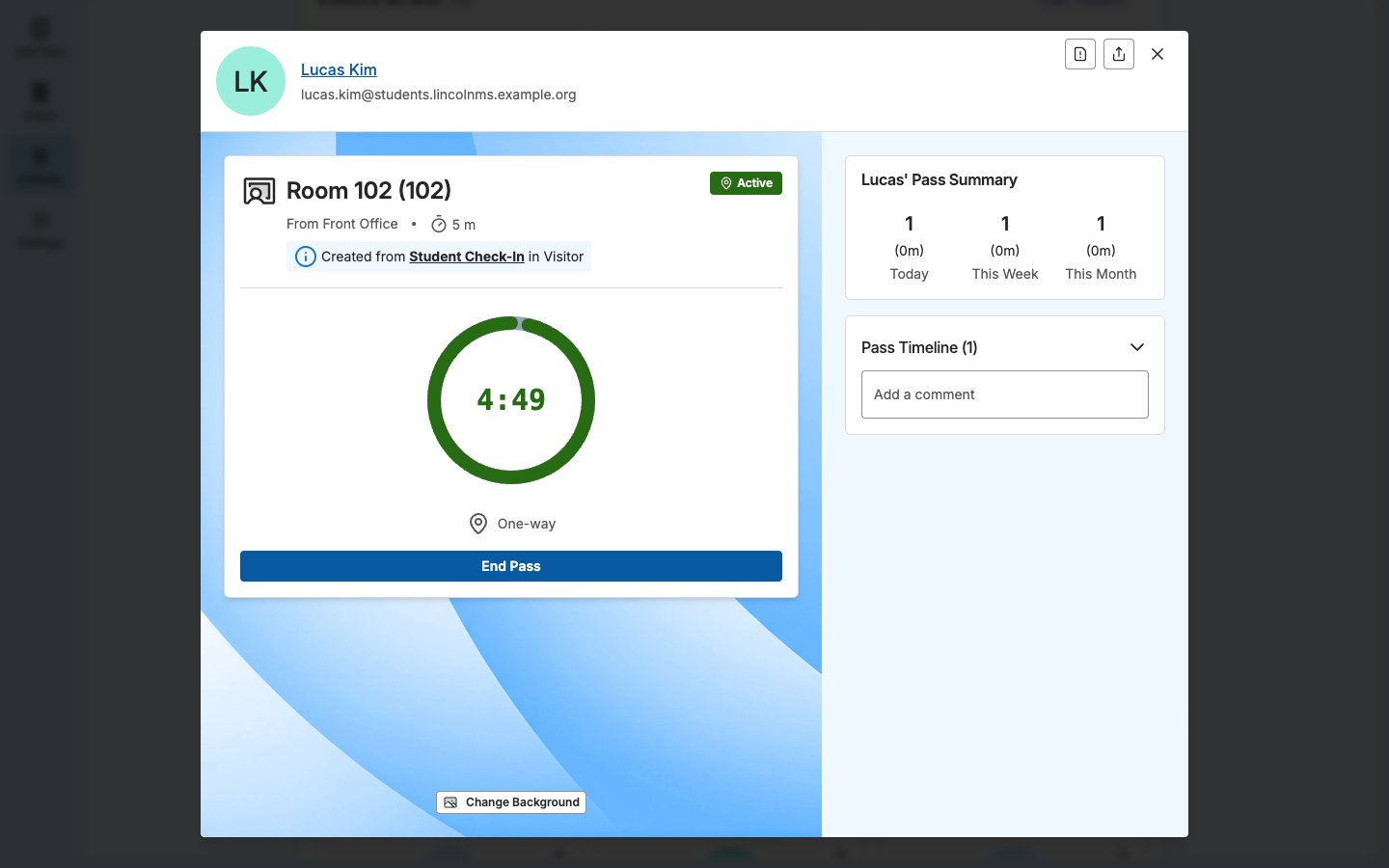
Visitor forms that include a Create Hall Pass step can create a student’s pass without front office staff writing a separate pass.- Student Check-In: A late arrival can create a pass from the check-in point to the student’s class. The pass starts immediately, without waiting for approval.
- Parent/Guardian Pickup: After staff confirm the selected students, Visitor can create passes from their classes to the check-in point. If a classroom requires approval to leave, the pass waits for the teacher’s approval. Staff end the pass when the student leaves with their guardian.
The Visitor form must include the Create Hall Pass step. Teachers receive these passes when they’re assigned to the student’s classroom in Settings → Rooms. If Hall Pass cannot create a pass, the check-in or pickup still completes. Visitor’s Activity Log records the reason.
See Visitors and Student Passes in Hallway
With both products, Hallway shows Visitors on Site above Student Passes. Staff with Hallway access can review both lists without switching products. Hallway access does not grant access to Visitor’s Front Desk, Activity Log, or screening results. Checking a visitor out or opening their full check-in record requires the appropriate Visitor permissions. See Hallway View for access requirements and actions.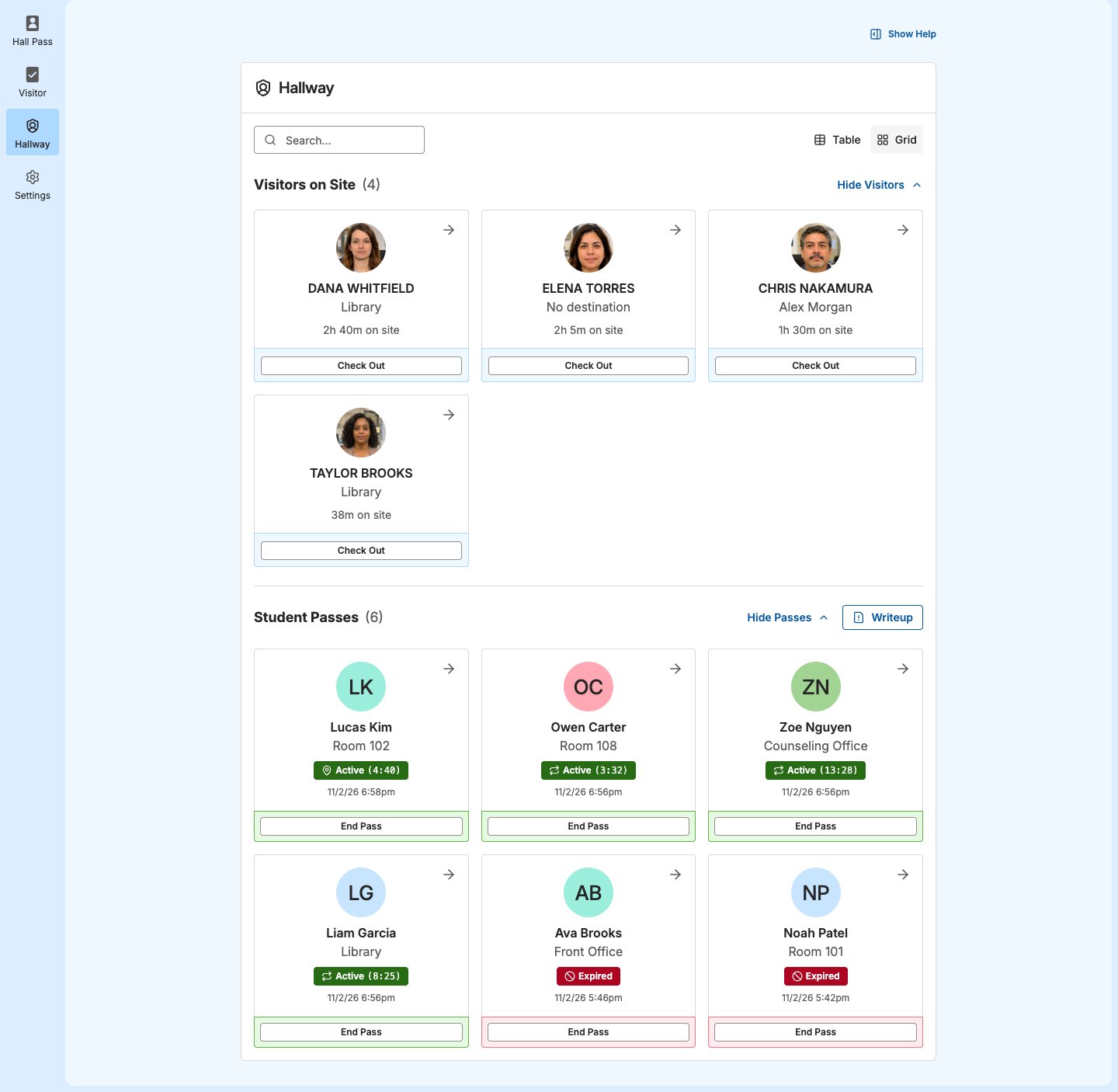
Identify Where a Pass Came From
A pass created from a Visitor check-in or pickup identifies the form that created it. Staff can see that context in the pass details. Site Admins and staff assigned to the relevant check-in point can also open the associated check-in record.