Print and Review Student Report Cards
In the Live Class Board, you can print Student Report Cards and review test performance. Report cards show each student’s test performance and can be printed for offline sharing. Please note that Student Report Cards is a premium feature.Access Student Report Cards
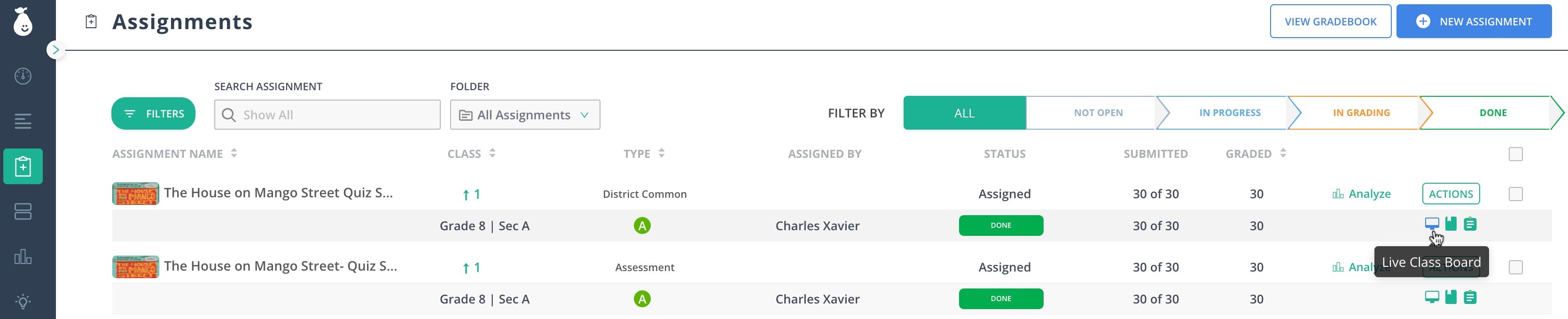
- Click Assignments.
- Click on the monitor-like button at the end of your assignment row. Tip: Hover the button and confirm it opens Live Class Board.
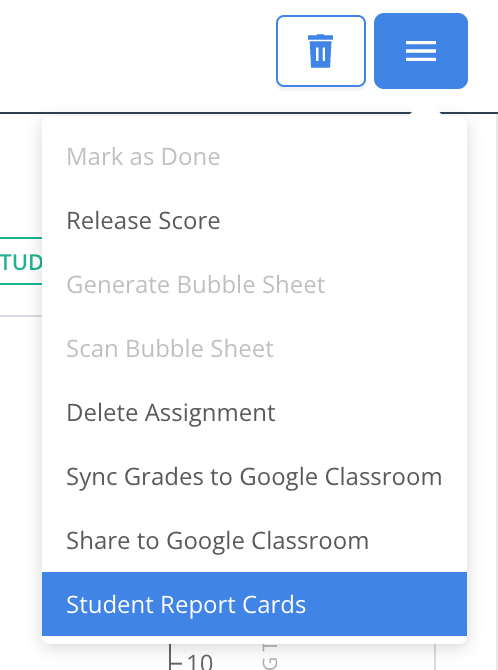
- Click the hamburger menu near the tabs > Student Report Cards.
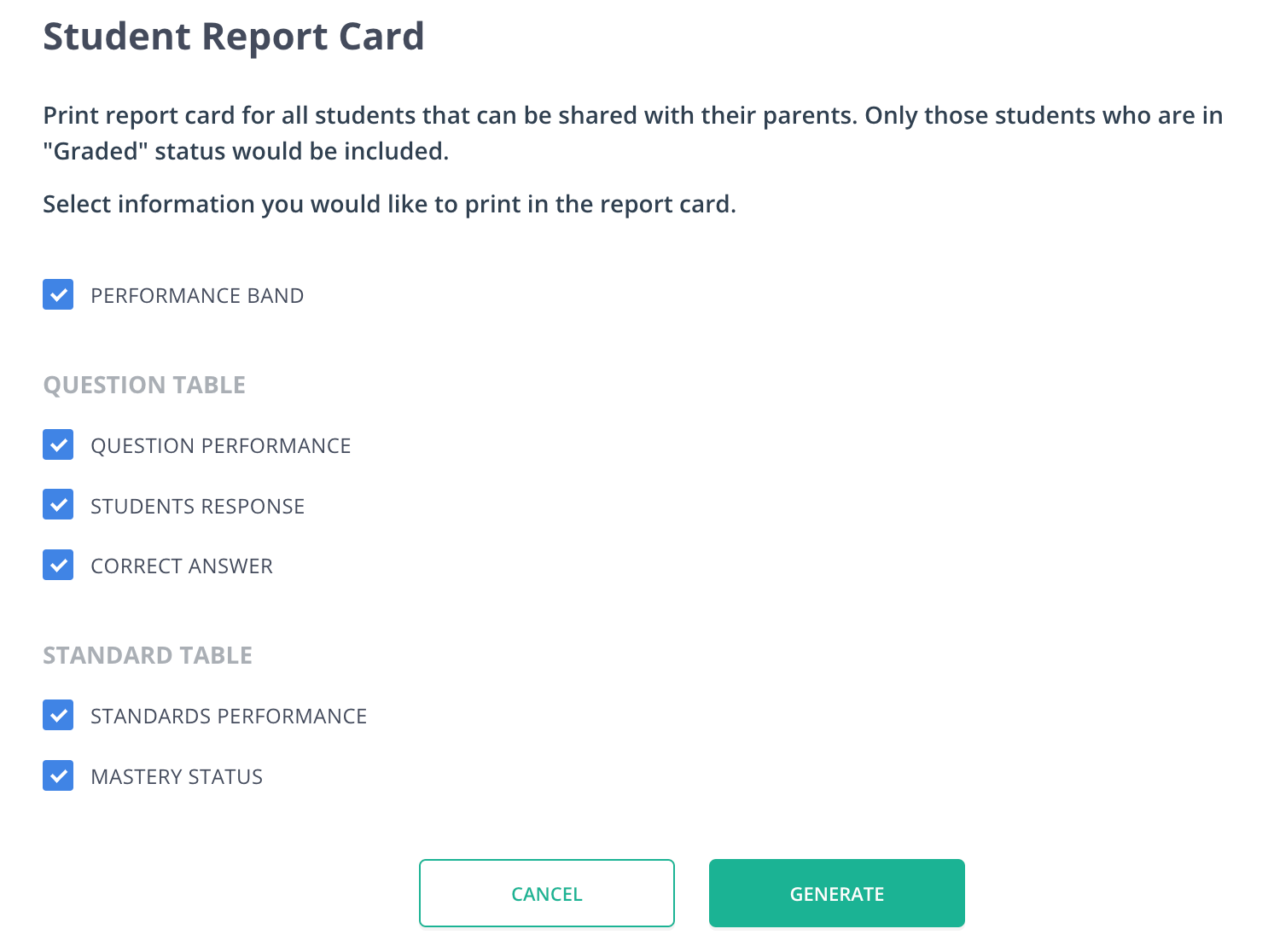
- Select the information to include in the report card.
- Click Generate.