

Archive a Classroom
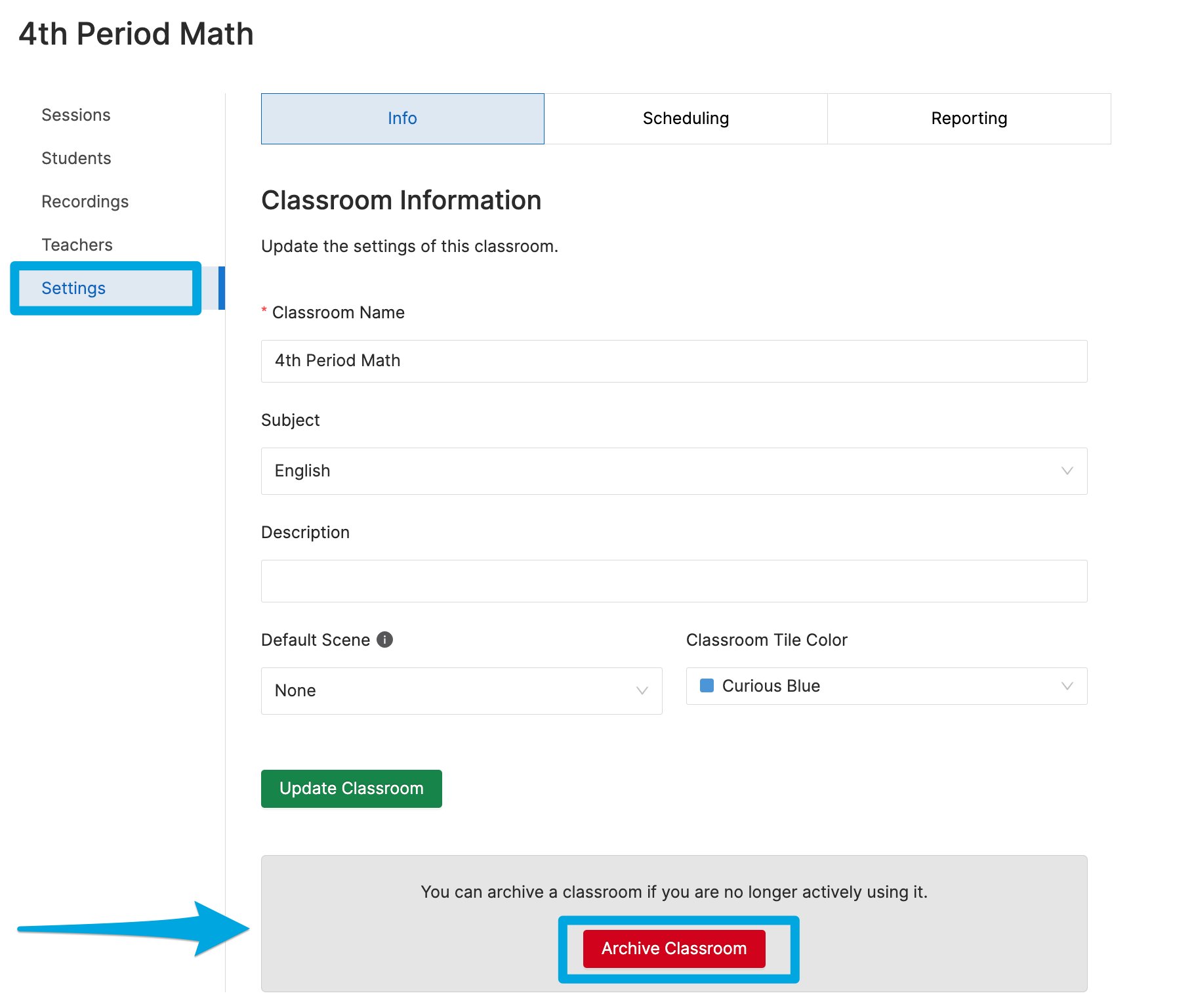
Method 1, from class settings:- Click the class you want to archive.
- Select Settings.
- Click Archive Classroom.
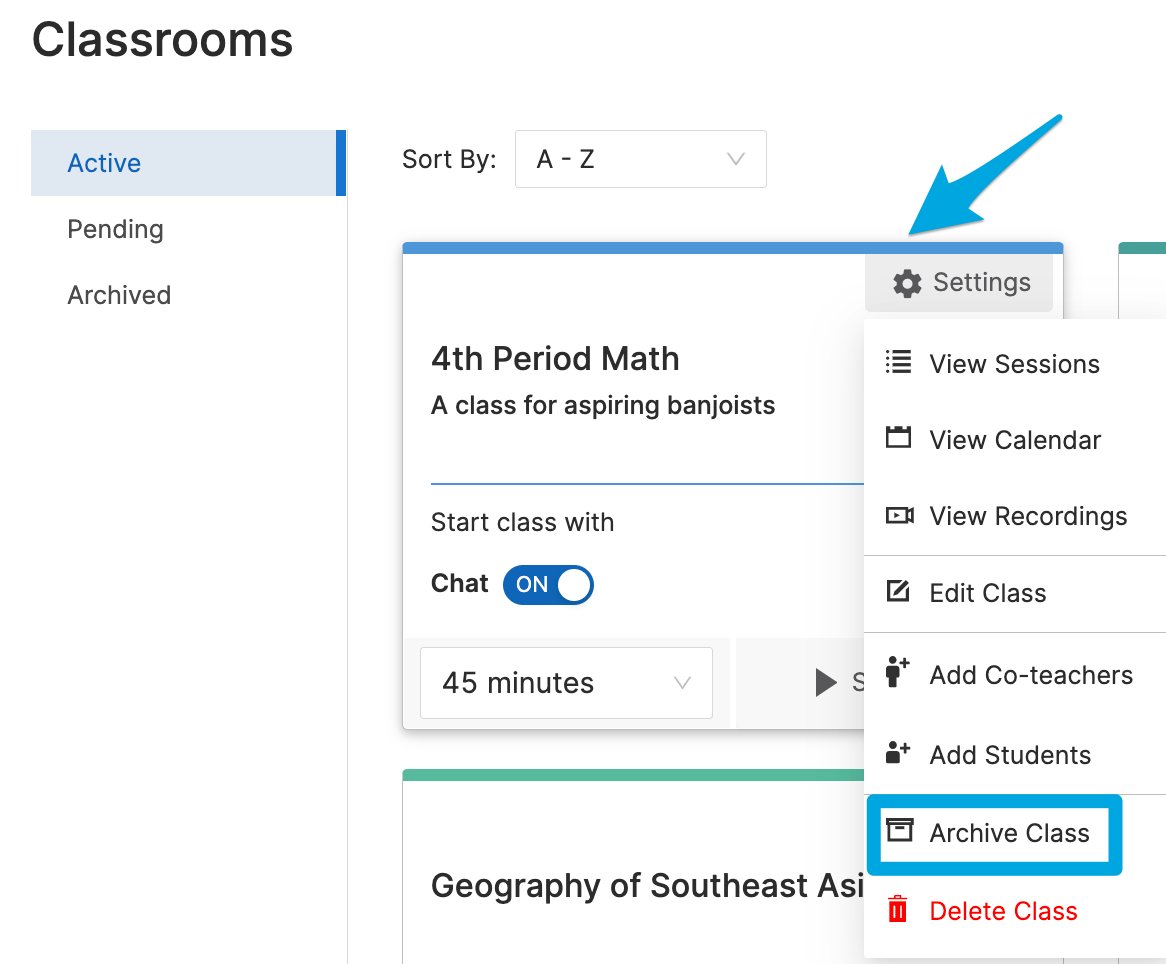
Restore an Archived Classroom
-
Go to the Archived classes page.
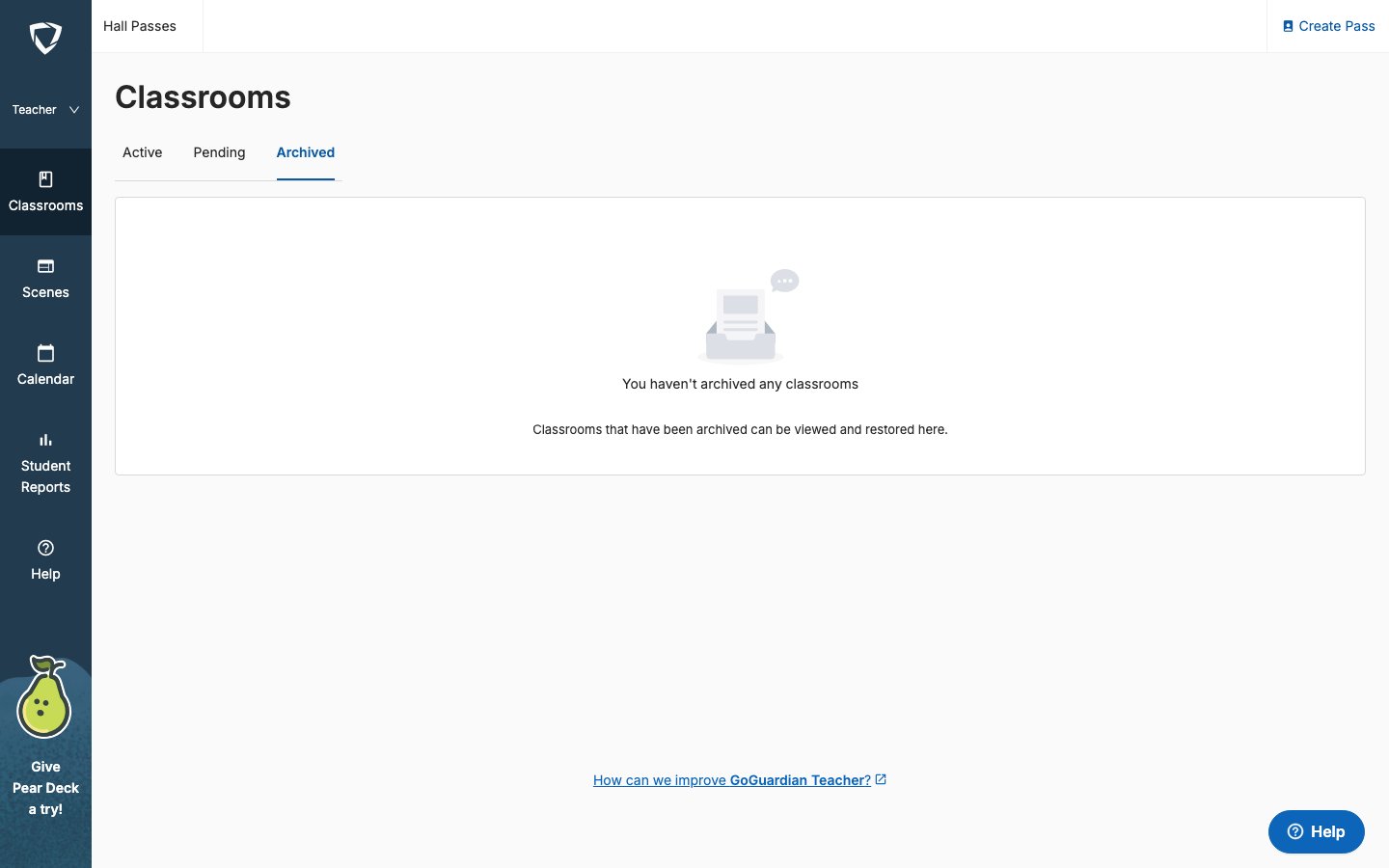
- Find the classroom you want to restore.
- Click Restore Class.

Delete a Classroom
Deleting a classroom permanently removes all screenshots, session history, and student reports associated with it. Only the classroom owner can delete a classroom. Classes synced from Clever or ClassLink can be archived but not deleted.
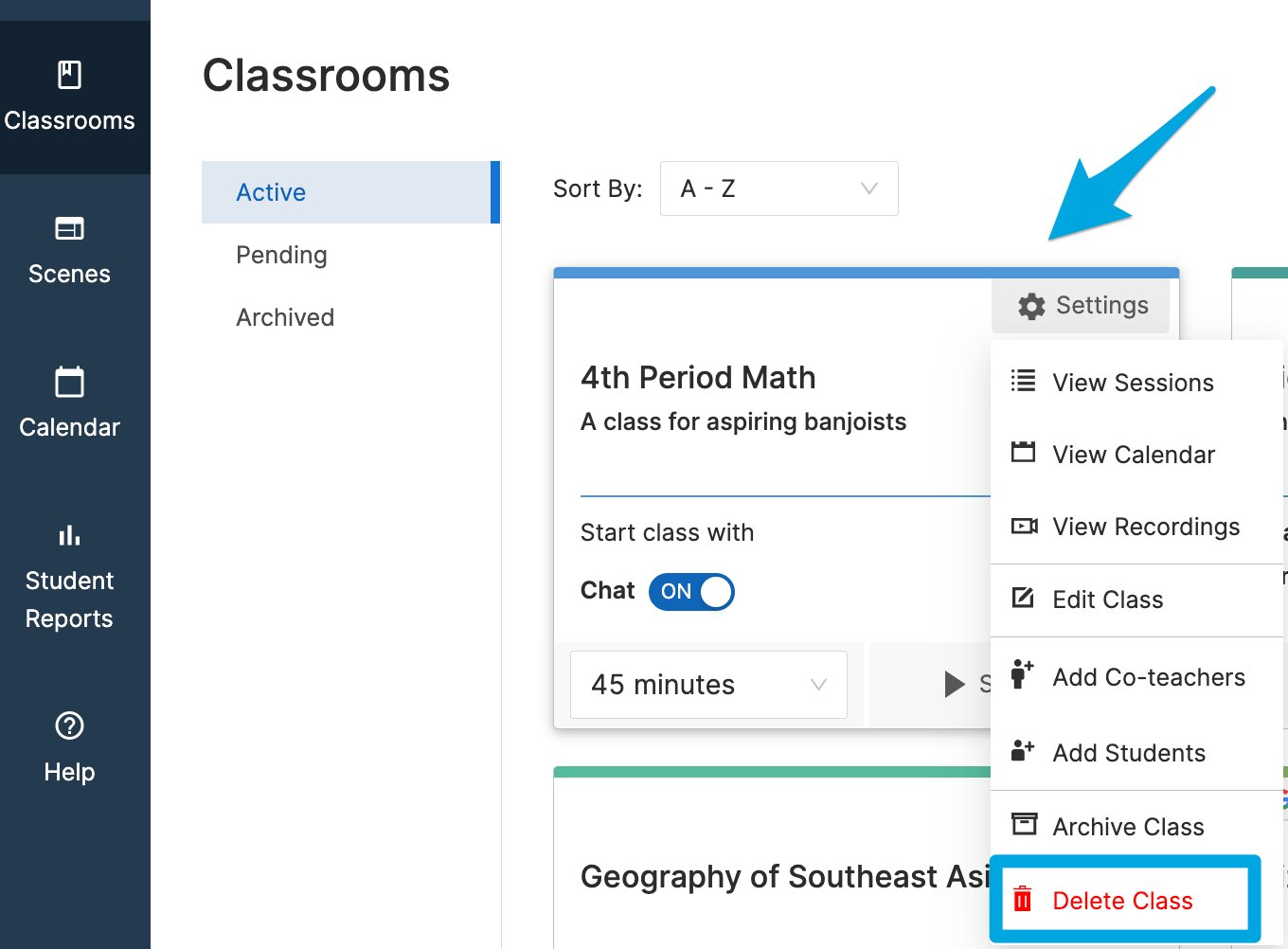
- Sign in at teacher.goguardian.com and find the classroom.
-
Click the Settings cogwheel in the top-right corner of the class tile and select Delete Class.

-
Enter
DELETEto confirm. - Click Delete class permanently.
Resources
Start a Classroom Session
Review how sessions and session history work.
Schedule Classroom Sessions
Archive scheduled classes before they create conflicts at end of year.