

This article covers GoGuardian Admin filtering only. GoGuardian Teacher users should be aware that Scene filters cannot block Doodle games without blocking Google entirely. Teacher users should contact their IT department or Google Workspace administrator for platform-level restrictions.
Understand Why Standard Blocking Does Not Work
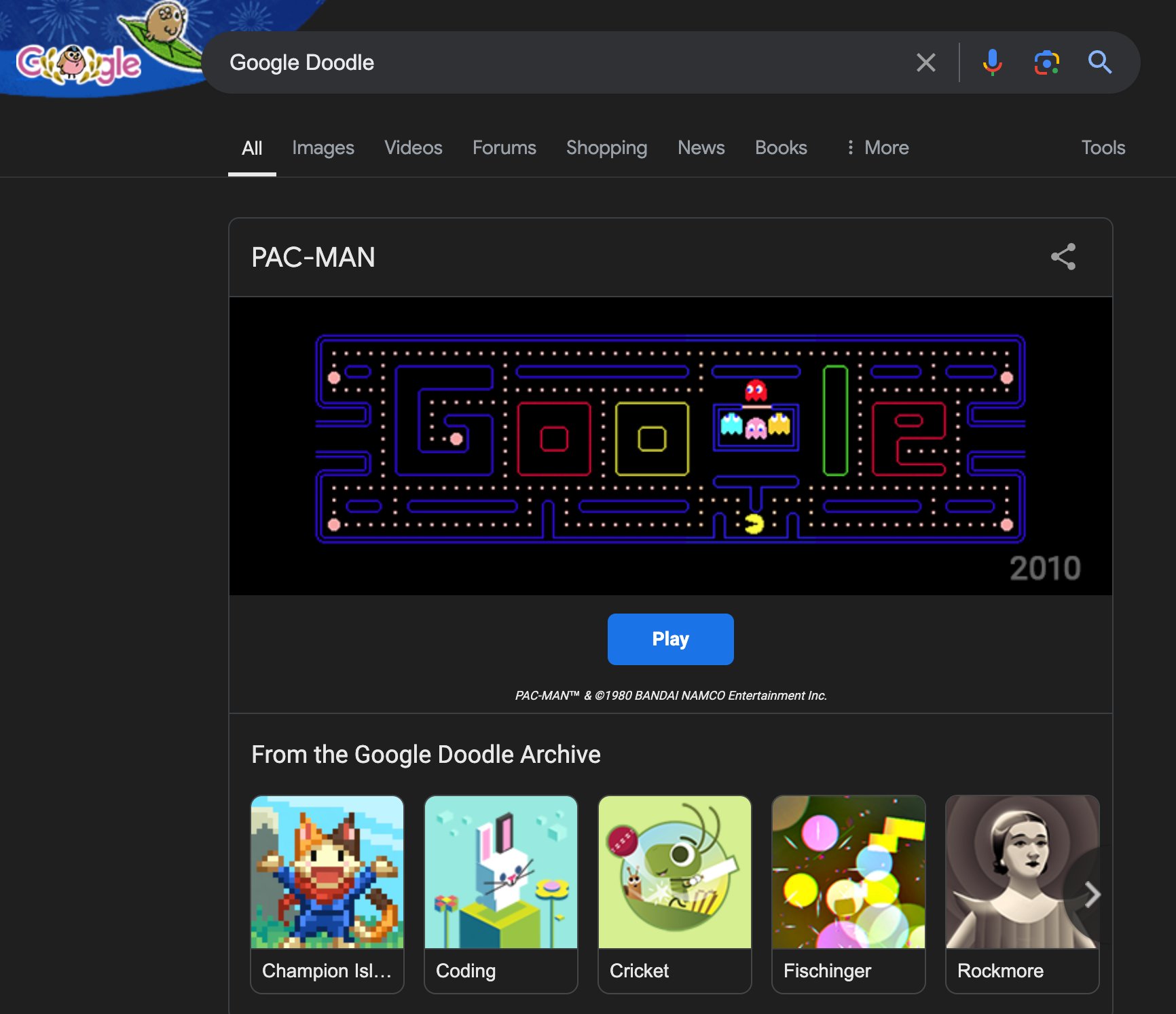
Google Doodle games (including the Snake game) run as embedded content insidegoogle.com and google.com/search. They are not served from a separate subdomain or path that GoGuardian Admin can target independently.
Adding a block rule for doodles.google.com blocks the dedicated Google Doodle archive page. It does not prevent students from playing games that appear inline on the main Google Search results page.
To block all Doodle games completely, you would need to block google.com or google.com/search entirely. If students need access to Google for schoolwork, that approach is not practical.
Neither Google Chrome nor Google Admin Console currently offers a native setting to disable Google Doodle games. GoGuardian Admin cannot fill that gap directly. The options below reduce access but do not guarantee full prevention.

Apply URL and Keyword Filtering Rules
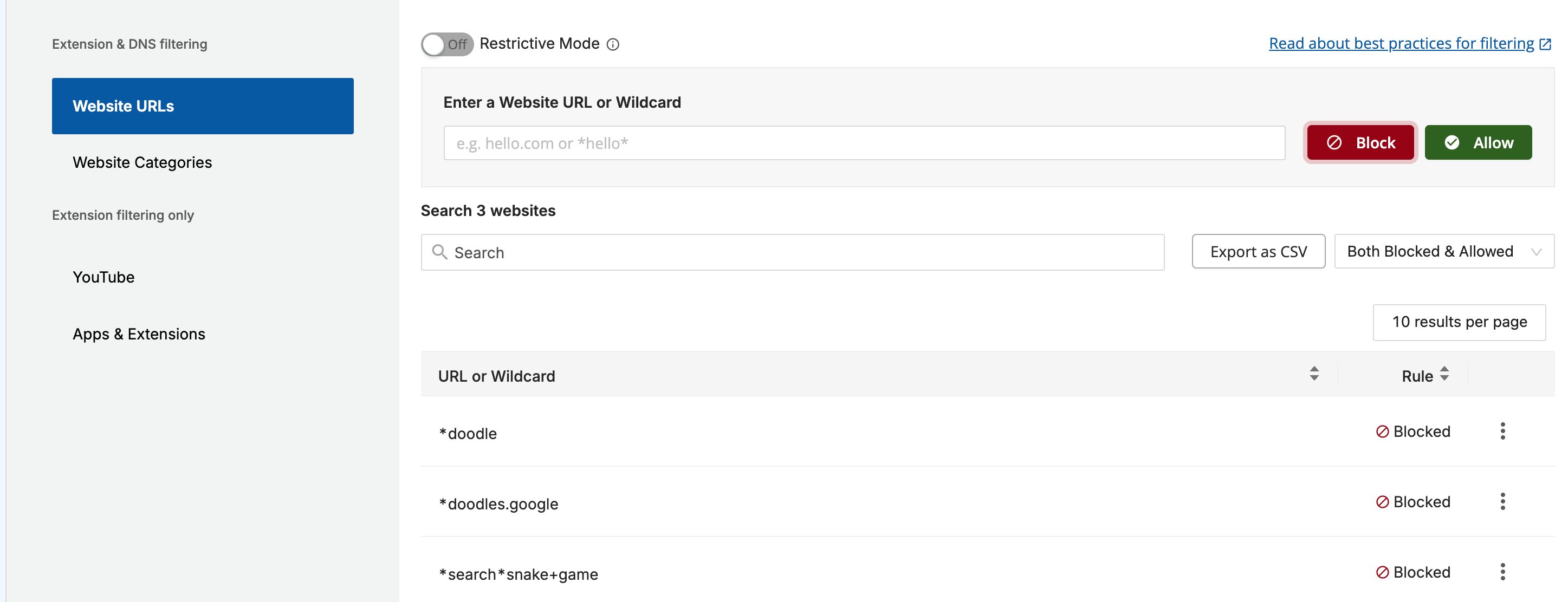
The Website URLs section of a filtering policy accepts wildcard patterns that target specific URLs and search queries. The rules below address Doodle games with different levels of scope and tradeoff. Add them individually or in combination based on what your environment requires.For keyword filtering rules to work,
google.com and google.com/search must not be added as explicit allow rules in the same policy. An explicit allow rule for those domains overrides keyword filtering.- In GoGuardian Admin, go to Filtering > Policies, then open the policy you want to update.
- Select Website URLs within the policy editor.
-
Enter the following pattern in the block list to block the dedicated Google Doodle archive page:
This rule blocks the Google Doodle archive at
doodles.google.combut does not block Doodle games that appear inline during a Google Search. -
To block search queries that directly lead to Doodle games, add one or more of the following patterns to the block list:
This blocks Google Search results for “doodle.” Students who search for Doodle games will see a block page instead of results. To block any URL containing the word “doodle” (including the Doodle archive and any doodle-related subpaths), add:This is a broader pattern. It blocks any URL where “doodle” appears anywhere in the address, which covers more Doodle entry points than the archive-specific rule alone. To block searches for “games” across Google Search, add:This blocks Google Search queries containing “games,” which reduces access to Doodle games reached through general game searches. Be aware that this also blocks other game-related searches that may be unrelated to Doodle. To also block searches for the Snake game specifically, add:The pattern
*search*snake(without+game) blocks all searches containing the word “snake,” including biology-related searches. Use*search*snake+gameto limit the block to the game context. - Click Save after adding all rules.
-
Verify the result: The new patterns appear in the block list. Students covered by this policy see a block page when navigating to
doodles.google.comor when running a Google Search for the blocked terms.
Understand the Limitations
These rules reduce access but do not fully prevent students from reaching Google Doodle games. Keyword bypass through misspelling. Wildcard filtering matches exact character strings. A student who searches for “sneke game” or “g00gle doodle” bypasses any rule that targets the correctly spelled term. You can add new block patterns as new bypass spellings are identified. Inline Doodle games on Google Search. When Google features a Doodle game on its search homepage, the game is accessible without a search query. No keyword filtering rule can block content that appears atgoogle.com without blocking Google itself.
Rules do not apply retroactively. Filtering rules apply at the time a request is made. A student who has a game already loaded in their browser before the rule is saved is not affected until the next page load.
If complete prevention of Google Doodle games is required, contact Google Workspace support to explore whether Google Admin Console policies can disable Doodle content at the platform level.
Resources
Block and Allow Websites
Add URL rules to a filtering policy to block or allow specific sites, paths, and subdomains.
Use Wildcard Rules in Policies
Reference for wildcard syntax in the Website URLs section of GoGuardian Admin policies.